I’ve taken the day off work today (Friday 23rd February) to come to the Republic of Ireland for a weekend doing Summits On The Air (SOTA).
Of course, walking up hills at this time of year is unreliable in terms of weather. It’s especially a risk if you have to book flights in advance, as I did for this trip. It could have been terribly wet, or the roads could have been impassable. The SOTA award recognises the problems of activating during winter by giving extra points as Winter Bonus points to people who go up mountains.
The Wicklow mountains stand out on the SOTA map, as there are loads of 10 point mountains (the highest) in a small area of each other, making them apparently good options for a run collecting a load of Winter Bonus points. And that’s exactly why I chose these mountains for this trip.
The weather has indeed been the main thing I’ve had to battle on this trip. It has been dry today, but the wind has been biting and relentless. A Southerly is normally a warm direction, but today it is coming down from Siberia, across continental Europe, down the English Channel and is then making a sharp turn to the North over the Republic of Ireland. The resulting wind chill has been down to -8c.
EI/IE-005 Kippure
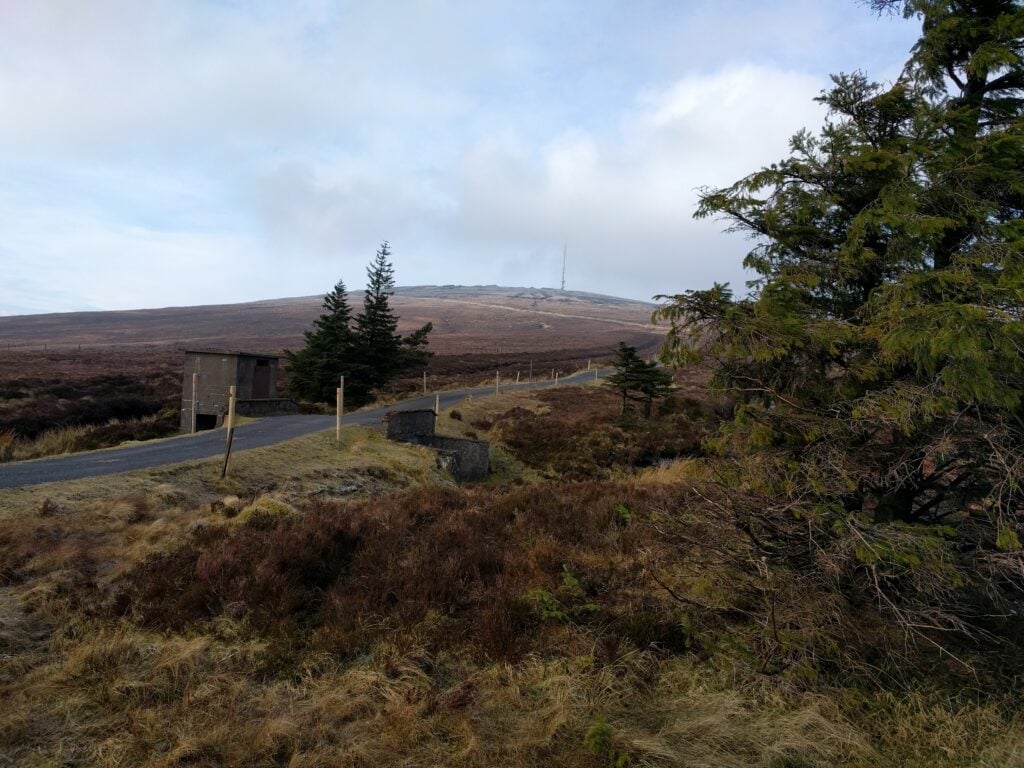
Having flown into Dublin last night, staying at the Premier Inn at Dublin Airport (which is comfortable enough), I picked up a rental car this morning and headed straight for Kippure. This is one of the nearest 10 pointers to the capital city, and is the site of the main TV transmitter mast for the area. It’s a really easy way to get 10 points. Having driven about 40 minutes from Dublin airport (Note: You’ll need to pay the M50 Toll for the ringroad), you leave you car in the layby, and then walk about 3.5kms up the tarmac access road to the mast. This took about 45 minutes for the ascent and 30 for the descent, much quicker than I had projected.
The access road to Kippure transmitter site
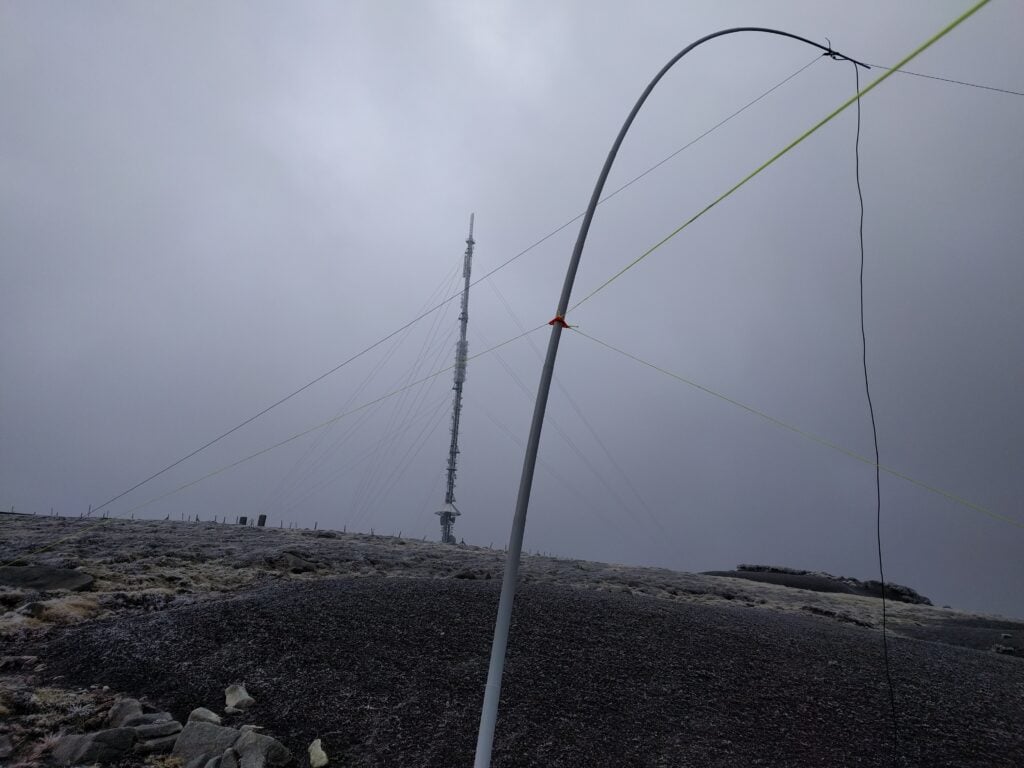
A sign at the bottom of the road warns that you should not approach within 200m of the transmitter mast due to the potential of falling ice. With the weather so cold, I considered this a realistic danger, so as soon as I was within the activation zone, I stopped and set up the station just off the road. The wind made the set up quite slow but I was relieved to hear a call on my 2m handheld from GW4TQE/P and GW4VPX/P on SOTA GW/MW-011 while I was still sorting out the dipole, so that gave me my first two QSOs.
As soon as I was ready on 30m CW, I quickly got a number of callers thanks to the SOTA Reverse Beacon Network gateway (a system that automatically decodes callsigns from Morse Code, checks whether that callsign is expected on a hill soon, and if so, alerts everyone immediately). Ten stations from across Europe were worked on morse code in this way.
My 30m dipole in the shadow of the transmitter mast on Kippure
Given how easy this summit is, I was amazed it had only been activated 15 times before me.
I was back at the car by 12:00, about 2h15 since I had left it, and about an hour earlier than I had expected. It was then a short 20 minute drive to the next mountain, Tonelagee.
One word of warning – when researching this trip, several sources mentioned that car break-ins are common at Kippure, and indeed there was plenty of broken glass in the carpark. I suspected I was OK on such a cold day as nobody in their right mind would have been out, but I would have had more concern about the suitcase in my car on a warmer day.
EI/IE-003 Tonelagee
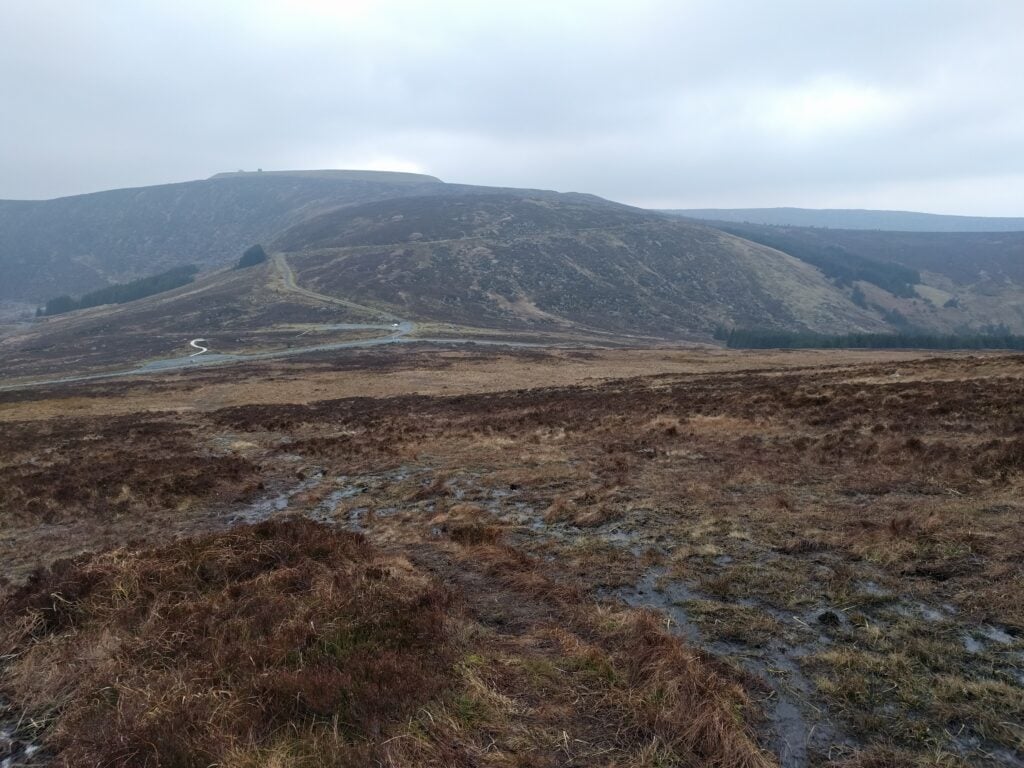
Tonelagee is another easy way to get ten points plus Winter Bonus, but it has barely been activated more than Kippure. Just 20 activations before mine. There’s no tarmac access path this time but it’s one of those hills where you get out of your car in a car park at the bottom and basically head straight up. The path is hard to distinguish in the flatter area around the carpark but you’ll soon pick it up if you head in a straight line. That flatter area is incredibly boggy with heather outcrops, so you do need to watch where you are walking. Even when you start climbing, the boggy conditions continued to about 550m ASL, where the slope becomes a little more pronounced.
The lower part of the ascent of Tonelagee, looking down to the carpark. The path is barely visible and boggy!
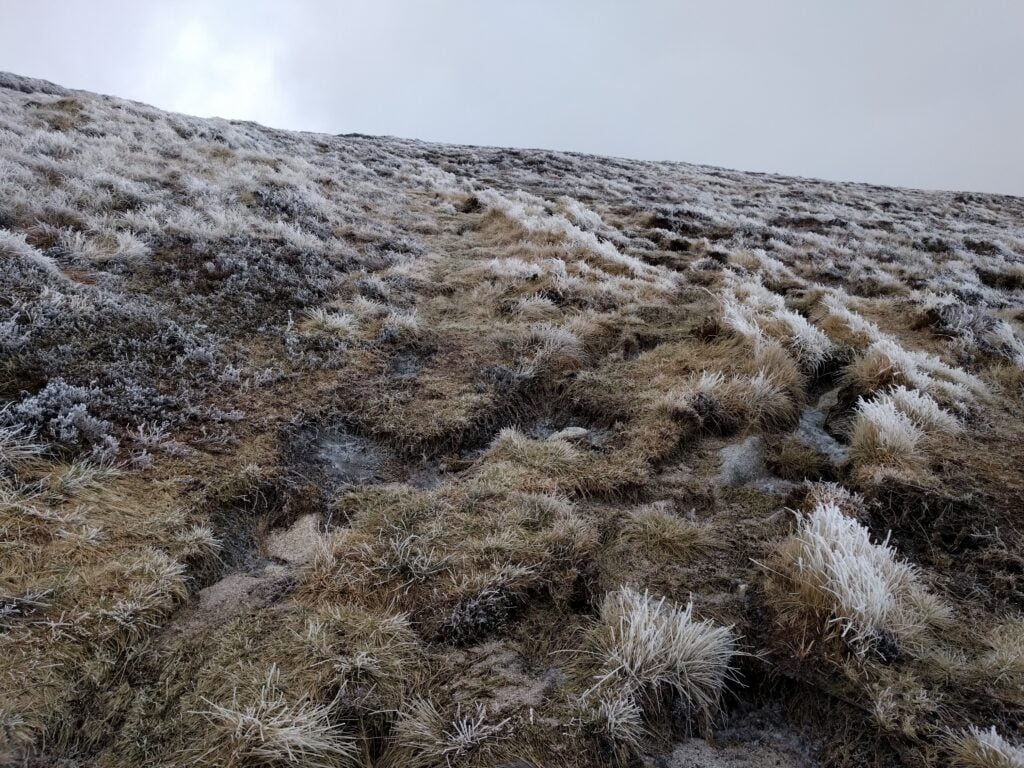
The next 100 metres of climb were pretty pleasant, but around the 700m point, there was a very hard frost on the ground. The walking became harder as it was a mixture of frozen puddles and hard bog. At least the wind was behind me for most of the ascent. It’s worth noting that the carpark is visible below you until you are almost at the summit – something I always find reassuring for navigation.
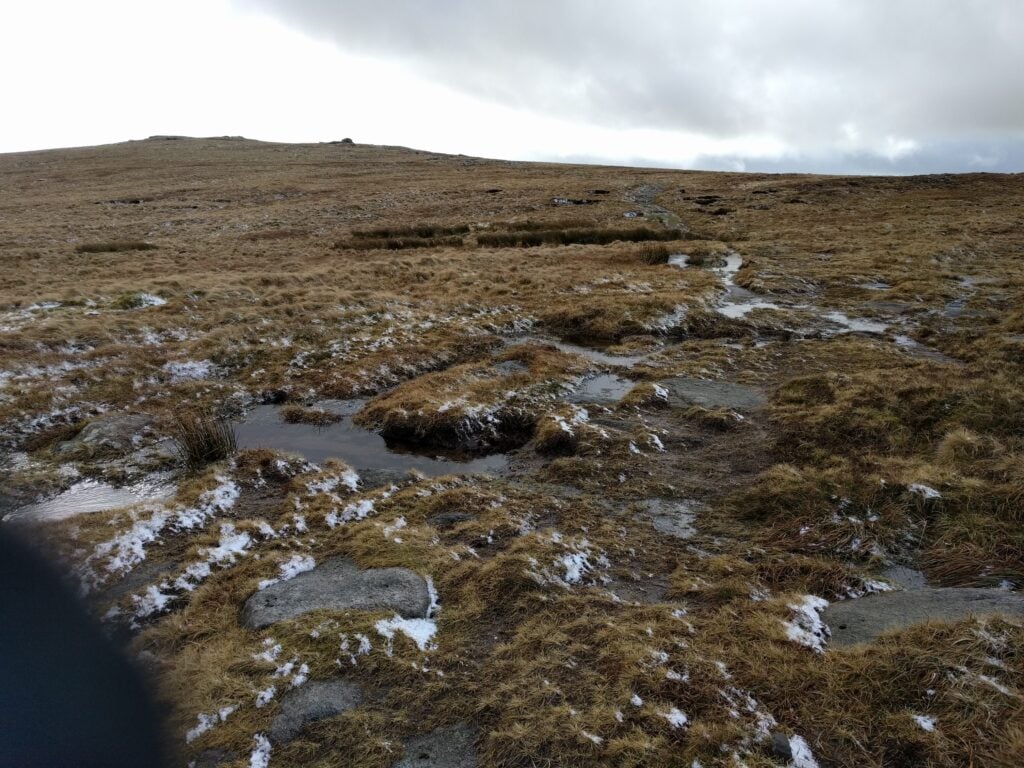
The hard frost on the ground on the upper part of the ascent of Tonelagee
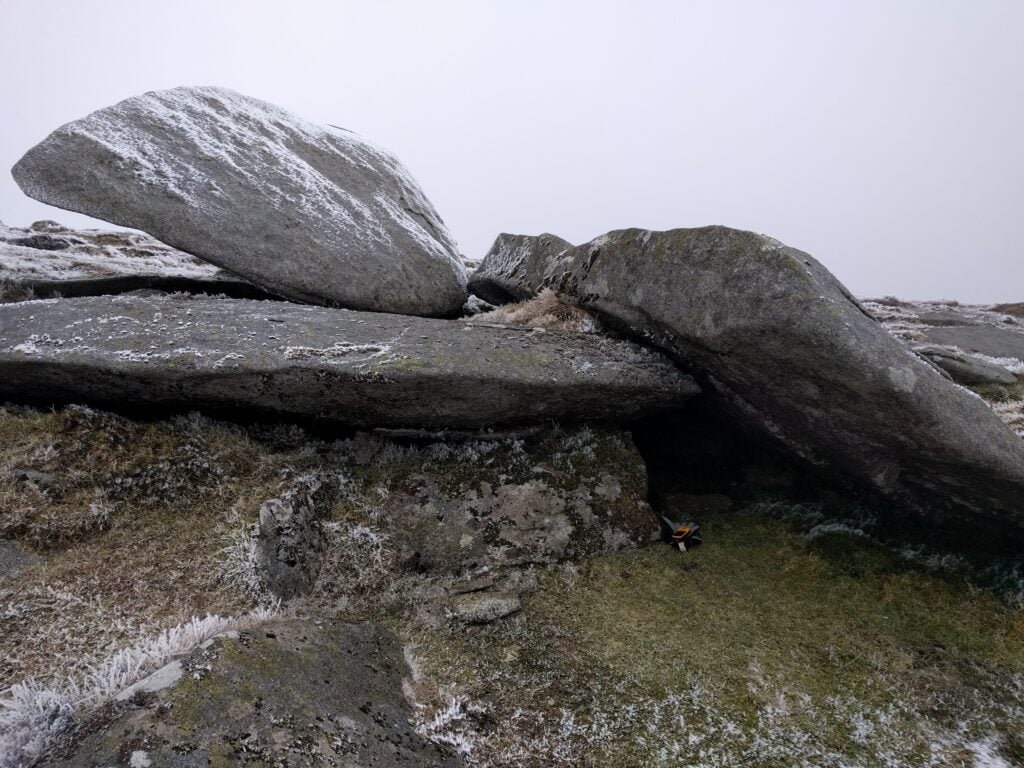
Tonelagee has a pretty flat top, meaning there’s a sizeable activation zone. Although it is mainly barren, I found a useful stone shelter where I set up the station out of the wind. It was actually fairly comfortable when I was crouched down operating behind the stone, but the SOTA pole bent almost at right-angles was a continual reminder that it was not so good beyond my little cave… and that was with the SOTA pole not at full height.
The handy shelter I found on the summit of Tonelagee
I had enough shelter to get nine stations in the log on 30m CW. I did call on 2m FM but didn’t hear any replies (which was lucky, as I would have had to stop crouching behind rocks).
By way of indication as to just how cold it was, my smartphone shut down on the top while taking a photo, presumably with voltage drop (batteries don’t like the cold). As soon as it was back in the relatively warm car, it booted up again with 60% battery remaining. Yet another reason not to rely on mobile phones when hiking.
Again, I did this one much quicker than expected. The walk took a similar amount of time to Kippure – about 45 minutes up and 30 down, meaning I was in the warmth of the car just after 3pm.
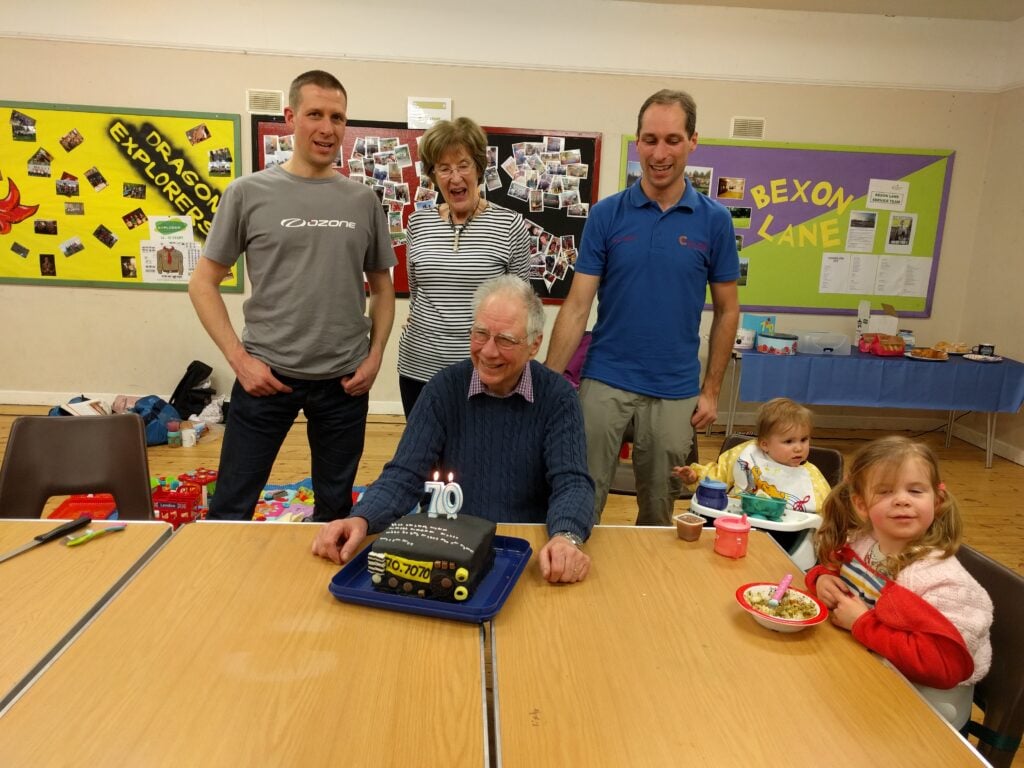
This weekend I was fortunate to be invited to Terry G3VFC’s 70th birthday party with a difference. Planned by his sons Richard 2E1EVK and Rob M0VFC, the object was for a group of us to set up stations in a local Scout hall and to make QSOs with 70 DXCC entities.
G3VFC with his 70th birthday cake
In the end, we didn’t quite manage it – we made a total of 430 QSOs with 55 DXCCs. This was partly due to a noisy location (though a separate RX antenna did help), and also the ARRL DX CW contest, which meant that there was little DX that could be worked on that mode. Conditions were also atrocious, especially on the Saturday.
A trip home to visit my parents in Devon gave me the opportunity for my first SOTA activation of 2018: High Willhays, the highest point on Dartmoor. It’s also the only SOTA summit on the moor, as most tors don’t have sufficient prominence to meet the P150 rule.
This is a nice easy way to get four points (plus three winter bonus points at this time of year). Before attempting the hill, however, it’s imperative to check the Dartmoor Firing Notice, since High Willhays is part of the Okehampton Firing Range, so you need to be sure that the army is not using the area for live firing.
For the easiest walk in, the following is my recommended route:
In the centre of Okehampton, turn up Station Road, signposted ‘Camp’.
Continue until you reach the barrier at the perimeter of the military camp at SX592932.
Drive over the cattle grid and immediately turn right (don’t cross the brook), meaning that you end up following the stone wall on your right
Follow the obvious tarmac track until the tarmac runs out and the road surface becomes rough at SX592913. This is as far as private vehicles are permitted.
Park where the tarmac runs out, by West Mill Tor (Looking North)
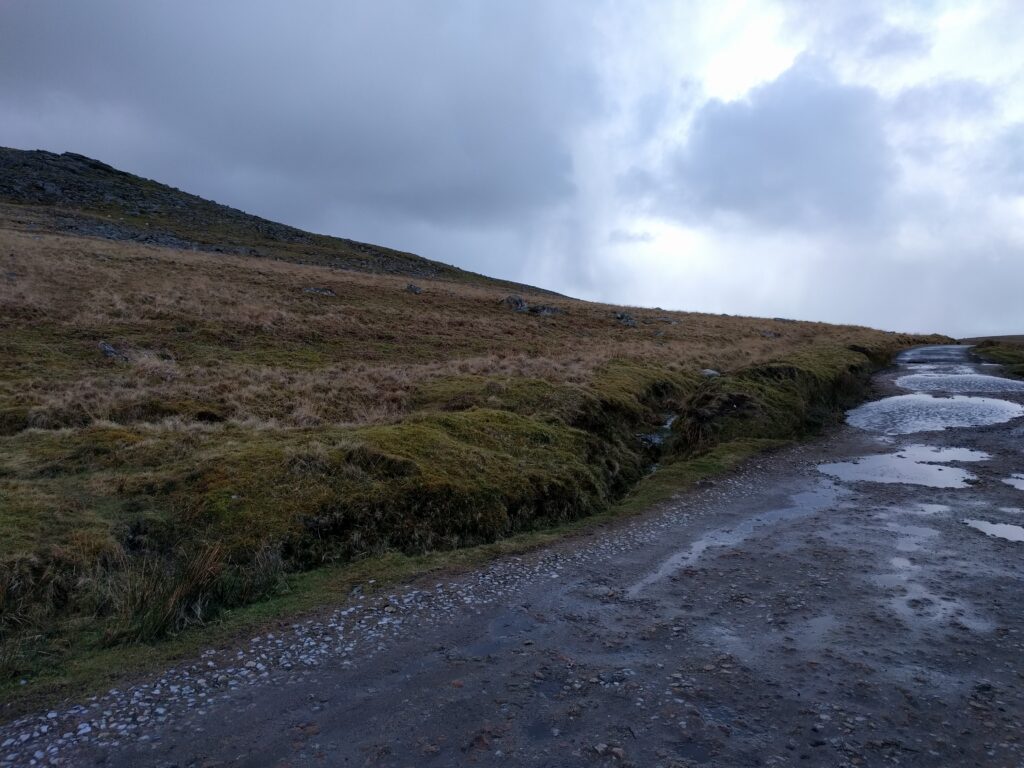
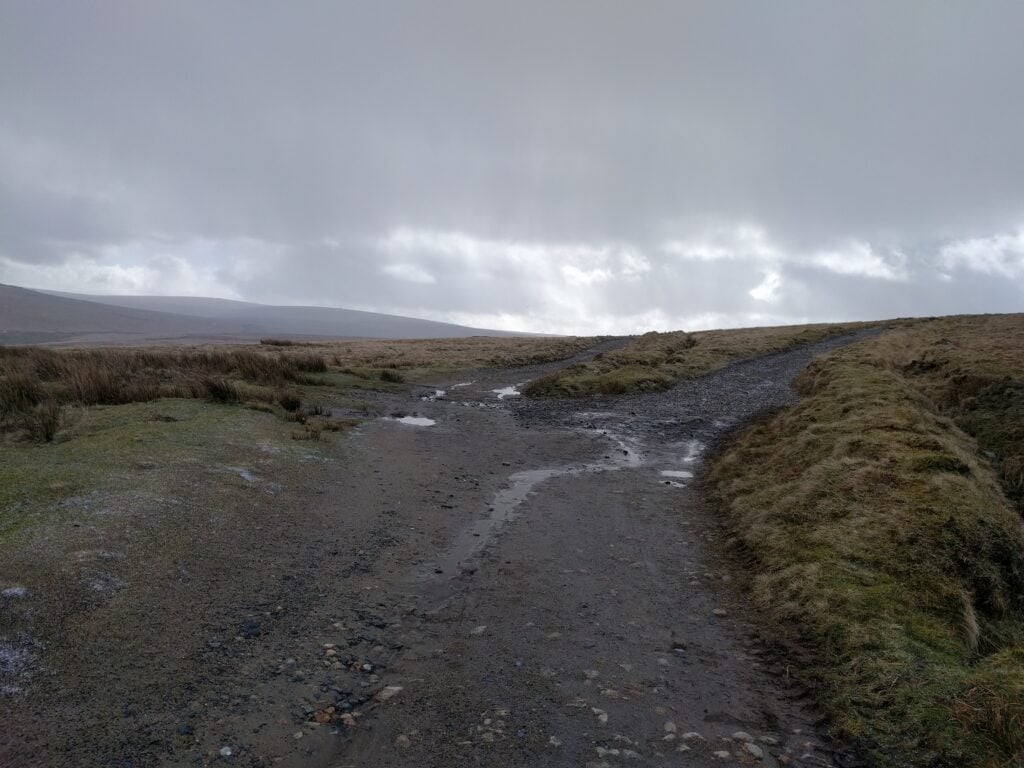
Leaving the car here, you’ll have West Mill Tor to the south-west, with the path continuing due south. Walk along the path to where the path splits at SX592906.
Bear right, heading south-west towards Yes Tor, with the obvious flag pole on top. (If there’s a red flag flying on the pole, turn back; it means there is live firing in the area.)
Bear right where the path splits
The path continues to the ridge half-way between Yes Tor (to the north) and High Willhays (to the south) at SX581899.
Bear left and take the barely-visible track that heads straight towards High Willhays. Note that this path can be boggy.
Take the path to reach High Willhays on the horizon
You will soon reach High Wilhays (SX580892), about 50 minutes after leaving the car. It’s a fairly unimpressive tor by general Dartmoor standards, and it’s quite flat, giving a sizeable activation zone, so plenty of room to set up HF dipoles.
My activation today was a very quick one, only getting 6 QSOs on 30m CW. There were some very squally showers of sleet, hail and snow grains that were accompanied by some strong gusts. With the bitterly cold winds, and the fact that my parents were with me getting cold, I was keen not to spend more time on the hill than necessary. Sorry to those I missed.
We always aim to have at least five stations on from the Camb-Hams for any of the AFS events, because it’s the top four scores in the team that are counted for the Super-league, and you never know when failure might befall one of the stations.
Today, it was our turn to suffer from equipment problems.. I was operating from Gavin M1BXF’s QTH near Newmarket with Mark M0MJH. All was going well before the start of the contest but just two minutes before the beginning, while checking signals with G3PYE/P, our receiver suddenly became deaf.
The fault was quickly diagnosed as a failure of the masthead pre-amp, which meant that the mast had to come down as the contest was starting. While Gavin concentrated on fault-fixing, Mark and I carried on the contest using a mixture of an X-Quad 9-element satellite antenna (the first time I’ve used right-hand circular polarisation in a contest) and the 2×21 ele stacked yagis, once the pre-amp was off the mast. As you would expect, the lack of pre-amp in the stacked yagis meant that we really struggled to hear the most distant stations. Sorry if you tried to contact us and we couldn’t hear you.
Gavin trying to fix the pre-amp mid-contest
Despite the handicap, however, we finished with an OK score of 57 QSOs. Best DX was MM0CEZ on CW, with only one French station worked, even with the overlap in the British and French contest times.
And with this contest, we’ve reached the end of the AFS Super-league season, which started back in October. So far, it’s looking good overall for the Camb-Hams, but we’ll see what happens in the final results.
Update: Results have now been published and, as expected, we were put in the Camb-Hams B team, which came in 13th place overall. Camb-Hams A came in 2nd place, which was sufficient for Camb-Hams to come first in the AFS Super League for the 2017-18 season.
I was invited to Suffolk RED last evening for the opportunity to demonstrate the sort of equipment I take up hills for SOTA purposes.
For those who don’t know, Suffolk RED (Radio and Electronics Development) is a monthly supra-club event, now into its fourth year, which has proved very popular in East Anglia. The premise is simple: rather than a boring talk in a local radio club, once a month people with something to show can take a table, lay out their goods, and people just mill around, talking, and looking at what is on the tables. Visitors come from a range of local radio clubs. It’s a great opportunity to talk and discover new aspects of our fascinating hobby.
And that’s where my table fitted in. I was next to Rob M0VFC, who was showing off the lightweight kit he had taken to Norfolk Island a couple months ago, while my set of gear was slightly different (no Juma amp and more navigation aids!). It should be noted that my equipment list isn’t particularly special, nor is it perfectly weight optimised (I still use RG-8 Mini coax instead of RG-174, for example). The event was a great starting place for introducing some people to SOTA, however.
So here’s what I took:
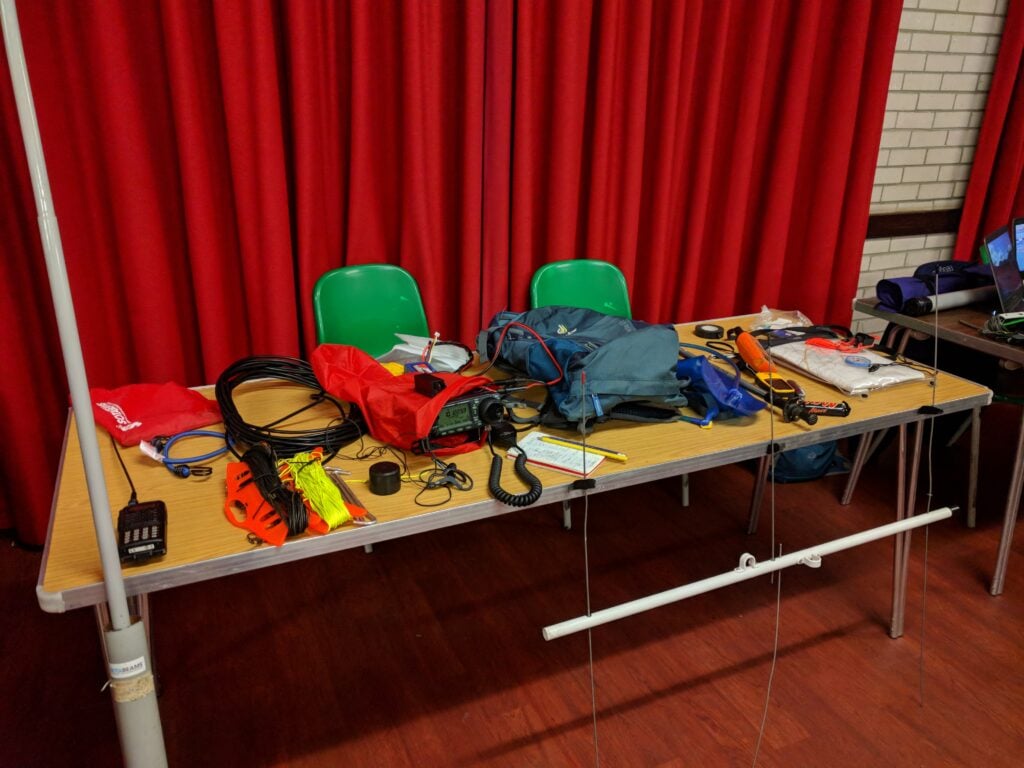
SOTA gear on the table at Suffolk RED
From left-to-right:
The radio equipment:
10m DX-Wire fibreglass pole
FT-60 handheld
Bungee (useful for attaching the fibreglass pole to trig points, fences, etc.)
30m dipole on kite winder
SOTA Beams guying kit with high visibility cord on kite winder
RG-8 Mini coax
Tent pegs
IC-706Mk2G with sports headphones (which don’t fall out in the wind) in a waterproof bag
I had a bit of spare time over the weekend, so gave away a few points in the French REF-CW contest.
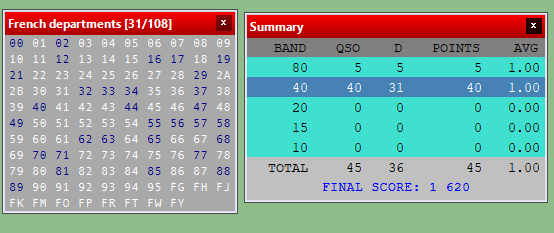
Equipment was my Elecraft K3 with just 40W out (to prevent QRM to neighbours) to my 30m dipole, tuned onto 40m. I’m not entirely sure how effective this was. Many stations seemed to struggle with my callsign, so I suspect I wasn’t very strong to them. Having said that, conditions on 40m did also seem genuinely rubbish with deep QSB. On a number of occasions, someone who was S9 when CQing was S0 and unreadable by the time they were giving my report – very frustrating!
I did try 5 QSOs on 80m but it was clear I was very weak there and everyone was struggling to copy me. That wasn’t a surprise, as my 30m dipole required several attempts by the K3s ATU to make it semi-happy, so I quickly abandoned.
REF CW 2018 scores and mults screenshot
My log will be published automatically on 1st February.
I operated with Rob M0VFC for the three RSGB 80m and 40m Affiliated Society Contests in January 2018 from Flossie, the Camb-Hams van, at our Worts Causeway site (JO02CE).
CW (Sunday 7th January)
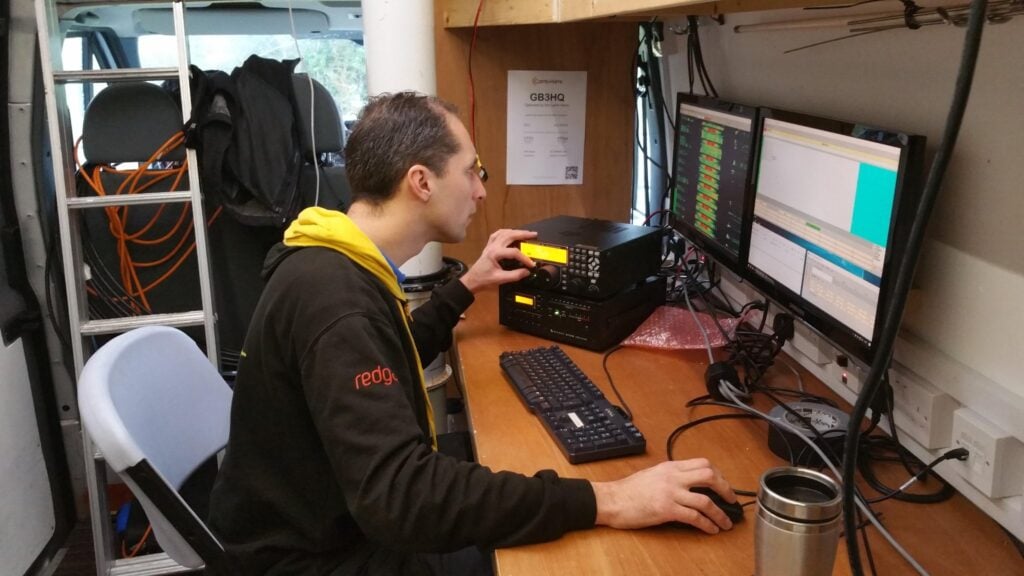
This was a very fun event. We were using two Elecraft K3s, one with a KPA500, and the other with a Juma amplifier, to dipoles. The 80m dipole was at the top of Flossie’s mast, and the 40m was parallel with the centre about halfway up the mast. Despite this, there were no discernible interactions between the antennas.
We were about 20 minutes late on, just by virtue of having been late on-site, but we were still able to take advantage of about 40 minutes good inter-UK propagation on 40m before changing to 80m.
Once we were underway properly running on 80m, we then started interleaving S&P QSOs on 40m, using a simple interlock cable on the K3s to keep us abiding by the rule only to transmit on one band at a time. (The running station was master, and could transmit at any time; the S&P station was slave, and could only transmit when the master was not in transmit). It did take us a little while to get used to watching each other to avoid transmissions being interrupted by the interlock, but it netted us a nice few GMs and EU stations while allowing the 80m station to keep the run frequency.
Thanks to M0PCB’s fantastically quick adjudication, we now know that we came joint 28th overall, with 230 points. This put our entry into the Camb-Hams B team, which came 7th overall (with Camb-Hams A coming first).
We had double the average amount of errors for the contest in our UBN, so that’s something to work on for next year!
SSB (Saturday 13th January)
We were late on again for SSB – this time due to multiple failures of the 80m dipole – which meant that we missed the fact that lots of people gave up on 40m early because of conditions and the QRM from the Italian contest. This, in turn, meant that we were late getting down to 80m.
Once we were running, though, we got some good rates. We again interlocked the two K3s, and this was much easier on SSB as we could hear what each other were doing, of course. At times, it was even slow enough for us to operate 2O2R3V (two operators, two radios, three VFOs!) as the running operator could S&P on the B VFO in-band, as well as CQing!
We got a score of 228 points, giving us 22nd place overall. This again put us in Camb-Hams B team, which came fourth overall. Again, we were pleased that Camb-Hams A were first.
Data (Saturday 20th January)
Rob M0VFC on the RTTY data station
The inclusion of datamodes in AFS this year is new, and it gave us our first experience of a datamodes contest. I’d only briefly dabbled before, and Rob had never touched RTTY or PSK.
Despite another failure of the 80m dipole, we were set up on time. The start was very slow, however, and for a while we thought something was wrong. However much we called on 40m, nobody came back to us. Some S&P proved that there was nothing amiss, though, and returning to running, everything suddenly came to life.
This time we didn’t operate with two radios: we weren’t experienced enough for that. We did however use the second K3 to monitor our transmitted signal with no antenna connected, thus giving us confidence that we were ‘clean’.
At time of writing, we haven’t got adjudicated results yet, but our claimed score is 171. This looks to be a pretty good score. Most interesting is that the highest scores in both the 100W and 400W categories look very similar, and the fact that 172 is much less than the ~230 points we got in the other two legs. This seems to confirm our suspicion at the time that the contest was activity limited, rather than limited by conditions or equipment. If so, that could do very interesting things to the wider AFS Superleague results.
Update: The results are now out and, amazingly for our first data contest, we got a completely faultless log. As such, we placed in the Camb-Hams ‘A’ team, which came second to Norfolk ARC ‘A’.
This post describes a project I’ve been working on during Christmas this year. It is a project that’s absolutely not for the inexperienced, so if you decide to take any of the ideas in this post – which you’re absolutely welcome to do – I won’t be able to assist.
This is Part 1 of the post. Part 2 hasn’t been published yet (I’ll edit that when I get around to part 2). The scripts referred to here and all the other code will be made available on GitHub when Part 2 is published.
The problems:
Ubiquity or Functionality?
There are loads of amateur radio logging programs out there, and over the years I’ve tried many of them. Most suffer from a common problem, however: because our radio equipment is increasingly used under computer control, we opt to keep our logs on our shack computer, which can have soundcards and serial ports connected to the radios.That understandable quest for functionality in the logging software has a disadvantage, however: if we operate a portable station at different locations, we either have to take our logging computer with us, or else go through some routine of remembering to import and consolidate the logs in a single place later.
Other logging programs, such as 2M0SQL’s Cloudlog, take the alternative approach of being an online, hosted log. You can enter your contacts from anywhere, but that comes at the cost of not being able to connect the logging computer to your radio – for sound security reasons, web browsers can’t access serial interfaces connected to your computer.
Today, there are hacks which try to resolve this disadvantage. M0VFC’s CloudlogCAT program, for example, essentially gives Cloudlog some ability to talk to the radio by proxying commands through a local client computer. In the future, WebUSB should allow web browsers to talk to connected devices in a secure manner, but that will require new chips in our radios, and I can’t see the manufacturers adding support any time soon.
Backups and security
Having our logs stored on a local logging machine has a substantial disadvantage: we are responsible for our own backups and keeping our logs safe. We know this isn’t happening. All too often, we hear of people who have lost their logs in a hard-drive or virus incident, with the resulting impact on other people who need those log records. One of the advantages of a system hosted online, by someone else, is that they can maintain backups.
And other problems…
I’ve ranted before about how I don’t believe amateur radio log programs generally don’t have the right data model: when I go on a DXpedition somewhere, even just making a handful of contacts from a SOTA summit, those QSOs should be grouped together in my log as they share common information like locator square, IOTA/SOTA reference, etc. This means we need the concept of ‘activation’ in the log, as a parent of the child QSOs. This becomes especially critical if I’m uploading the QSOs to Logbook of the World, for example, as I want all the QSOs to be signed with the right grid square, which may not apply to the rest of the QSOs in the log. I’m amazed that too many logs still haven’t got this concept right. As we increasingly rely on automatic methods for uploading and signing QSO information and then claiming awards, there’s massive scope for errors if people are just signing data with a default certificate configuration because that’s all their program allows.
Enter Log4OM
I like to try different logging programs on a regular basis as its a fast-moving field in terms of functionality. About a year ago, I re-discovered Log4OM and decided to stick with it. Whilst it isn’t perfect (it doesn’t support the concept of activation described above, for example, and being desktop software it doesn’t allow ubiquitous logging), it has most of the features I require and good QSL management tools – critical for me as I deal with a lot of DXpedition QSOs each year.
At a technical level, Log4OM runs using a SQLite database by default – a sensible choice as it allows for easy first-time installation that ‘just works’. For those of us who know what we are doing, however, we can opt to switch to a MySQL database instead. MySQL is a database server program that’s designed to be used in a client/server architecture and is a very mature product – it is behind a lot of the world’s websites.
For the last year, I’ve been using a local MySQL server with my Log4OM installation (thereby continuing to sit on the ‘functionality’ side of the ‘functionality/ubiquity balance’ I described above. Then it occurred to me a couple months ago that there was no need to do this…
To the cloud! (AWS EC2, to be precise)
As I said, MySQL is designed for use in a server/client architecture, so just running the database locally on my computer means I wasn’t taking full advantage of its abilities. A few weeks ago, I spun up a T2-Nano Ubuntu Linux machine in AWS EC2, part of Amazon’s cloud-computing infrastructure, and installed MySQL on it. It was then just a matter of uploading the data from my local MySQL server to the one in EC2 and then changing the Log4OM profile for each of my logs to reflect the new login details. Since Log4OM doesn’t support MySQL connections over SSH, I also created a different user with restricted permissions and a non-default password that I’d use for logging in from Log4OM, and removed the default users that are created by Log4OM when new databases are created.
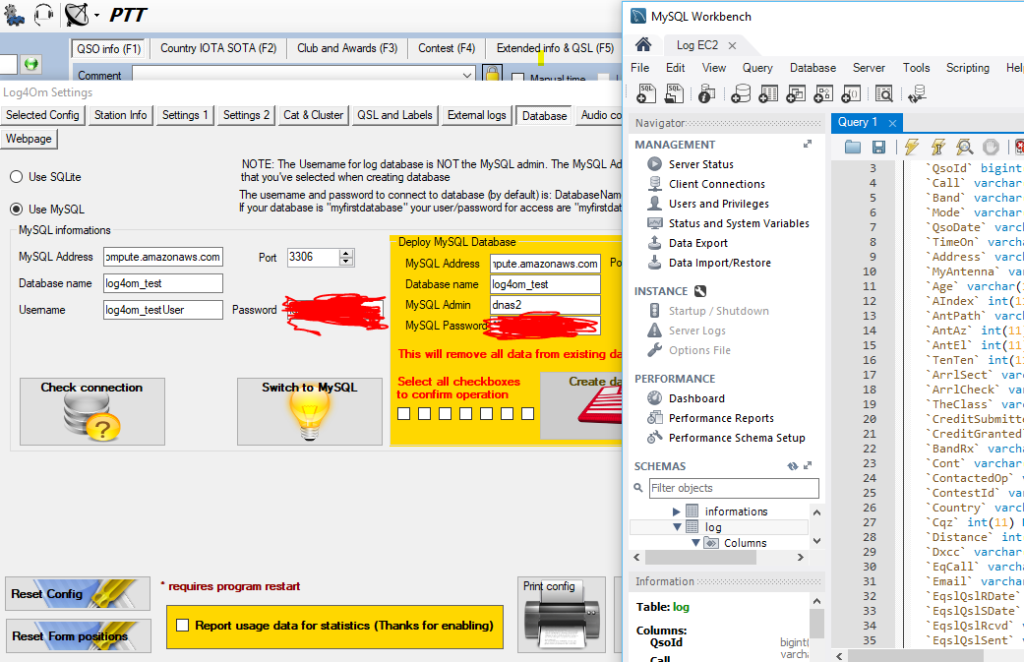
Testing connection to EC2 from Log4OM settings
Sure enough, I was soon connected to the database in the cloud from Log4OM:
Connected
(For the benefit of anyone else trying this, I also found a bug in Log4OM’s MySQL support, and an associated workaround, in the course of moving to a new MySQL installation.)
To summarise where we’re up to before I go any further:
I’ve now got Log4OM on my local desktop computer, acting as desktop software with CAT and soundcard connections to my K3, but using a database hosted by Amazon.
This resolves the ubiquity / functionality conundrum: I have full functionality from my logging software but the flexibility to connect to a single, always-on, database from any computer anywhere with an internet connection, as log as it has Log4OM installed.
A note about performance
Connecting Log4OM to a hosted database in the cloud doesn’t come at nil performance cost. Everything, particularly some of the batch operations such as marking several QSLs as sent, takes a few more seconds than you’ll be used to on a local server. As you might expect, this is worst with very large logs (tens of thousands of QSOs), but I haven’t found it to be so annoying that this slowdown would outweight the other benefits.
Handling backups
As I mentioned, one of my concerns was backups and data security: I wanted to not have to bother about such issues in a hosted world. Had I gone for a database on the AWS RDS product, this would indeed have been handled by Amazon for me, but because I had gone for EC2 (for both cost and extensibility reasons), I would have to handle backups.
In a sense backups are even more critical on EC2 than on home computers, as EC2 storage is ephemeral: if the server is switched off all its data is lost and has to be recreated.
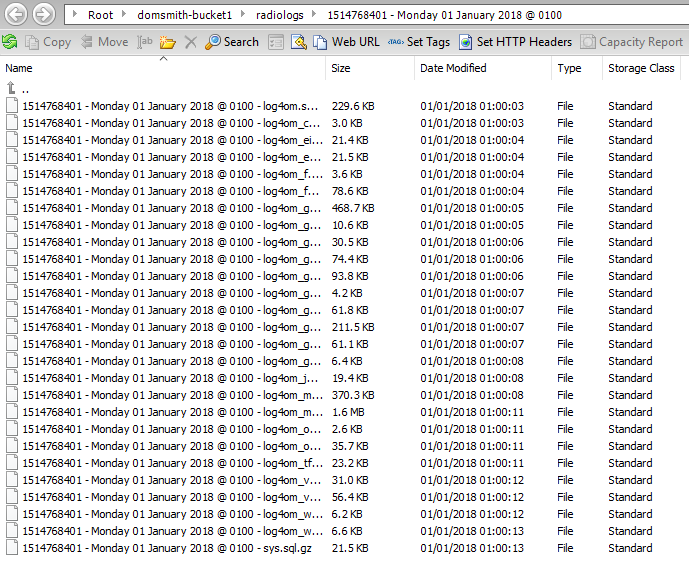
The first stage was to write a script to ship gzip’d copies of all the MySQL database tables to an S3 bucket every month. I also then wrote a script to store weekly incremental ADIFs of contacts since the start of the month, which is then emailed to me from the server. This means that a maximum data loss I should be exposed to at any time is 7 days (although Log4OM is set to upload all QSOs immediately to Clublog, so I could even recover the last 7 days if I needed to).
Backups stored in an S3 bucket
Contest logs
For reasons that will become clear in Part 2 of this post, I also wanted to make ADIF backups of my various contest logs available separately, as I’m a great believer in making contest logs public for transparency. Having installed lighttpd as a web server on the EC2 instance alongside the MySQL database, a script checks for any contest entries the previous weekend each Monday and creates ADIFs for each contest. These are then exposed over HTTP (but not necessarily published on a website). There’ll be more on this in Part 2!
As with all the other scheduled scripts that I mention in this post, I’ve also got a ‘rebuild’ version of the script for restoring old data when I lose the ephemeral storage.
With that, we have two of the three problems resolved: I have a good balance between ubiquity and functionality, and backups are being handled. Now onto the third…
SOTA Logger
One of the use-cases where I find Log4OM to be weaker is logging SOTA activations. Whilst it’s great that it supports SOTA at all – many logging programs don’t – entering QSOs in the Log4OM UI is a bit complex. This is because the SOTA reference has to be entered on another tab and, while the database schema allows for different values for the ‘MyGridReference’ field per QSO, there’s nowhere in the UI to enter your grid reference other than the default for the station.
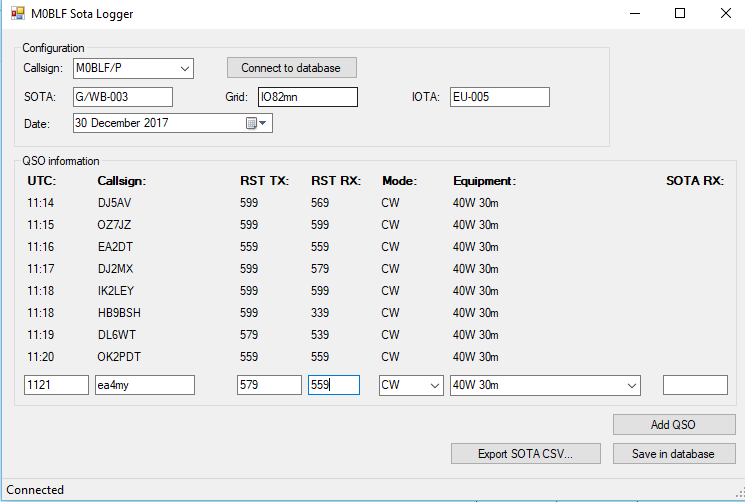
Since my database is in the cloud, it is now divorced from Log4OM itself. This means that, as long as I don’t alter the schema (the database structure) in a way that is incompatible with Log4OM, I don’t have to use Log4OM for logging, Anything that gets into the database by whatever means will be picked up by Log4OM. My solution to the SOTA problem was therefore to write a program called SOTA-Log4OM. This does what it suggests: it’s a very simple program for logging SOTA activations that connects to the Log4OM database and enters the QSOs with the correct information, including grid reference, etc. It also creates an activation CSV for upload to the SOTA website.
SOTA Logger
Each week on a Tuesday (to give me time to type up a log from a weekend activation), ADIF records for each SOTA activation in the previous week are created (if there are any), and exposed for download over HTTP… again, the reasons for this will become clear in Part 2 of this post!
Again, I’ll take a break to summarise my progress:
We have the MySQL database for Log4OM running in the cloud, as an always-on instance that can be connected to from anywhere
This allows us to keep the functionality advantages of having desktop logging software with CAT control and soundcard connected to the radio, whilst letting us log from anywhere without having to merge logs or synchronise databases
We are backing up the logs monthly to S3, with weekly incremental backups over email
Contest logs are also created separately and exposed over HTTP
For logging SOTA activations, we have our own simple UI that logs QSOs into the same MySQL database as used by Log4OM
Those SOTA logs are then exposed for download over HTTP
Signing LOTW records correctly
As described in the introduction, I have a problem with logging software that automatically signs QSOs for LoTW in that there is often no separation of QSOs by activation. When you sign a LoTW upload, you are signing with a ‘Station Location’, which is a combination of DXCC, Gridsquare and IOTA (if applicable). I rarely see logging software create new ‘Station Location’ records for different QSOs in the same log, however – Log4OM certainly doesn’t. This lack of support has stopped me from regular LoTW uploads in recent months, especially given the number of SOTA activations I’ve done with a handful of QSOs from each different QTH. I don’t want to be creating new ‘Station Locations’ myself for each QTH.
I do have all that information in my logs, though, so I can deal with this now that I have a database server where I can run scripts. On a monthly basis, for each QSO, I create a ‘placehash’: an MD5 hash of the results of concatenating my callsign with all the information needed for a ‘Station Location’ in a particular way. On a monthly basis, a zip file of ADIF files containing the previous month’s QSOs separated out by placehash is exposed at the server’s HTTP port, ready for download.
Also created monthly is a station_data file. The TrustedQSL software uses a station_data file (which is actually XML) to define the Station Locations. All I need to do is to overwrite the station_data file stored in the user’s Roaming profile in a Windows installation of TrustedQSL with the one created by the logging server, and TrustedQSL will ‘know’ about all the different station locations I have visited.
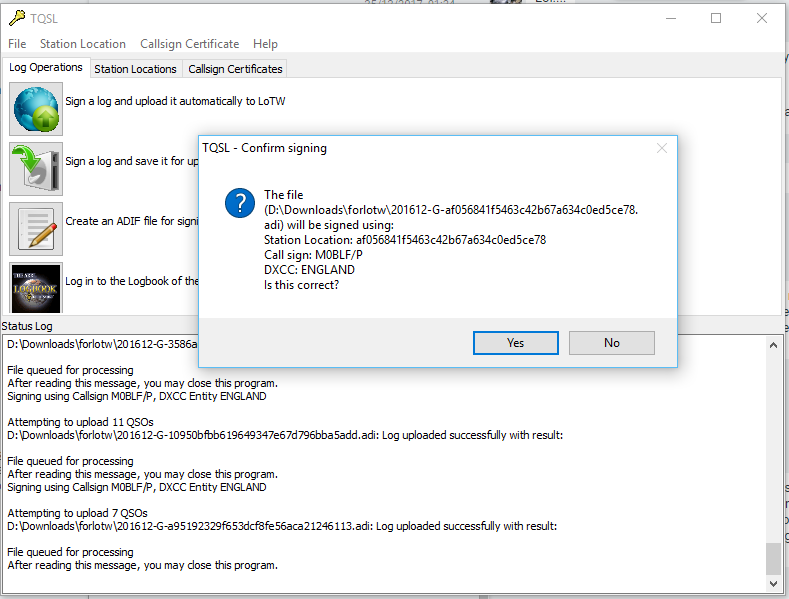
I just then need to sign the log (containing the placehash in the filename) with the Station Location for the same placehash and I can be sure that all my LoTW records are signed correctly.
Signing a LoTW record by placehash
Ideally I’d like to automate this process on the server. Although it looks like this would be possible with the tqsl command line in the Linux version, I haven’t yet found a way to install TrustedQSL without the 320MB of (mainly graphics-related) dependencies, which I’d like to avoid given that it’s being stored on an ephemeral system.
Clublog OQRS merging
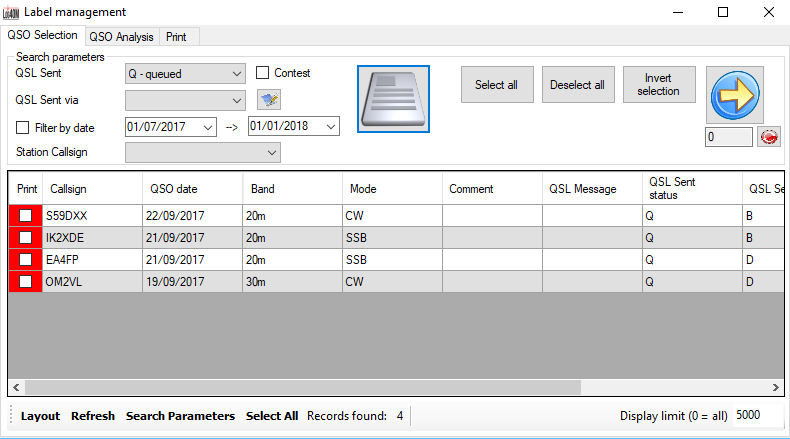
Is there anything else I can solve while I’m at it? As I said, one of my biggest time-sinks is handling QSL cards for DXpeditions I’ve been on. OQRS – the ability to request a QSL card online, with postage covered over Paypal – has certainly sped up the process a lot but there’s still a manual step: each time I do cards I have to log into Clublog, download an ADIF containing the QSL requests, and merge it into the Log4OM log, so that the Print Labels option in Log4OM prints requested QSL cards.
So, I wrote a script to live on the database server to download any OQRS files from Clublog on a weekly basis, and do the merge for me. This means I just need to press the Print button in Log4OM and requested card labels emerge without me doing anything else.
QSL labels ready to print
Another script also creates an ADIF file of sent QSLs each month and exposes them over HTTP. Again, see part 2 to understand why!
As you can probably tell, this is all part of a much bigger project. I’m really keen to hear feedback on where I’ve got to so far, and hopefully I’ll be able to publish Part 2 soon. There’s a lot more to come!
In August 2017, I spent a few days doing some of the Summits on the Air summits in the Pyrenees.
Monday 31st July
Trône du Roi (F/PO-187): Attempt 1
After flying into Toulouse and getting a hire car (which took an unexpectedly long time), I drove to the Trône du Roi (King’s Throne) to operate, again this took a longer time than I expected. From what I’d read before leaving, Trône du Roi is a relatively easy two points, and wasn’t far from my hotel, making it an ideal option for a late afternoon activation before checking-in.
I made a basic error, however. In my haste to get through the airport and on the road as quickly as possible, I’d forgotten to pick up water. When I got to the hill, therefore, I not only found myself lacking hydration on a relatively warm afternoon, but I also realised it was rather later in the day than I had expected. I got to the 1000m elevation point (about a third of the way up) and then decided to head back down. I’d at least stretched my legs before tomorrow.
Sadly aborting my 1st SOTA in the Pyrenees: after airport delays & not finding path, I don't have time. But this is 1000m on way up F/PO-187 pic.twitter.com/TCH63T7Ek6
Today started with a reasonably early start, as I wanted to do two big (8 point) mountains on the Spanish border, and my hotel was already 1.5 hours away from where I’d need to park at the Col du Portalet.
Getting there was no problem and I was soon on my way up the Pic d’Estremère. On the face of it, this is another fairly easy option. It’s right next to the car park at the former customs post and – on the map at least – there are some obvious paths to the top. The reality was that it was rather steeper in places than I had expected, and certainly one that needs hiking poles. The bigger problem was that the paths were less easy to find than I had expected, other than the big GR10 cross-Pyrenees route, which doesn’t actually go to the summit. On my ascent, I made the mistake of not staying on GR10 for quite long enough and ending up on a particularly steep face instead, from which I had to make a quick retreat. Nevertheless, I eventually picked my way to the top and, once there it’s a lovely operating site. There’s lots of space within the activation zone and there was nobody else on the mountain at all. I was quickly into a decent pileup and, despite the odd problem with the antenna falling over, it was a very pleasant activation. As with all my contacts during this trip, I was exclusively on 30m CW.
Loading map…Scroll or tap to load the interactive map
Distance
—
Elevation gain
—
Elevation loss
—
Max elevation
—
Waypoints
—
Elevation profile
Soum de Grum (F/PO-149)
After returning to my car for lunch, my plan had been to tackle the Pic d’Anéou, just on the other side of the road from the Portalet, another 8 point mountain. By now, it was getting quite warm, however, and I had also read that there’s a tricky section requiring poles near the summit… and one of my poles had broken on my way up Estremère! As a result, I decided to switch to my Plan B: the Soum de Grum. This is about a one hour drive from the Portalet, enough time to crank up the air conditioning and cool down before starting another ascent.
The main website I used to research routes, Topopyrenees.com, describes (in French) the Soum de Grum as being a nice easy walk, suitable for children, up decent paths from the car park at the Col d’Aubisque. If that name sounds familiar, the car park has been the site of many iconic Tour de France mountain-top stage finishes.
The website wasn’t wrong at all. However, as I’d been driving, clouds had started to form and, by the time I was on the Aubisque, visibility was almost nothing. Despite this, I had no problem at all with following the path and finding my way to the summit of the Soum de Grum very quickly. The path isn’t particularly steep at any points, and you don’t need to use hands. It is also perfectly possible to do without poles.
Once there, there was relatively little space on a bit of a ledge, although this may have partially been by sensation as I couldn’t see where the sides of the mountain were in the fog, and so I was playing it a bit safe. Consequently, I found myself operating with the dipole almost lying along the ground, but it still wasn’t a problem to get the required four QSOs and make my way down. In fact the most challenging part of the activation was still to come: driving down hairpin bends with steep drops if you misjudge them, in an unfamiliar car in limited visibility is rather more difficult than walking along a clear path!
At the summit of Soum de Grum SOTA F/PO-129 (note I'm not on Aneou as planned). QRV in abt 15min but will be quick due to WX (in cloud) pic.twitter.com/MKb7Opbj4O
(Note: I got the summit reference incorrect in this tweet: F/PO-149 is correct)
Wednesday 2nd August
My original plan for the day had been to climb Pic Lasnères (F/PO-138) and Mardas (F/PO-126) in a loop, following a combination of the routes described at Pic Lasnères and Randonée Lac du Montagnon. Mardas would have been a first activation and looks pretty do-able (although note what the description says about needing poles on the way down).
These mountains are reached from the village of Adyius and following a path over 6.5km to the parking place. When I got to Adyius, however, the road was blocked both by preparations for a local fête taking place that day and a more permanent sign indicating no entry except to residents. In my hire car, I wasn’t prepared to take the risk of going down a track I wasn’t supposed to be on.
Luckily, the Trône du Roi, which I’d failed to activate on Monday, wasn’t too far away, so I turned around and went there instead.
Trône du Roi (F/PO-187): Attempt 2
The Trône du Roi is reached along about 3km of slightly rutted, gravel (not tarmac) track. It’s not bad, however, and I didn’t feel concerned about doing in the car.
This time I had plenty of water and, at this point in the morning, plenty of time. As I climbed, the temperature became steadily hotter and by the time i reached the summit it was in the high 20s Celcius. I was actually rather glad that I hadn’t been able to get to Lasnères and Mardas, as in such heat I think the loop might have been a bit difficult.
The path up the Trône du Roi was initially under trees and some of the stones were a little slippery in the morning dew. Once out of the trees (and under the heat of the sun), the path climbs steeply and fairly unrelentingly for its whole length. I never felt in danger but there are places where it’s fairly close to the edge of the mountain, so you definitely need to watch where you are going, both on the ascent and descent.
The summit itself was much more uncomfortable. This is another fairly narrow summit with steep drops off the side, it was fairly busy with people, covered in sheep droppings and with swarms of flies everywhere. You can even see some of the flies in the tweet below.
In addition to the lack of space, I felt an inexplicable amount of vertigo up here (probably brought on by the heat and disorientation caused by the flies, which were crawling all over my face, in my mouth and even getting stuck in the CW paddle!). Trying to guy my SOTA pole would probably have resulted in it falling off the mountain even if I could keep it away from other people, so I literally lied the dipole legs along the grass and hoped the elevation would do the rest. It did, and as soon as I had four QSOs, I was off the summit as quickly as possible.
Loading map…Scroll or tap to load the interactive map
Distance
—
Elevation gain
—
Elevation loss
—
Max elevation
—
Waypoints
—
Elevation profile
Issarbe (F/PO-171)
By now, I was feeling pretty tired in the heat of the day, so I opted to drive a bit further to bask in the air conditioning(!), heading to Issarbe. Before coming to France I’d not only come up with my Plan A list of targets, but also a list of other options. From that research, I knew that Issarbe should be potentially one of the easiest 4-point options in the Pyrenees chain. Issarbe is a ski resort, and so has a decent road leading nearly to the summit. In summer, reaching the summit is just a matter of a short walk up the ski runs and then a couple of decent paths to get you into the activation zone. That’s exactly what this mountain proved to be like, and I had a wonderful short activation making a lot of contacts. There’s plenty of space for putting a dipole out here.
Over the course of the 20 minutes or so that I was operating, I gradually became aware of a cool wind starting to blow up and shadows becoming weaker. Looking up at one point, I realised that a repeat of yesterday was underway – cloud was forming in the valleys and starting to convect up the side of the mountains. There was a risk that we could plunge into near-zero visibility once again and, although I was happy enough at my ability to follow a ski run back to the car, I didn’t really want to do another drive down a mountain in such conditions. As a result, I had to stop while people were still calling (something I try not to do) and quickly pack up.
A few minutes after the photo below was taken, you couldn’t see the ski station buildings from the summit.
Loading map…Scroll or tap to load the interactive map
Distance
—
Elevation gain
—
Elevation loss
—
Max elevation
—
Waypoints
—
Elevation profile
Friday 4th August
Miramont (F/PO-238)
After a rest day on the beach, my original plan had been to return to Toulouse via Pic de Cau (F/PO-260), a nice-looking 2-point hill just off the motorway. Unfortunately, I’d been unable to to find any details as to how long the walk was likely to take, where best to park, etc. After the issues I’d had at the airport on my way into France, and with some stories in the press about extra time being needed for passport controls in France, I didn’t want to take the risk of being late, so instead I decided to go to another of my Plan B options: Miramont.
Although only one-point for SOTA, it’s a nice easy one. Just off the main road from Tarbes to the pilgrimage site at Lourdes, drive into the village of Julos and walk up a track to a mobile phone base-station site. That’s really all there is to it. I set up the station just outside the transmitter compound (still easily within the Activation Zone) and within just a few minutes had a nice small pile-up.
Last sota of the trip done. F/PO-238 Miramont – though there's not many monts to be miré'd in this cloud. pic.twitter.com/bLAauXpg8a
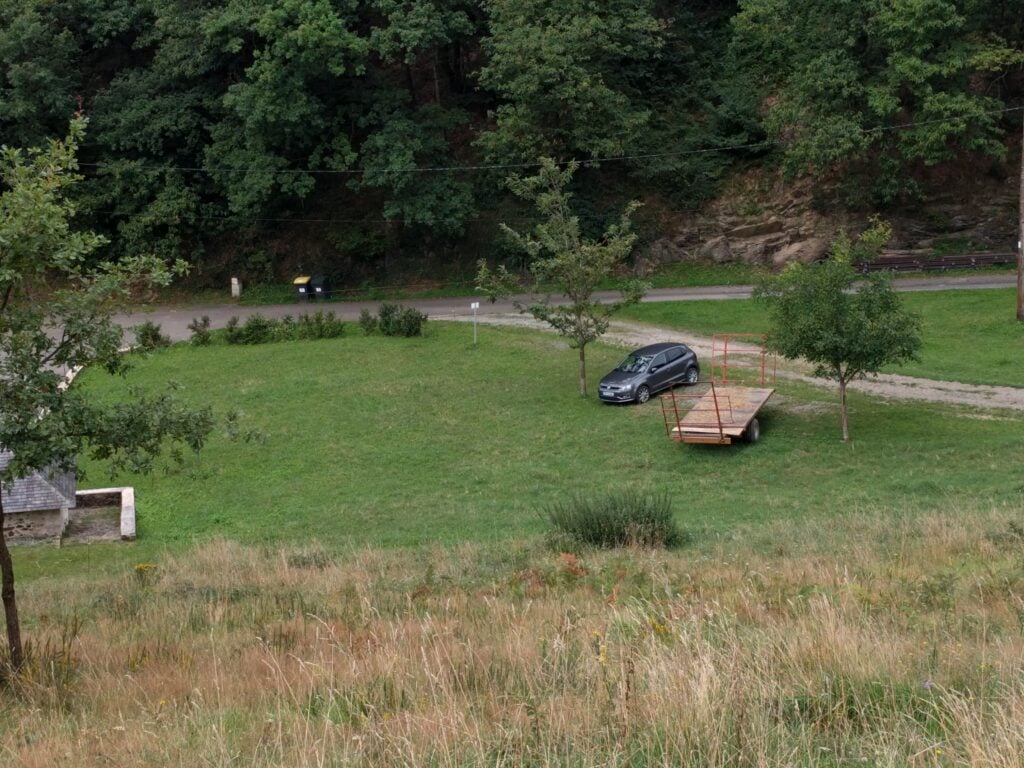
Just for reference, speaking to a local tractor-driver, the ‘approved’ parking place in Julos is on the gravel area between the two trees in the photo below (where my hire car is), right at the start of the track up Miramont.
Overall, this was a wonderful trip. Although I didn’t get to everywhere I’d originally planned, I had a very pleasant time in the mountains and bagged 35 SOTA points in three days.
This post is about my entry from Chile in the CQWW CW Amateur Radio contest. If you’re not a radio amateur, and you’re just interested in following my travels in Chile, you probably want to skip this post in the series.
Similarly, if you are a radio amateur and you’ve come here to find out about my contest entry, you may not realise this was part of a 6-week journey through the country. I was travelling light, which explains the lack of decent equipment!
Score
Firstly, the bit you’ll be most interested in:
Contest : CQ World Wide DX Contest
Callsign : CE3/M0BLF/7
Mode : CW
Category : Single Operator (SO)
Overlay : —
Band(s) : Single band (SB) 15 m
Class : Low Power (LP)
Zone/State/… : 12
Locator : FE38LU
BAND QSO CQ DXC DUP POINTS AVG
————————————–
15 34 7 6 1 86 2.53
————————————–
TOTAL 34 7 6 1 86 2.53
======================================
TOTAL SCORE : 1 118
Equipment
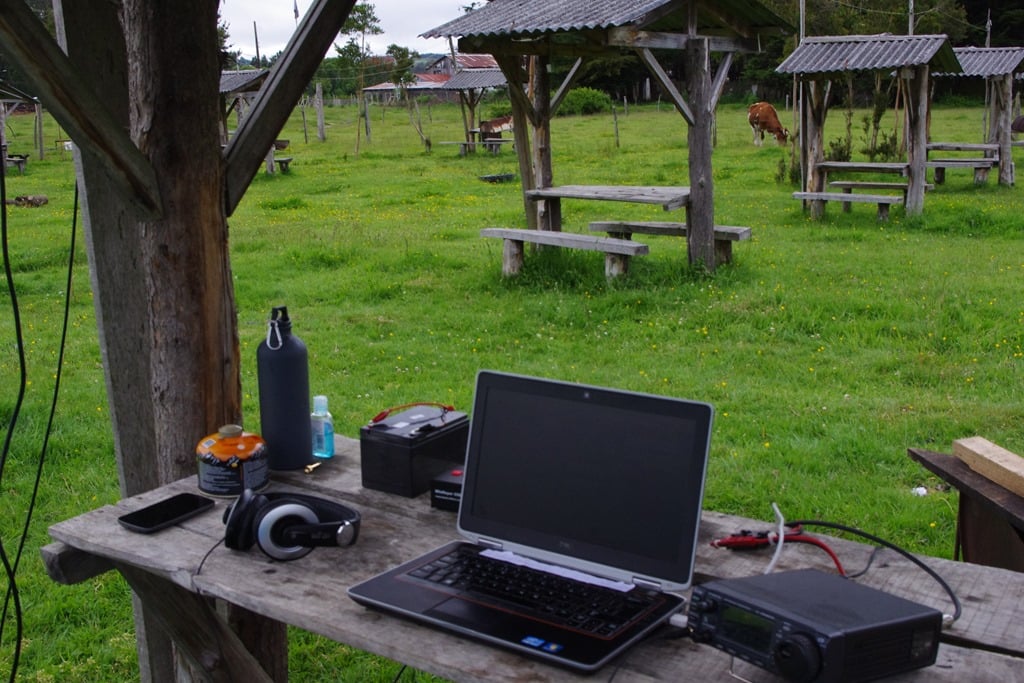
I was very limited for space for this activation, as I only had one 23kg suitcase and one backpack that had to contain everything I needed for 40 days’ travelling, including camping gear. As a result, the equipment used was:
IC-706Mk2G
Gel cell battery (12V/12Ah) – purchased back in Temuco
15m dipole at about 3m AGL – that’s as high as I could get it given a lack of trees around the camping pitch
WinKeyer USB
Laptop with Win-Test
and that was it. I had brought my Bencher paddle (despite the weight!) but it had developed a dodgy connection and I hadn’t brought a soldering iron, so I wasn’t able to send manually. Unexpectedly, however, I did have the ability to recharge the gel cell on my camping pitch, which meant I was able to operate for longer than originally expected.
Given the fact that I was under battery power, I had to keep the power down. I typically limited it to about 40W. For anyone who hasn’t tried to operate in a major contest with this restriction, it’s an interesting experience. I found myself pondering the optimum gap to leave between CQ calls, as every unanswered call was potentially wasted power. I also had to choose operating times carefully, of course, to allow time for recharging in the quieter periods. I’d listened to 15m the previous weekend (during Sweepstakes), while I was in Villarica, to aid this choice.
My entry was SOSB on 15m, unassisted (there was no internet on the campsite).
My limited station on the campsite, which is also a working farm, hence the cow in the background. The dipole was strung between a couple of the shelters.
Conditions
Conditions were broadly worse than expected, even given my limited equipment. I could tell I was a long way south, and far from most major centres of population. The European opening predicted by VOACAP around midday UTC was certainly there, and there were some fairly big signals from Europe but when called they either couldn’t hear me or, in some cases, got a partial call then gave up before getting the rest.
Outside of the contest, it was good to work two friends in Cambridge (Martin G3ZAY and Rob M0VFC, both operating from the G6UW Cambridge University Wireless Society shack) on the Sunday EU opening, which proves the path was there with a bit of effort.
There was a better opening to the USA in the late afternoon / early evening local time (around 21 UTC), which is where I got most of my QSOs on the Saturday, but not so many on the Sunday. Even when I could tell I had been spotted, it didn’t sound like I had many callers, though. I wonder whether that was me not hearing a pile-up, or whether it wasn’t there.
Callsign
So, what was with the strange callsign I was using? I’d been issued the callsign CE3/M0BLF via the Radio Club de Chile. Since I wasn’t staying in a single place during my trip, they kindly let me use the Radio Club HQ address for my licence address, which is why it was issued in zone 3 (Santiago).
I wasn’t in Santiago for the contest, however. I was in the Región de los Ríos, most of which is zone 7. Hence CE3/M0BLF/7.
If you had understood I was expecting to be CE3/M0BLF/6 in the contest, that’s correct. The different zone was a result of moving campsite unexpectedly. If you want to know why I moved, there’s more information on the Entre Lagos blog post.
Electricity supply
Although I was using batteries for the contest, I know that many radio amateurs like to know about mains systems for their own travels, so this bit is for you!
Chile has a 220V, 50Hz mains supply, similar to most of Europe (but unlike North America). The plugs used are ‘Type C’, which I hadn’t come across previously.
By design, Type C plugs have a very useful feature: the middle pin is the Earth and the two outer pins are Live and Neutral. These are identical in dimensions and separation to the continental European ‘Schuko’ standard, which means a European plug will work fine in a Type C socket, as long as you don’t need an Earth connection (and let’s face it, a lot of equipment is double-insulated these days).
There is a catch, however: Chile is increasingly moving towards what I gather are called ‘Type F’ sockets. These look superficially identical to Type C, except that the Live and Neutral pins are physically blocked off unless the Earth pin is also present (this is also a feature of British Standard sockets, of course). This means that standard Schuko plugs won’t go into a Type F socket, even though it looks the same as a Type C.
For guidance, I found that every hotel room – even more modern ones – I went to had at least one Type C socket in the room, but Type F were understandably more common in bathrooms and on campsites, for example. A casual look around some shops suggests that it may no longer be possible to buy Type C sockets for new installations, but I don’t know whether that’s just due to them only having Type F in stock, or by legislation. Anyway, when I did need one, I was easily able to pick up a cheap Schuko – Type F adaptor in a larger branch of the Jumbo supermarket, complete with Earth pass-through. I also bought a 10m Type F extension lead, which was useful for hooking-up at campsites during my travels.