Yesterday, 21st April 2018, I took my parents to visit Canterbury for a day out. On the return, as it was a beautiful and unseasonably warm day for April, we stopped off at Detling Hill so I could do a quick SOTA activation.
Detling Hill itself is a lovely place but boring from a SOTA point-of-view. It’s a one-point summit just off the A249. which links the M20 and M2 motorways on the outskirts of Maidstone, Kent. The easiest way to activate the summit is to park at the White Wood Country Park, where there is masses of parking for just £1.50 per day at weekends. The car park is in the activation zone and there are park benches there – perfect for operating! Since this felt rather like cheating, however, I did at least do the short walk to the trig point after completing the 4 QSOs. The trig point is maybe 5 minutes’ walk along a surfaced path from the car park, with very little incline.
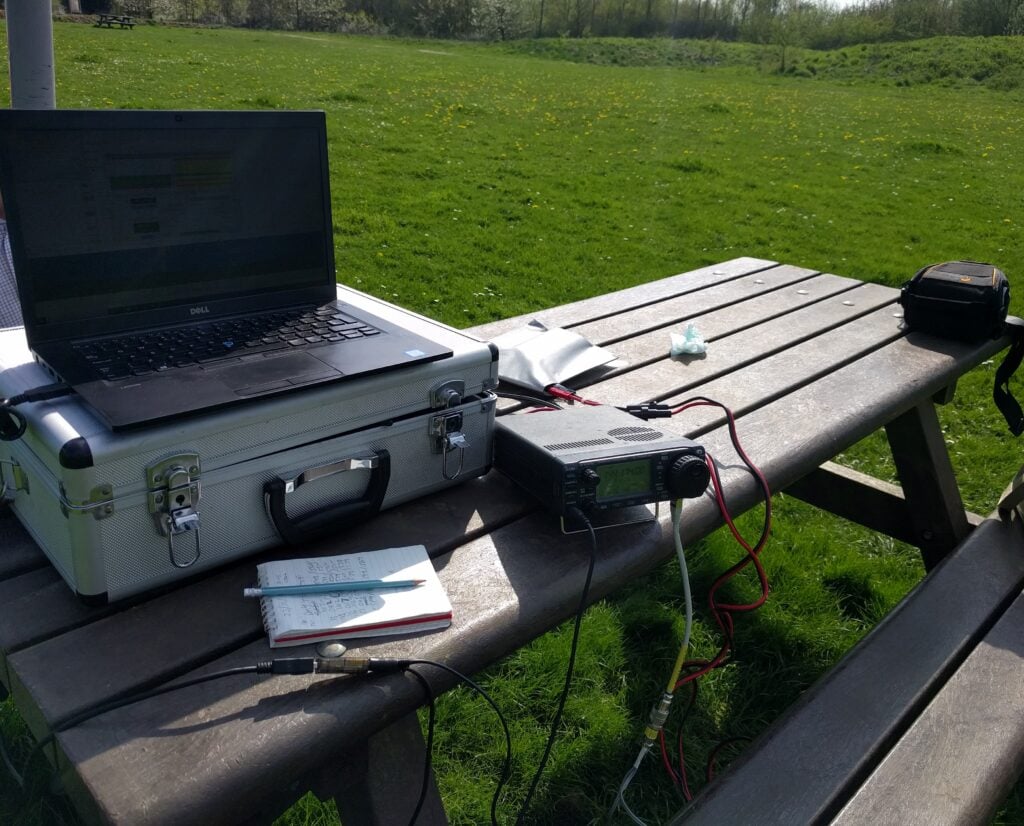
To make my activation a little more interesting, I was aware that my time on the hill coincided with the first few minutes of the first ever RSGB MGM (Machine-Generated Modes) contest, taking place on 2m and 6m. With the knowledge that there would be a bench to operate from and masses of space, I took the opportunity to use my 3 element 2m beam that I bought in Rosmalen a few weeks ago and make my 4 QSOs using the FT8 mode.
This was successful in that I made the requisite number of contacts, but I was aware that something was wrong with my portable setup – I was apparently not hearing many of those calling me, and I also couldn’t see anything on my ALC meter. Something to investigate, as it had been working OK at home.
Over the past several weeks, I’ve had a project to resurrect an old PK-232MBX AX.25 packet radio Terminal Node Controller (TNC, or basically what we’d today call a MODEM) so I can send email over radio.
The ultimate objective is to use WinLink Express with our local Raynet group. In particular, we’re involved in a number of marathons, cycle rides and other events where the main UHF voice net gets very busy with people passing routine messages about which participants have reached their location. If some of this mundane, routine traffic could be moved onto an email network, the voice net would then be clearer for any less routine message exchange, and also should decrease the probability of mistakes caused by mis-hearing numbers. It should also help the Control station with information management. WinLink provides a mechanism for email without any internet requirement. This is useful because, whilst we could set up wide area WiFi, long-distance WiFi tends to be based on point-to-point links rather than an omnidirectional service to cover an area.Thus, we can have email access over several miles of course, independent of any cellular coverage. While WinLink’s protocols can ‘piggyback’ on many different modes with a node-based infrastructure, we’d at least initially just use AX.25 Peer-to-Peer connections to carry the data.
Which is where the AEA/Timewave PK-232 comes in. This was manufactured through the second-half of the 1980s into the 1990s and in its day was the TNC to have. It supported many modes, including AX.25, and cost a fairly substantial chunk of money too. These days, now that soundcards can often perform the role of a TNC, and with the AX.25 packet radio network largely supplanted by broadband internet services, PK-232s are widely obtainable for really not very much. I picked mine up a few years ago at a continental radio rally for just €10, I believe. It has been sitting in my garage ever since awaiting a project.
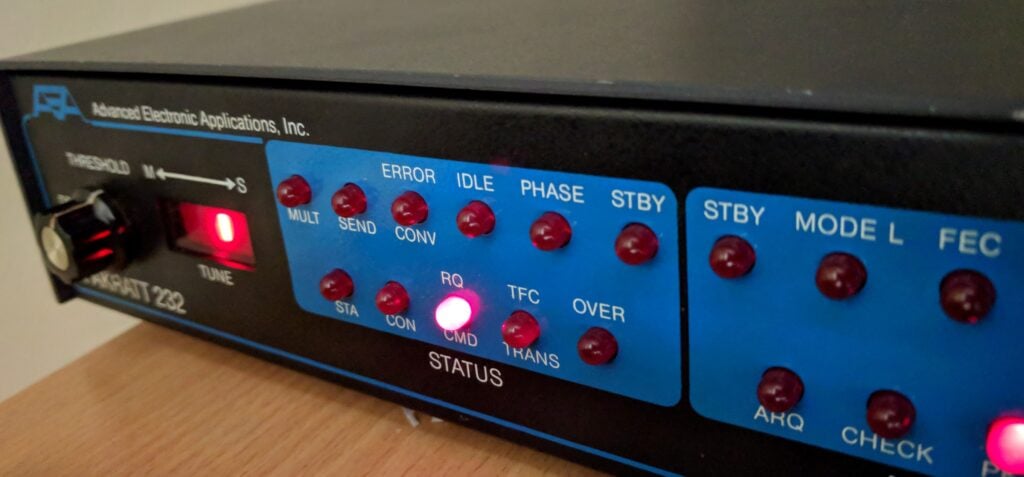
My now-working PK-232
Getting mine working proved to be a slightly complex exercise, having to piece together bits of information scattered around the internet and a lot of head-scratching, so this slightly long, technical, post explains what I did…
Tip: Skip to the Conclusion to see the main findings, but I’d strongly encourage anyone having similar problems to follow through the thinking, which is why I’ve typed it up.
The fuse
The unit was dead on initial power-on, which I soon traced to the glass 1A fuse on the circuit board. This was nice and easy to sort, thanks to a quick order from RS Components (part number 783-3343).
Basic TNC-to-computer functionality works
Once the fuse was replaced, I connected the TNC to my computer (the TNC has an old-school DB25 25-pin serial port, so you’ll probably need an adaptor), it powered on OK. I fired up PuTTy and set the basic default serial port connection parameters, typed ‘*’ and soon saw a command prompt.
The ‘default serial port connection parameters’, which are entirely separate from the RF output speeds, used by the PK-232 are unusual by today’s standards: 1200 baud, 7 bit word length, 1 stop bit, even parity. PuTTy will default to 9600 baud, 8 bit words and no parity, so you need to be careful to set the right thing or you may not see anything on your screen, or you may see gibberish.
The prompt I received showed that the firmware in the TNC dated from October 1989, about halfway through the PK-232’s production run, and certainly not the latest. Never mind, though, we have a start.
Wiring the TNC to my IC-706Mk2G
The next step was to get a connection from the TNC to my IC-706Mk2G radio. It felt as though the 6-pin mini-DIN ‘data port’ on the 706’s rear panel was the right way to do this, which meant creating an adapter lead from mini-DIN to the 5-pin molex-like plug used by the PK-232. Note that the 706’s mini-DIN annoyingly has different pinouts for 1200 baud and 9600 baud packet, which means we’ll be hardwiring to a certain speed by doing this.
I built the lead, tuned the radio to 144.800 MHz (the European APRS frequency) so there would be some APRS traffic to decode and… nothing. Absolutely nothing was received by the TNC, judging by the lights on the front. Was it my soldering? Another cable fault? I couldn’t see any obvious errors. At this point I became suspicious as all the other writeups I could find online showed people using the 13-pin full-size DIN accessory output from the 706, rather than the 6-pin mini-DIN data output.
I didn’t have any 13-pin DINs to hand to try, though, so instead I decided to go to the RJ-45 microphone connector on the front panel of the 706. It would be easy enough to wire that to the PK-232, and I didn’t even have to mess around with crimping an RJ-45 as I just needed to chop an old Cat 5 ethernet patch cable in half. The pinout for this is as follows:
RJ-45 pin    Ethernet cable colour    Role         PK-232 'Radio 1' pin
-            -                        RX audio     1    [Not connected]
2            Green                    TX audio     2
-            -                        Squelch      3    [Not connected]
7            White/Brown              Ground       4
4            Blue                     PTT          5
You’ll see that I left the RX audio line disconnected. I can’t find the source for this now, but one source on the internet noted that the IC-706’s output level from the microphone connector isn’t high enough to give reliable decodes on TNCs. That would make sense: this connection will only be designed for a small speaker/mic, so instead we use a 3.5mm patch cable to connect the 706’s rear-panel external speaker socket to the PK-232’s separate RX-IN audio input. The PK-232 doesn’t actually mind where the audio comes in, as long as the levels are OK. Having the 706’s volume knob at the 9 o’clock position seems adequate.
We don’t need to connect the squelch line as it’s optional and really only for channels that have shared voice and data traffic, which won’t be our use case.
Getting it to work with APRSIS32
Once the leads were made up, I could tune to 144.800 and APRS packets were decoded at the prompt in PuTTy. (The APRS system is built on top of AX.25, which is why this works.) We have progress! Now to find out whether we can transmit APRS (since I know there’s traffic there) before we try Winlink…
At this point I went down a long rabbit-hole trying to figure out the correct way to make the PK-232 work with APRSIS32. That isn’t the objective of this post, so I won’t dwell on it, but basically APRSIS32 doesn’t natively support the PK-232, so we need to put the PK-232 into KISS mode and then treat it as a KISS modem in APRSIS32.
Before starting APRSIS32, issue the following commands at the PK-232’s prompt in PuTTy:
This will allow you to connect to the PK-232 using the more normal 8 bit word length and no parity for the serial connection. You do not need to set expert mode on, nor set 8bitconv on, nor set rawHDLC on, all of which caused me to waste a load of time.
By the way, there is a difference between RESTART (which just warm-restarts the box) and RESET (which should do a factory reset). I say should because I found some cases where RESET appeared to reset the box but didn’t actually reset everything, leaving me in a confused state about its configuration. The only way to guarantee a reset of the PK-232 is to remove jumper J1 behind the battery on the circuit board for a minute or so, to ensure the memory is cleared. This again caused wasted time. (In fact, you’ll be removing this jumper so often that I’d recommend leaving the screws off the case until you know the PK-232 is working.)
Having restarted (not reset) the PK-232, we can connect to the PK-232 from APRSIS32. You can create a new KISS port in the user interface, or alternatively you can edit the APRSIS32 settings XML file to add the port in a more controlled way. The port configuration you need is:
I could now transmit and receive in APRSIS32. I noted, however, that the APRSIS32 log file included the following line:
Port(PK232KISS):2018-04-12T06:49:58.155 Missed Expected Response(cmd:) From Command(KISS ON)
It still worked, but that line would come back to haunt me when I tried to use the TNC from Winlink Express.
Firmware upgrade time
By this point, I knew the PK-232 to work with APRSIS32, both transmit and receive, but I couldn’t get it to work with Winlink Express 1.15.11.
Unlike APRSIS32, Winlink does natively have the option to support the PK-232, so it should just work without messing around with KISS mode. But no matter what settings I tried, I always got the same message from the Packet P2P window: Winlink would correctly initialise the PK-232, but would then say ‘Unable to connect to port COM8’. I knew no other program was holding the port open (otherwise it wouldn’t have initialised) so something else must be wrong. (Incidentally, it could connect to the COM port correctly in Packet Node mode, but that isn’t useful for me as I don’t have any local nodes).
After a bit of analysis, including monitoring the serial port traffic, I realised that the ‘native’ support for the PK-232 actually does put the PK-232 into KISS mode and, moreover, it was hanging immediately after issuing the KISS ON command. That looked familiar. It was waiting for the missing ‘cmd:’ prompt that APRSIS32 had complained about.
But I didn’t think KISS ON should return a prompt. After all, the whole point of KISS is to give a controlling computer control of the TNC, and so a user-facing prompt wouldn’t be necessary. I was mystified and yet it seemed unlikely that both APRSIS32 and Winlink would have a bug around this (even if APRSIS32 handled it more gracefully than Winlink Express). I decided that the next course of action had to be a firmware upgrade for the PK-232, to see whether ‘KISS ON’ gave a different response in later versions.
Of course today a firmware upgrade normally means a free download off a website, put a USB cable into some equipment, and press some magic button to upload the new firmware to an EEPROM (where the first two Es stand for Electronically Erasable). Not so in the 1980s. The PK-232’s firmware was stored on one (or two, depending on the version) one-time programmable EPROM (with no erasing, other than flooding it with UV light). An upgrade meant buying a new chip and installing it onto the circuit board.
So, being very careful with my phrasing here, since I couldn’t possibly condone or encourage copyright infringement, I got hold of a couple 27C512 ICs and obtained the final v7.2 firmware. Be aware that you can only use the latest firmware on a PK-232 with a serial number over about 45,000, or an earlier model with the mailbox daughter board (ie. the PK-232MBX upgrade). Mine has a serial number of 23,400-ish but with the daughter board installed, so I was OK.
Replacing the chips was straightforward enough, although the pins almost inevitably bend as you pull them out of the board, In all likelihood, you won’t be able to replace the original chip once it’s out. A strong word of caution here, since I got this wrong: the photo linked from the firmware source shows a chip marked ‘LO’ in socket U3 on the board. This is incorrect and, if you follow it, you’ll likely have trouble getting the IC back out again as explained above. You want to put the v7.2 LO chip in socket U1 and v7.2 HI in socket U3.
Pull out jumper J1 (just behind the battery), wait a minute and then replace it to ensure the memory is clear.
Phew, it boots!
KISS mode, control flow, and the question of timing
As I had expected, issuing the KISS ON command in the v7.2 firmware behaves no differently from my earlier version. It still doesn’t produce a command prompt, so the Winlink problem was still there. It couldn’t connect to the COM port in Packet P2P mode.
What I did know from the earlier COM port sniffing, however, was that Winlink was actually trying to put the PK-232 into KISS mode. So what if I put it into KISS mode manually, and just connected to it from Winlink as a straight-forward KISS modem?
Using PuTTy, I issued the commands that APRSIS32 had used: XFLOW OFF / FULLDUP OFF / CONMODE TRANS / KISS ON, then closed PuTTy and started Winlink Express and told it to connect to a KISS modem.
Success at first… I could call a station using Winlink Express and, when the call happened, the radio went into transmit mode and transmitted something. But nothing was ever received. I even tried using a laptop + Kenwood D72 as another Winlink station positioned literally right next to the PK-232. The D72 heard the request from the PK-232 and transmitted a reply, but the PK-232 couldn’t decode the reply, so the handshake never succeeded.
I again turned to sniffing the COM port traffic and noticed that there was never even an attempt by host computer to read from the serial line. This also matched what I could see if I connected to the PK-232 with PuTTy immediately after Winlink: the read buffer would immediately be printed out onscreen as soon as PuTTy connected, so the replies were just being stored on the PK-232 and not being forwarded to the computer.
I started double-checking everything I knew and was eventually drawn to that mysterious command ‘XFLOW OFF’. What exactly did it do? It was the only thing I had no knowledge of at all.
It turns out that old-style serial communications could only be one directional at any given time. To implement a send/receive scenario, therefore, you had control flow logic to decide whether the host computer could send or receive at any moment. This control flow could either be implemented in software by sending control characters as part of the data, or in hardware through the RTS/CTS pins of the serial connector. More about RS-232 flow control here. XFLOW OFF was setting the software flow control off, and so implicitly asserting that hardware flow control was to be used. I started to suspect that this switching between transmit and receive was at the root of the problem. I could transmit OK but if the D72 was starting its reply before the PK-232 had switched over to receive, that would explain why the replies couldn’t be decoded. That seemed entirely plausible with a modern fast computer replying to a connection request from old 1980s hardware. Control flow would also be consistent with the computer not even attempting to read the decoded information. It would also explain why APRS worked: APRS is a single broadcast beacon message, with no handshaking and probably several seconds between your signal and another person’s signal – plenty of time for changeovers to complete.
The breakthrough
My first step was to increase the serial baud rate for the connection between the computer and the PK-232 to 9600 baud, from 1200 but that didn’t help.
I should mention that the PK-232 technical manual says that hardware control flow is generally implemented only on the RTS pin. If you want to use full hardware flow control over the CTS pin as well, you can do that by setting all of XON, XOFF, START and STOP to null, ie. $00. That didn’t help either.
While considering other options, I also played around with trying other settings in Winlink for alternative KISS-type TNCs, but I couldn’t get any of them to reliably work. I also tried the Extended KISS mode available in the later PK-232 firmware (command KISS $03 to enable it), without success.
Somewhat in frustration, I then tried setting Winlink to treat my PK-232 as a PK-96 under native (not KISS) mode. Suddenly everything sprang into life and I could both send and receive.
Conclusion
In summary, therefore:
Don’t trust the RESET command on the PK-232. Use the jumper on the circuit board as not everything will always be reset otherwise.
Winlink seems to have a bug in its Packet P2P connection mode (but not in Node mode), where it hangs waiting on the ‘cmd:’ prompt after issuing the KISS ON command, which it will never receive by the very design of KISS ON.
APRSIS32 also has this bug but handles it gracefully, merely logging the error and then connecting anyway.
In the case of Winlink, connecting to the PK-232 as a PK-96 works around this issue, with no adverse effects that I have found so far.
Putting my PK-232 into KISS mode manually and then trying to use Winlink to connect to it as a generic KISS modem doesn’t work. I strongly suspect a control-flow / timing problem but I found the PK-96 workaround above before I completed this investigation.
Wow! After many more hours than should have been necessary, I now have a PK-232 driving my IC-706Mk2G and sending/receiving email over RF, which we can use in the control station at Raynet events, while we use laptop/D72 combinations in the field.
Postscript: The working configuration
And finally, just because I wanted this information so badly while working on it myself, here’s the complete known-working configuration (output from DISPLAY Z) of the PK-232 when used with Winlink, pretending to be a PK-96:
Connect Link state is: DISCONNECTED
UPlink
Unproto CQ
3Rdparty OFF
8Bitconv ON
AAb
ABaud 110
ACKprior OFF
ACRDisp 0
ACRPack OFF
ACRRtty 71
ADelay 4 (40 msec.)
AFilter OFF
ALFDisp ON
ALFPack OFF
ALFRtty ON
ALTModem 0
ARQTmo 60 (60 sec.)
ARQTOL 3
ARXTor OFF
ASPect 2 (576)
ATxrtty 0 (000 msec.)
AUdelay 2 (20 msec.)
AUTOBaud OFF
AWlen 8
Ax25l2v2 ON
AXDelay 0 (00 msec.)
AXHang 0 (000 msec.)
BBSmsgs OFF
Beacon EVERY 0 (00 sec.)
BItinv $00
BKondel ON
BText
CANline $18 (CTRL-X)
CANPac $19 (CTRL-Y)
CASedisp 0 (as is)
CBell OFF
CFrom all
CHCall OFF
CHDouble OFF
CHeck 0 (00 sec.)
CHSwitch $00
CMdtime 10 (1000 msec.)
CMSg OFF
CODe 0 (International)
COMmand $03 (CTRL-C)
CONMode TRANS
CONPerm OFF
CONStamp OFF
CPactime OFF
CRAdd OFF
CText
CUstom $0A15
CWid $06 (CTRL-F)
DAYStamp OFF
DCdconn OFF
DELete OFF
DFrom none
DIDdle ON
DWait 16 (160 msec.)
EAS OFF
Echo OFF
ERrchar $5F (_)
EScape OFF
FAXNeg OFF
Flow OFF
FRack 2 (2 sec.)
FREe 18536
FRIck 0 (00 msec.)
FSpeed 2 (120)
FUlldup OFF
GENDchar $0D (CTRL-M)
GINIText
GLOCtx 0 (00 sec.)
GNMEA1 $GPGLL
GNMEA2
GPOLLcal none
GPSAuto OFF
GPSMode 0
GREMprog OFF
GSYMchar $00
GUNstart OFF
GRaphics 1 (960 dots)
GUsers 0
HBaud 1200
HEAderln ON
HEReis $02 (CTRL-B)
HId OFF
HOMebbs none
ILfpack OFF
KILONFWD ON
LAstmsg 0
LEftrite ON
LIte OFF
MAildrop OFF
MARsdisp OFF
MAXframe 2
MBEll OFF
MBx none
MCon 0 (none)
MDigi OFF
MDMon OFF
MDPrompt Subject:/Enter message, ^Z (CTRL-Z) or /EX to end
MFIlter $80
MFrom none
MId 0 (00 sec.)
MMsg OFF
Monitor 0 (none)
MOPtt ON
MProto OFF
MRpt ON
MSPeed 20
MStamp OFF
MTExt Welcome to my Timewave PK-232M maildrop.
Type H for help.
MTo none
MWeight 10
MXmit OFF
MYAlias none
MYALTcal none
MYcall M0BLF
MYGate none
MYIdent none
MYMail none
MYPTcall none
MYSelcal none
NAVMsg all
NAVStn all
NEwmode OFF
NOmode ON
NUCr OFF
NULf OFF
NULLs 0
PACLen 128
PACTime AFTER 10 (1000 msec.)
PARity 0 (none)
PASs $16 (CTRL-V)
PASSAll OFF
PErsist 160
PPersist ON
PRCon OFF
PRFax ON
PROut OFF
PRType 2
PT200 ON
PTHuff 0
PTOver $1A (CTRL-Z)
PTRound OFF
RBaud 45
RECeive $04 (CTRL-D)
REDispla $12 (CTRL-R)
RELink OFF
RESptime 0 (000 msec.)
REtry 5
RFec ON
RFRame OFF
RXRev OFF
SEndpac $0D (CTRL-M)
SLottime 60 (600 msec.)
SQuelch OFF
SRXall OFF
STArt $11 (CTRL-Q)
STOp $13 (CTRL-S)
TBaud 9600
TDBaud 96
TDChan 0
TIme $14 (CTRL-T)
TMail OFF
TMPrompt GA subj/GA msg, '/EX' to end.
TRACe OFF
TRFlow OFF
TRIes 0
TXdelay 60 (600 msec.)
TXFlow OFF
TXRev OFF
USers 1
USOs OFF
Vhf ON
WHYnot OFF
WIdeshft OFF
WOrdout OFF
WRu OFF
XBaud 0
XFlow OFF
XMITOk ON
XOff $13 (CTRL-S)
XON $11 (CTRL-Q)
This weekend, for the combined reasons of interference from Low Power Devices and also an opportunity to enable a new DMR repeater for Cambridge, the well-established GB3PY repeater has moved frequency. It was on 433.200MHz (+1.6MHz split) and is now on 430.900MHz (+7.6MHz split).
This brought an interesting question: other than website and email, how could the Cambridgeshire Repeater Group notify users of the repeater about the impending change? My solution was to add a voice announcement after the normal CW ident, initially saying ‘GB3PY will change frequency soon. For more information, see cambridgerepeaters.net’, and then adding in frequency information in the 24 hours before the change. This way the message was kept short and unobtrusive, whilst also giving everyone the notice they needed.
It wasn’t possible to get extra equipment for this special voice logic installed at the transmitter site, however, which meant that the announcement ran from my house, which brings its own set of problems: if the announcement were just on a timer, it would ‘double’ with any ongoing QSOs on the repeater, so the logic at my QTH needed to know the state of the repeater’s logic without having any special access to the repeater circuitry.
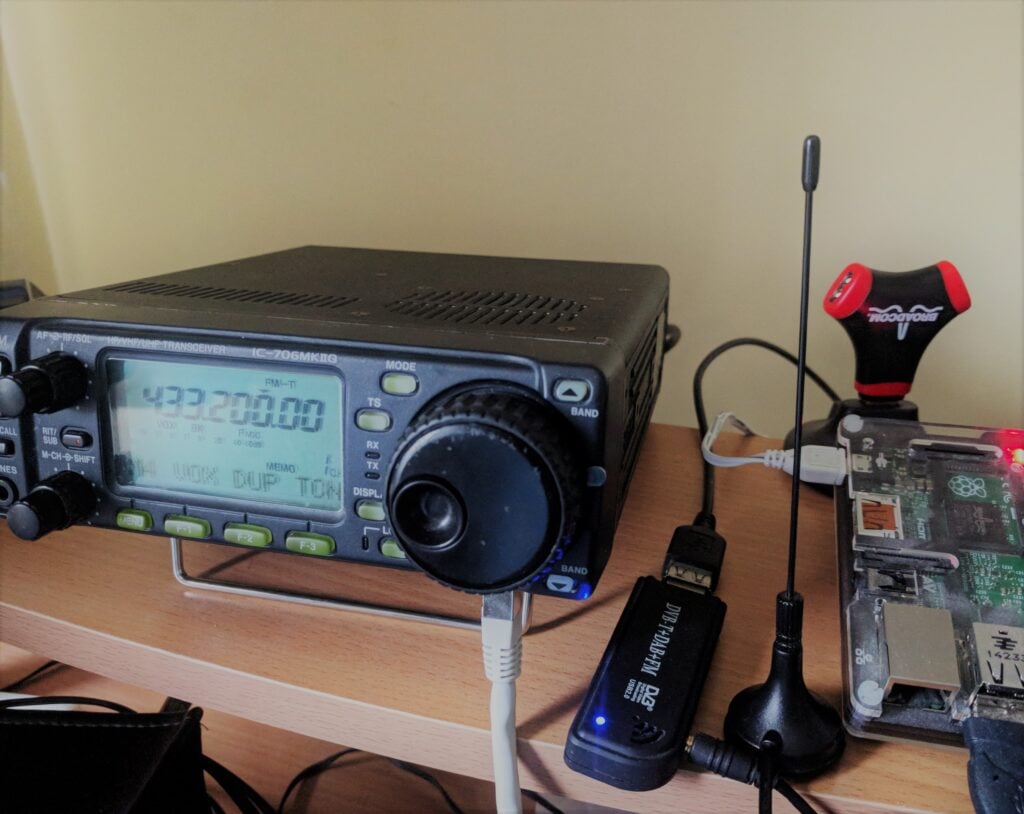
The solution that I came up with was rather hacky, but I am also rather proud of it. At the heart was a Raspberry Pi 2, running a fairly simple Python script. Transmit was generated by a USB soundcard attached to the Pi, feeding into my IC-706MkIIG, which was set on Vox, with a long (3s) Vox Delay, thereby avoiding the Tx/Rx switching happening mid-message. The audio file that was played started with a 300ms 1750Hz tone, not to open the repeater but rather to open the Vox circuitry on the 706 before the announcement started.
The setup for the GB3PY voice announcement
Reception of GB3PY was provided by a cheap RTL SDR dongle. Every five seconds, rtl_power running on the Pi, would sample the signal strength on 433.2MHz to determine whether a carrier was present or not. In my case, using a gain value of 20 for rtl_power, a carrier was a signal strength over -25dB. Other setups and locations may require different values.
The number of samples over which the carrier was present was used to determine the state of the repeater:
3 or fewer samples – that was a CW ident (or just someone quickly keying the repeater)
20 or more samples – this is an ongoing QSO
4-19 samples – other state (for example, someone calling for contacts)
The program does different things depending on each of these states:
If it was a CW ident, which has now finished, and it was the 4th such ident, then call a system command to play the voice ident out of the USB soundcard
If it is an ongoing QSO, just reset the counter on the number of CW idents that have happened since the ident was last played.
This is so that if someone briefly keys the repeater immediately after the QSO ends, such as another person wanting to continue the conversation, the voice ident will not play and interrupt them.
In any other state, just ensure we don’t play the file
Obviously, you may need to tweak the audio level out of the soundcard, for example with alsamixer, to get the levels right.
If other repeater groups are interested, you can get the code I used. It isn’t pretty but it works!
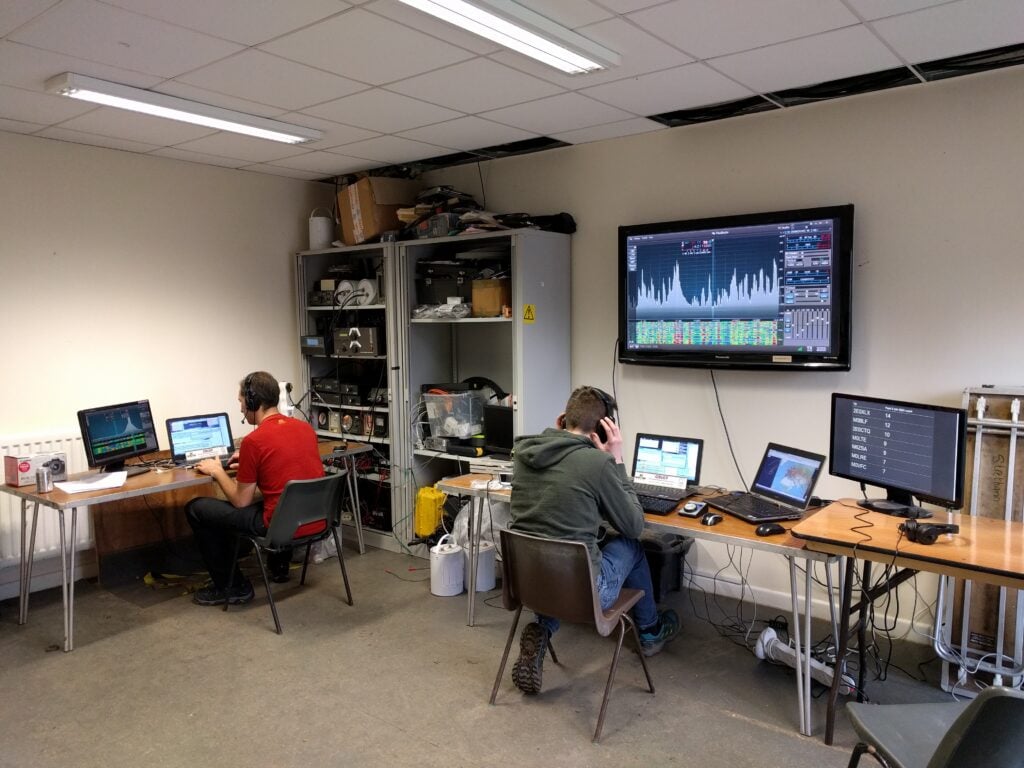
I’m a couple of weeks late writing this post but on the weekend of 23-24 March, I again headed down to the UK Scout Headquarters station at Gilwell Park to join the team operating GB2GP for the CQ WPX SSB contest.
GB2GP during WPX
Rather than me repeat what has already been said, a write-up of the event is in the UK-HF-Contesting reflector from Steve M0BPQ.
As in the ARRL contest a few weeks ago, it was really interesting using the Flex as a contest rig. I think I could get used to it. I’m still not convinced by N1MM, though, and feel far more at home with Win-Test / DXLog.net. Most of the usability issues we found seemed to be caused by the Flex / N1MM interplay: in particular, N1MM’s multiplicity of windows means that the right thing has to be focused at the right time, which is hard if you are also using a software defined radio.
As ever, many thanks to the Gilwell Park team, and particularly Steve M0BPQ and John 2E0XLX for having us.
Following the snow on Pen Y Fan yesterday, I decided to cut my long weekend short and to head back to Cambridge on Easter Sunday, stopping at Black Mountain on the Welsh-English border on the way home.
GW/SW-041 Black Mountain
6-point Black Mountain is a lovely walk, which I last did just before Christmas. I shouldn’t have trusted my Sat Nav to get here from Cwmdu, however, as I seemed to end up on an awful lot of very small, minor roads, and a less direct route would probably have been more comfortable. Luckily, there was nobody much around early on Easter Sunday morning.
After parking at NGR SO239372, there’s an obvious path up the hill towards the summit of Hay Bluff (not a SOTA). It was half-way up here, where the path from the car park meets a more major path at SO243368, that the path became quite icy and it was again time to get my YakTrax onto my shoes to give some extra grip. It’s towards the end of the climb to Hay Bluff that you reach the only moderately difficult part of the walk as the path winds between some rocks, doubling back on itself. It wouldn’t normally be a challenge, but the slippery conditions made it more so today.
Approaching Hay Bluff
The summit of Hay Bluff, marked with a trig point, is where you turn South-East to head towards Black Mountain. The walk from here is almost completely flat with just a gentle rise from 677m ASL at Hay Bluff to 703m at the top of Black Mountain.
Ordinarily, this path is quite boggy, but under a decent layer of snow and ice, it was possibly slightly easier to walk in today. The total walk took about 1h10 for the ascent and 55 minutes for the descent, for about 225m climb and 2.5 miles each way.
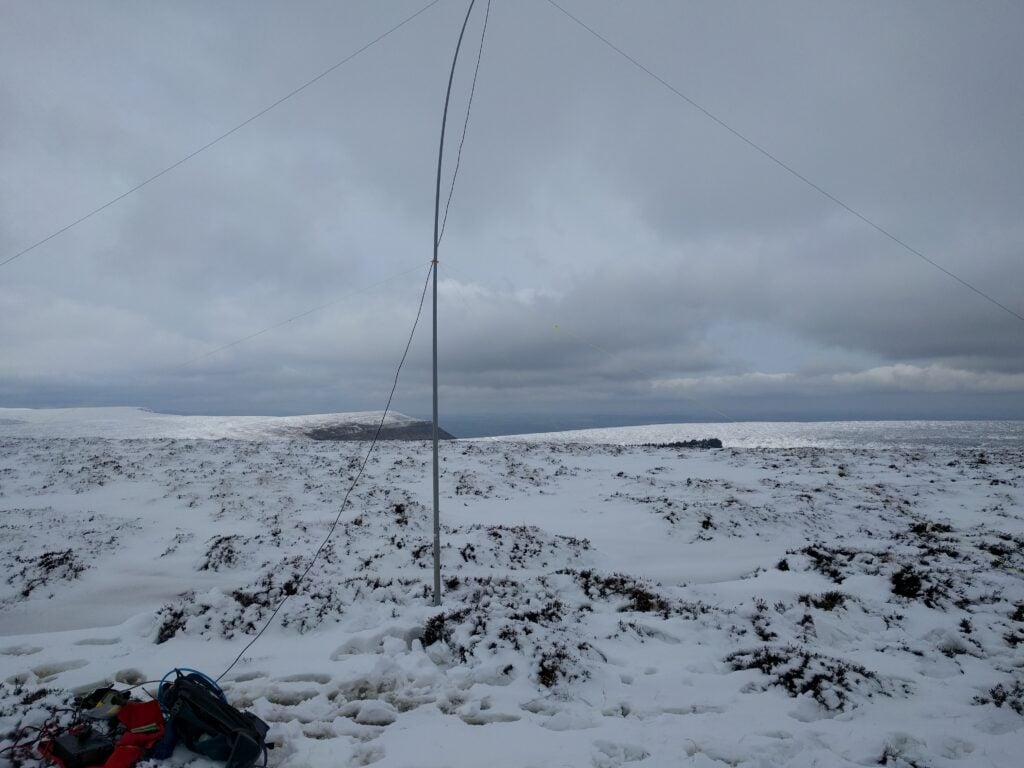
I stopped well inside the activation zone at SO255354, where the path was slightly wider and I could get space to set up the antenna without falling through the ice into a frozen bog.
My radio setup on Black Mountain
Despite calling on 2m, there were no replies, so all my 9 QSOs were on 30m CW.
Once I was off the hill, I found an ice cream van in the car park, which I treated myself with after helping to push another car out of the very deep mud that was just off the gravelled spaces (getting myself very muddy in the process). It was then back to Cambridge.
Having stayed the night at the very comfortable Cwmdu Campsite (only ten minutes’ drive from Mynydd Troed – where I finished yesterday – and Mynydd Llangorse), I awoke to a very wet pitch. It had rained heavily all night, and I was aware that that rain would have fallen as snow on the summits.
I decided to wait for the rain to stop (which luckily it did, at around 9:30am), before I set out, meaning that I already started the day behind my planned schedule.
GW/SW-001 Pen Y Fan
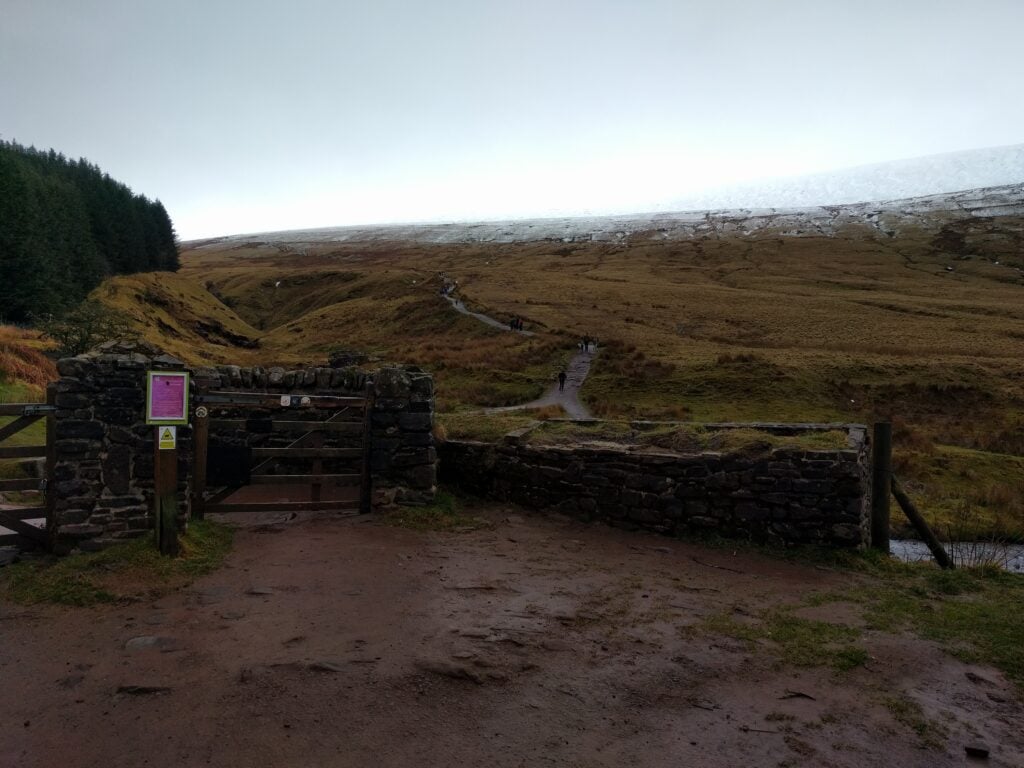
As its numbering suggests, Pen Y Fan is the highest of the Brecon Beacons, at 886m, scoring 8 points for SOTA. The main carpark is about a 40 minute drive from Cwmdu and, despite the weather, this substantial layby was approaching capacity by the time I got there. This is such a popular walk that there were easily hundreds of people going up with me.
The start of the path up Pen Y Fan
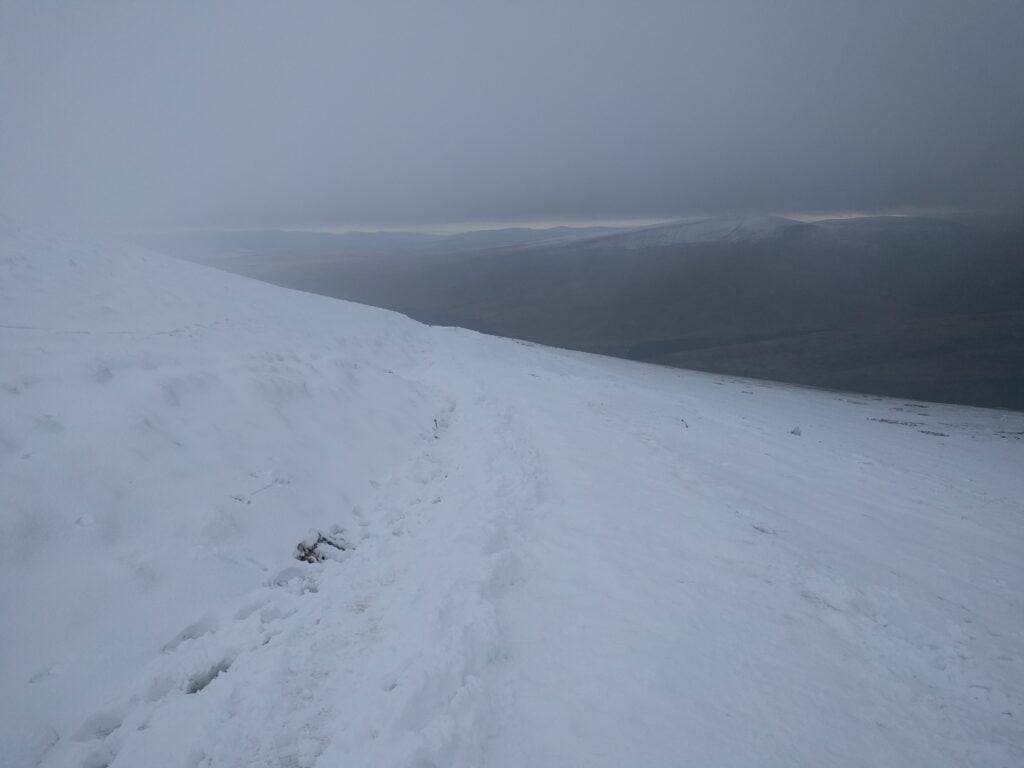
This was as well, because the weather had made the normally easy, and well-maintained, National Trust footpath a bit challenging. Those in trainers were certainly slipping a lot and I was very glad to be wearing YakTrax – something that had been recommended to me only a few days before, and they were brilliant!
The upper part of the path under snow
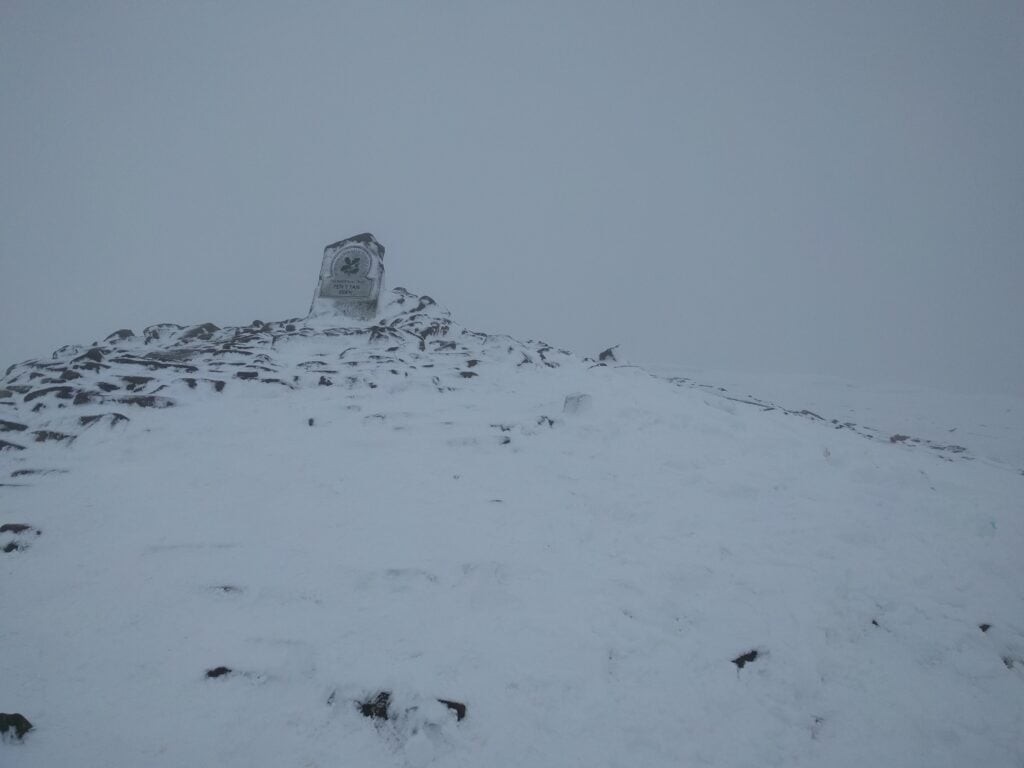
The photo below is the only one I managed to get with nobody else in it. In practice, I was on the hill with lots of other people, and this, combined with the wind chill, made operating a challenge. I started by calling on 2m, but could only manage 2 QSOs there. So, it was time for HF: I set up my SOTA pole at half-height, leaving the ends of my 30m dipole dangling, knowing I would be weak, but hoping that would be adequate to get the magic four QSOs total. It was, and after completing with another 4 people on 30m, I got off the hill as soon as possible.
Pen Y Fan summit
The ascent took 1h25 and the descent took about 1h10. The ascent is 440m over a 2 mile path.
I had planned to activate the other SOTA qualifying hill in this valley, Fan Fawr (GW/SW-005) on the same day, but looking across at it from Pen Y Fan, it clearly had as much snow on it. I didn’t know Fan Fawr at all, but knew there would not be such a good, distinguishable path, so I opted to leave that one for another day, and to head instead back towards the campsite, so I could activate Mynydd Llangorse, which I hadn’t done yesterday.
GW/SW-015 Mynydd Llangorse
And so it was that I found myself parking in the same place as 24 hours previously, but this time to head up in the other direction to the 2-point Mynydd Llangorse.
From the road, it looks as though the two Mynydds are about the same height and steepness as each other, but this is an illusion. Mynydd Llangorse does rise sharply at first but it isn’t so steep as to need those slippery footholes that I’d struggled with yesterday. Instead, the path winds around the fort at NGR SO160278 (though you wouldn’t know it was a fort without the map’s indication – too little remains for a non-expert to tell), and soon levels out to another flat-topped hill with some lovely views looking back towards Pen Y Fan.
View from the flat top of Mynydd Llangorse
The flat top means there’s a large activation zone for SOTA and I set up a little away from the summit, instead choosing the Cairn at the point where two paths cross at SO1592567. In doing so, there was more space to set up my dipole without having to wade through too much heather.
With no rain, and without the snow covering at this altitude, this was a much more pleasant activation, and I took my time making the 10 QSOs on 30m, before heading back to the car. The ascent took about 40 minutes, and the descent about 30 minutes.
I spent the Easter weekend in Wales operating from some of the SOTA summits in the Brecon Beacons. After staying in Gloucester overnight on Maundy Thursday, I started Good Friday by heading up Waun Fach.
GW/SW-002 Waun Fach
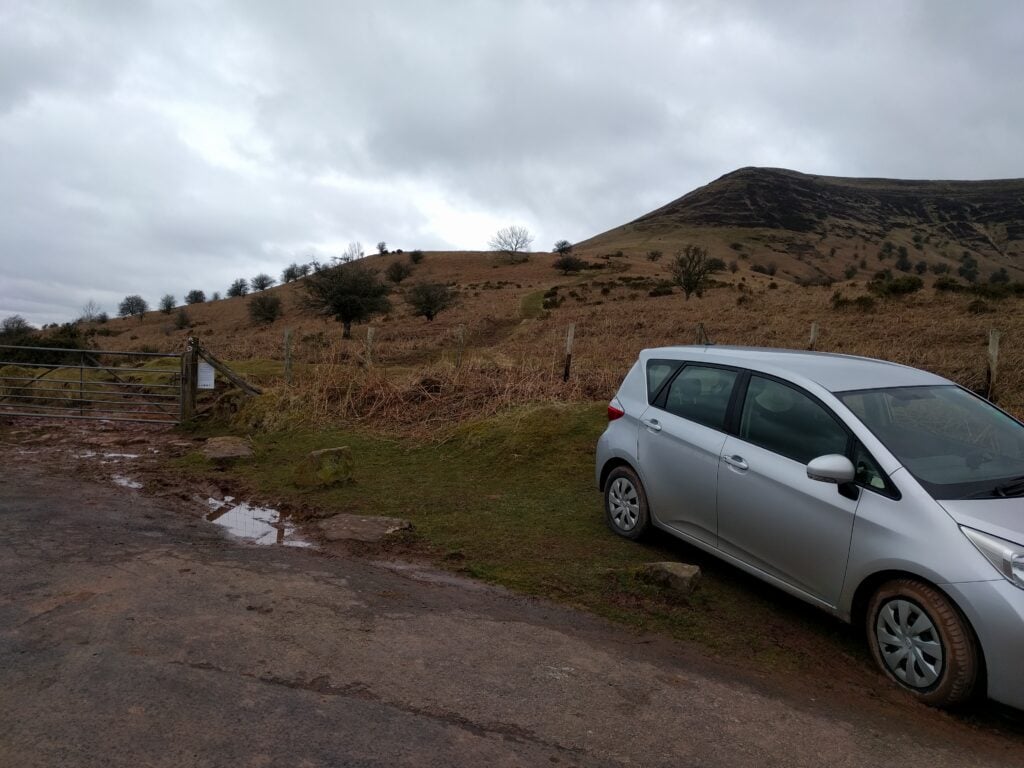
I approached Waun Fach from the South-West, starting from the crossroads at NGR SO190267, just above Waun Fach village. This is up a very steep, narrow road off the A479 – the sort you think you wouldn’t want to meet anyone on. Once at the crossroads, though, there is plenty of car parking space.
From here, you walk up the road to a well-made path, and then onto the open moorland, where you follow the obvious paths straight ahead. This isn’t a very challenging walk, the path rises but not too steeply, and you eventually come up onto the flat, and often boggy, top.
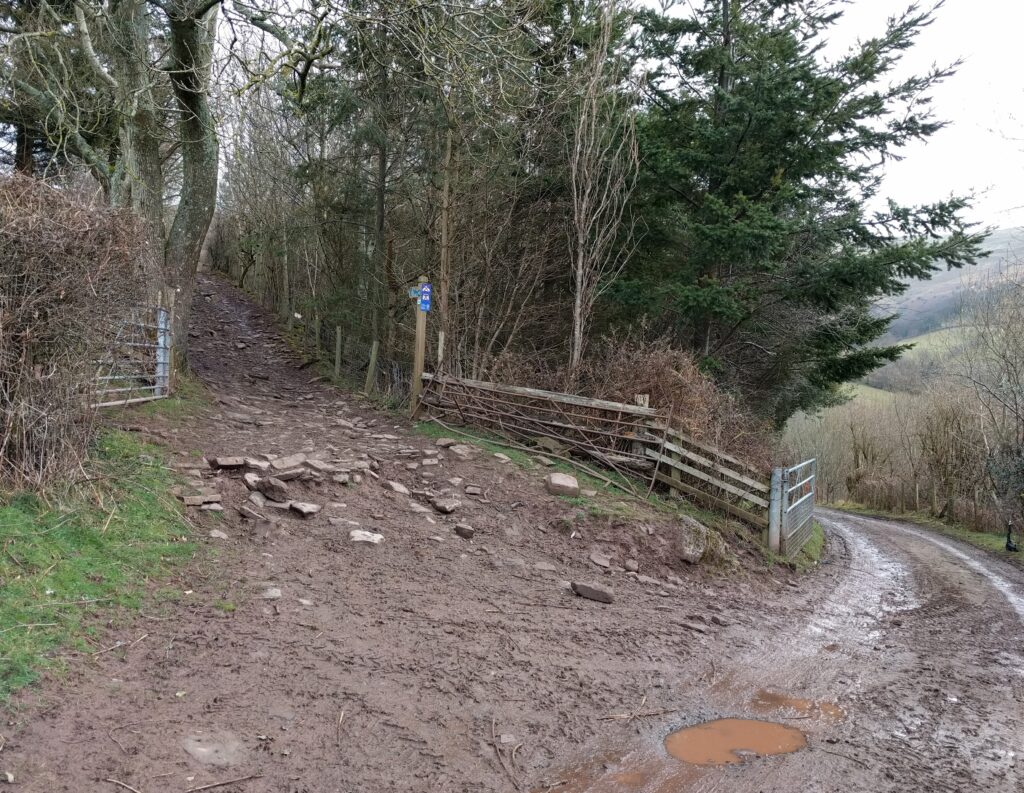
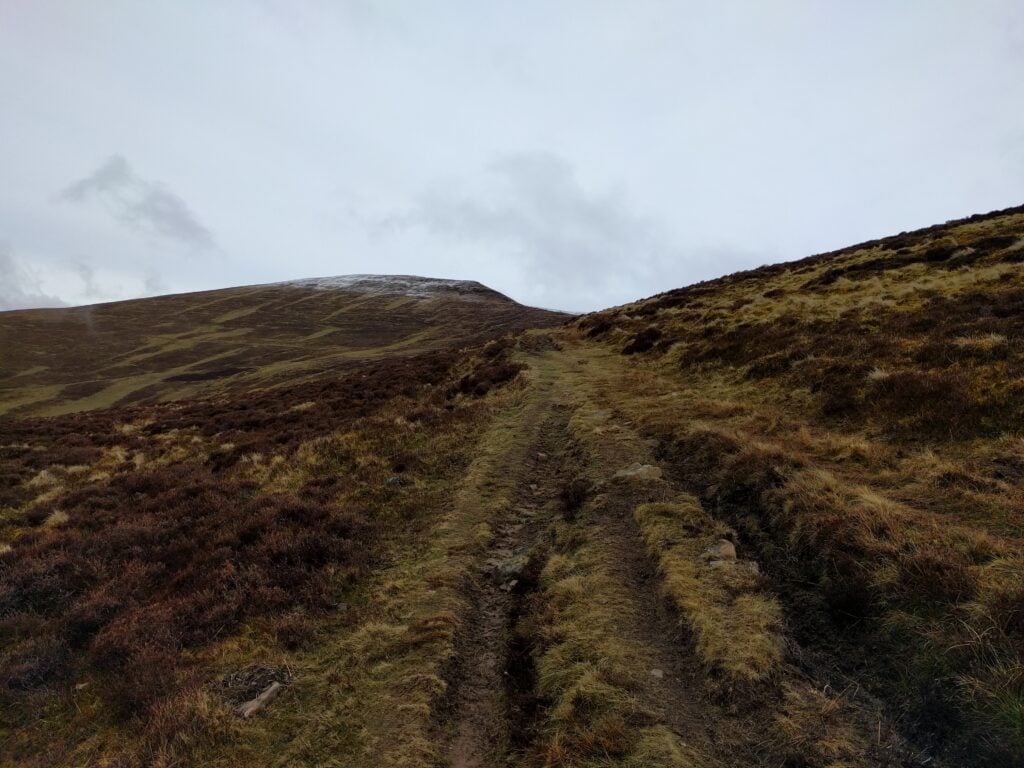
Start of the Waun Fach pathMoorland ascent of Waun Fach
The ascent took about 1h45 for about 2000ft, and the descent took about 1h15. The only slightly challenging bit was at Pen Trumau (NGR SO203292), where I was tempted to avoid having to climb the up onto the ridge. You do need to just go for it, continuing on the path up the short, and slightly steep bit onto the crest of Pen Trumau. There isn’t a way to skirt round it, but it’s less hard than it looked.
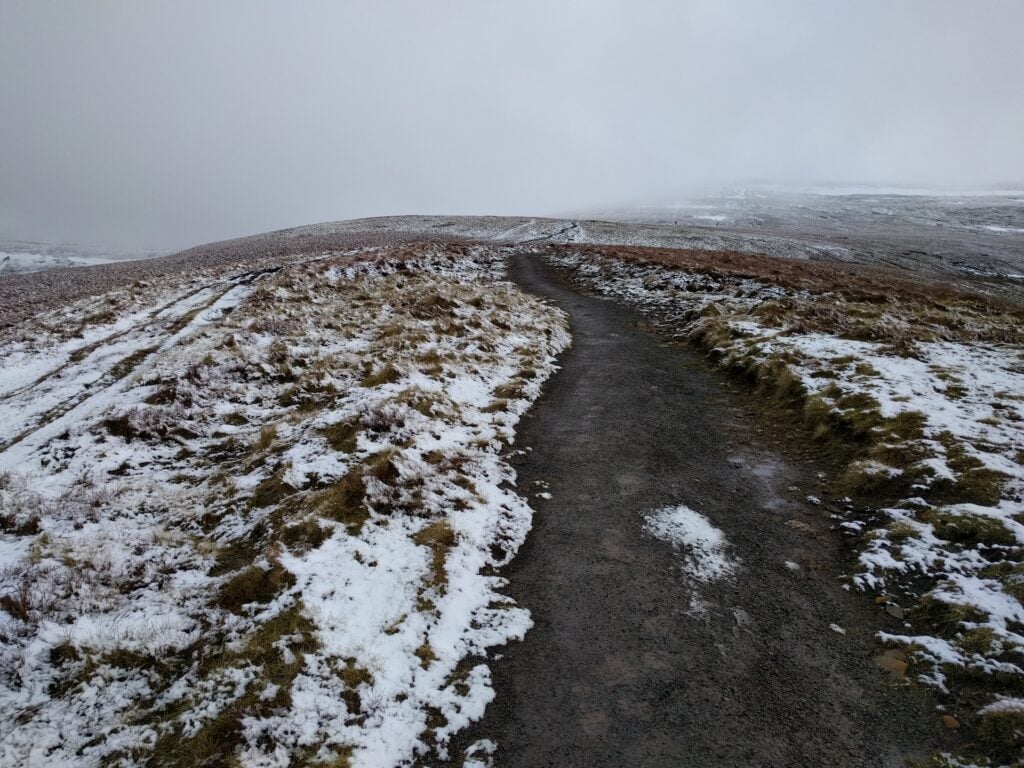
Passing about the 700m ASL contour line, the ground became frosty and then covered in a thin layer of lying snow, but this is also where you pick up a nice gravel path taking you to the summit of Waun Fach. There isn’t much to see on the summit though. It’s a flat top with no particular features.
Approaching Waun Fach summit
As you can see from the photos, it was quite cold today, so I didn’t stay too long on the summit, but enough to comfortably activate the mountain on 30m CW and 2m FM. (8 QSOs on 10MHz + 3 QSOs on 145Mhz).
GW/SW-009 Mynydd Troed
From Waun Fach, it’s only about a 15 minute drive to the shoulder between Mynydd Troed and Mynydd Llangorse, just the other side of the valley at NGR SO161282. It’s worth noting that, approaching from the south, there’s a gate across the public highway (SO169273). This took me aback at first, but it’s perfectly fine to just open it and close it after you again. Parking is on the shoulder itself, where there’s space for about 5 cars at SO160283.
The 4-point Mynydd Troed is a steep climb, taking only about 45 minutes. It starts with a simple grassy path, but the steepest point turns to steps cut into the grass, which today were full of mud and quite slippery on the descent. Just when you think you’ve reached the top, the path turns around the side of the hill, as a final sting in the tail.
Mynydd Troed from the shoulder between Mynydd Troed and Mynydd Llangorse
The top is nice and flat, like most of the Beacons, giving lots of room to operate, and this isn’t particularly well-frequented – most people seem to go up Mynydd Llangorse instead, as it’s the easier walk. Indeed, I’d planned to head up Llangorse, a SOTA 2-pointer, immediately after Troed, but with heavy rain looming and a tent to pitch, I decided to do the activation quickly and get off the hill. I made only 7 QSOs on 30m and 1 on 2m.