Category Archives: Amateur Radio

Using Waterfall Bandmap as a panadapter with the K3

For the CQWW SSB contest this month, I wanted to be able to use a panadapter and found that I could use a FunCubeDongle with the Waterfall Bandmap and DXLog.NET contest logging software to do this.
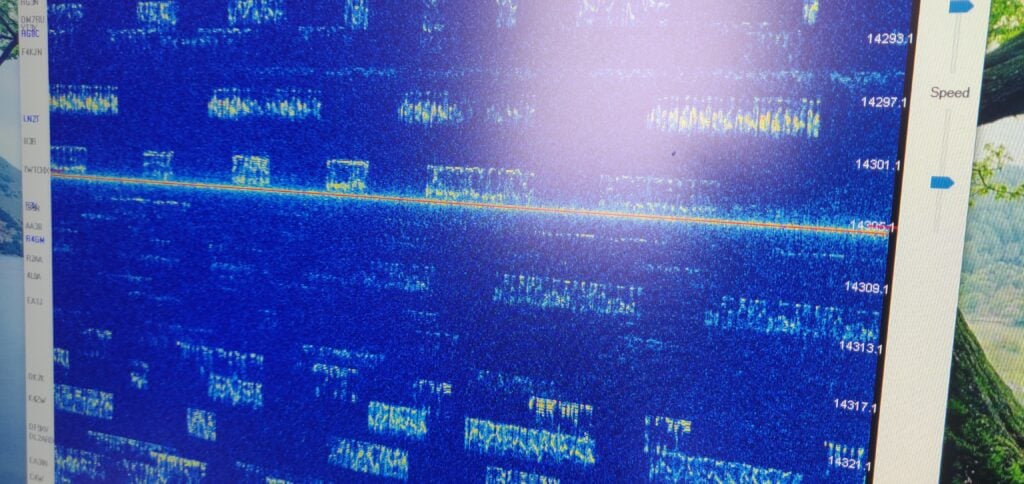
Signals in CQ WW SSB shown in Waterfall Bandmap

Why do you want a panadapter?

First off, something on why you might want panadapters in amateur radio and why they are useful especially in busy contests. Panadapters are typically bits of hardware that connect to a radio and give a visual indication of the spectrum beyond just the bit you can hear. Elecraft sell the very nice P3 as the official hardware add-on to the K3, but it has always felt to me rather overpriced for what it is.

Panadapters are particularly useful in busy contests because they allow you to see what you can hear on the band. You can use this to:

  • identify possible gaps where you might find a CQ (‘run’) frequency
  • see which multiplier stations (scoring the most points) are strong with you, so you can focus on working them quickly
  • find out where splatter is coming from

One thing that the P3 can’t do, and which is becoming increasingly popular with software panadapters, is to use DX Cluster spots to overlay callsigns on the signals you can see, making finding multipliers to work even easier. With this set up, Waterfall Bandmap even colour-codes the spots so you can quickly distinguish which signals you have already worked and which are multipliers.

The equipment I used

I soon realised that I had all the kit required to set up a panadapter quickly, but the instructions for using this specific combination were spread around the internet and also needed some guesswork – hence this post. Other sources will be more useful to you if you aren’t using this exact combination.

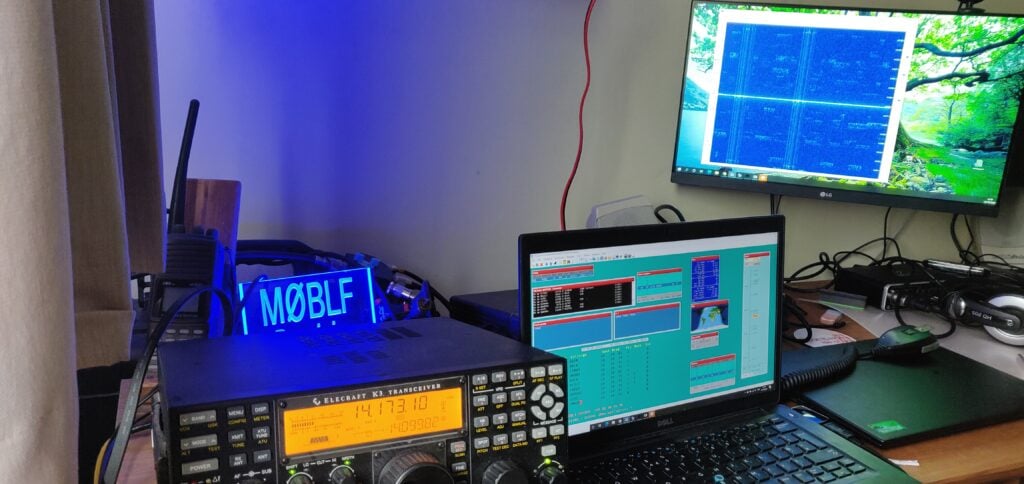
  • Elecraft K3 with KXV3 board (which gives IF out on a BNC connector)
  • FunCube Dongle Pro+ SDR receiver
  • DXLog.NET contest logging software
  • Waterfall Bandmap

Instructions

Connecting it together

  1. Connect a BNC-SMA lead from the K3 IF out to the FunCube
  2. Connect the FunCube over USB to the laptop
  3. Connect an RS232-USB lead from the K3’s RS232 port to the laptop and then use Device Manager in Windows to identify the COM port that will be used for the rig control

Set DXLog.NET to communicate with Waterfall Bandmap

  1. Start DXLog.NET and ensure rig control is working
    There are plenty of instructions online for doing this, but it’s outside the scope of this post.
  2. On the Options menu, choose Broadcast and then select both Radio information and Receive Broadcasts
  3. On the Options menu, choose DX Cluster and then select Send spots to SmartSDR
  4. On the Options menu, select Configure network

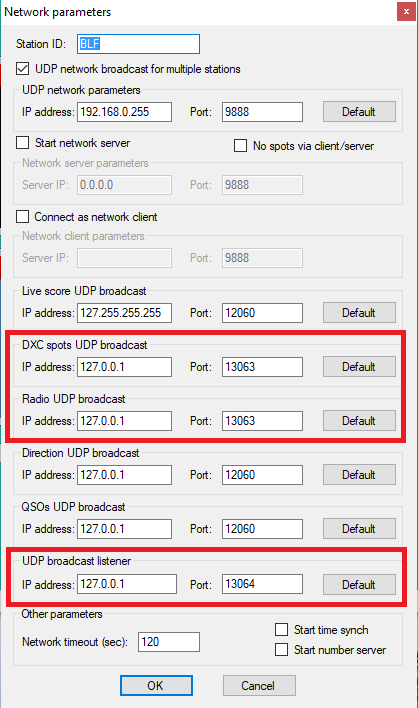
You now need to set three specific settings. In each case below, I’ve assumed that Waterfall Bandmap will run on the same computer as DXLog.NET. If that isn’t the case (which may be especially true in a multi-radio environment) you’ll need to replace 127.0.0.1 with the IP address of the computer running Waterfall Bandmap.

  • Set DXC spots UDP broadcast to IP address 127.0.0.1 and port 13063
  • Set Radio UDP broadcast to IP address 127.0.0.1 and port 13063
  • Set UDP broadcast listener to IP address 127.0.0.1 and port 13064
  • Then click OK
Settings in DXLog.NET

Finally, on the Options menu, ensure Enable network is checked.

Prepare Waterfall Bandmap to use the FunCube Dongle Pro+

Go to the FunCube Dongle Pro+ downloads page and get copies of two things:

  1. The latest FCD+ Frequency Control Program
  2. The EXTIO file

Copy these into the folder where you have unzipped the Waterfall Bandmap program.

(You may already have copies of these for working with other programs on your computer. If so, you can just put a copy of the EXTIO file in the Waterfall Bandmap folder.)

Putting it all together

  1. Start Waterfall Bandmap
  2. Allow the program if prompted by Windows SmartScreen, and also allow it to communicate on Private Networks if prompted by Windows Firewall.
  3. You’ll see an error message saying ‘SDR program not fully supported!‘
    That’s OK – these instructions work around this error.
  4. Check that ExtIO_FcdProPlus.dll is selected in the middle dropdown menu
  5. Check SDR at IF?
  6. Set the IF frequency to 8213kHz (although this doesn’t actually matter, as Waterfall Bandmap can’t actually do frequency control itself)
  7. Set the Sample Rate to 192000 sample/sec
  8. Set the Input to [MME] Line (FUNCube Dongle V2.0)
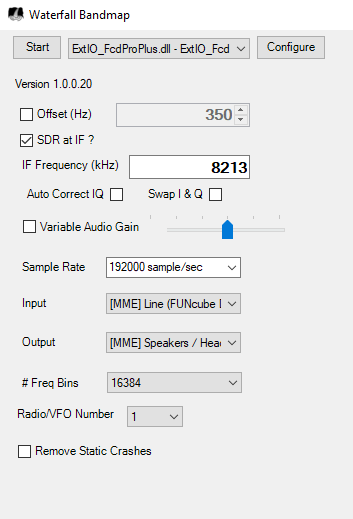
Waterfall Bandmap settings

As I say, Waterfall Bandmap can’t actually control the frequency of the FunCube Dongle Pro+, which is why we got the error message at the start, and why the frequency we set above didn’t actually matter. To resolve this:

  1. Start the FCD+ Frequency Control Program
  2. Set the frequency to the K3’s IF frequency, 8213kHz and click Set frequency
  3. I found I also had to increase the IF gain to around 15 to see decent results on the waterfall; your settings and contrast preferences may vary.
  4. Back in Waterfall Bandmap, click Start
  5. Set the Zoom, Contrast and Speed to your preference
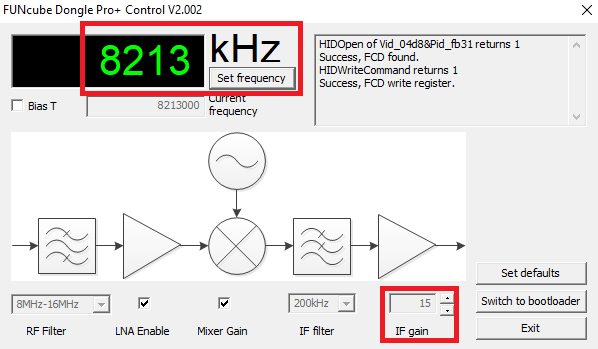
FUNcube Dongle Pro+ Control settings

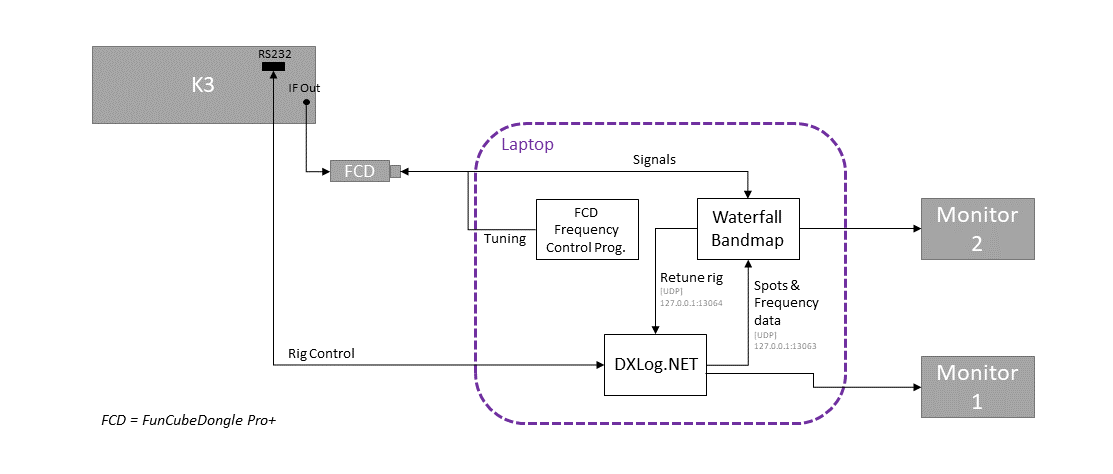
The setup should now look like this:

Block diagram showing the setup (Click to enlarge)

You should now be seeing signals displayed on the waterfall, and DX Cluster spots will appear to the left of the spectrum display.

Fine tuning

Having done this, I found that the receive frequency shown in Waterfall Bandmap was slightly incorrect, which would have meant that clicking on a signal wouldn’t have tuned the rig correctly if this was left.

Using another rig set to minimal power, I generated a constant CW tone and then set the Offset value in the Waterfall Bandmap settings until the signal was correct. In my case, the correction value I needed was 350Hz.

Conclusion

It’s not too difficult to set up Waterfall Bandmap, a FunCube Dongle Pro+ and the K3 to give a useful bandmap alongside the DXLog.NET software, but it does take a bit of configuration.

I certainly found it very useful during CQ WW SSB, although the one annoyance was that the bandmap doesn’t expire cluster spots, meaning you have to click Clear all spots periodically to tidy up the display.
CQ WW SSB 2020

For the last 15 years I have almost always operated CQWW SSB from M4A in the multi-single or multi-two categories. It’s one of the highlights of my year. However, with the current coronavirus situation limiting our ability to meet up, I found myself limited to a single operator entry this year.

I decided to go for the SOSB(A) on 20m category, both since I can fit a 20m dipole into my garden and also the fact that 20m is closed overnight, thereby allowing me the chance of at least a bit of sleep! And (controversial opinion follows…) of course I went for the assisted category, because I don’t see why you’d want to make life hard for yourself by denying the existence of the DX Cluster!

Running just 100W into a dipole hastily constructed the day before the contest, I set myself a modest target of 200 QSOs for the weekend. That wouldn’t be enough to win anything but I could at least feel that I had made a meaningful contribution.

Equipment

  • Elecraft K3
  • 20m dipole at about 7m AGL
  • DXLog.NET for logging
  • Waterfall Bandmap, fed from a FunCube Dongle Pro+, taking the K3’s IF feed, for panadapter (My set up instructions)

The entry

I was actually very surprised! Although it was certainly hard going with relatively low power, I had made my target of 200 QSOs by Saturday late afternoon. This was entirely search-and-pounce, and I spent a lot of time chasing multipliers. That said, by the end of the day, I was still missing entities and zones that should have been fairly easy, like Asiatic Russia.

I didn’t expect to get very many more QSOs on the Sunday as I suspected I had worked all the easy ones, but to my surprise there were plenty of Europeans still to work. I quickly decided to adopt a strategy of trying to get as much of a rate as I could S&P, so that I could optimise my score after focusing on DX the day before. This strategy paid off, and by the afternoon I even found a clear frequency where I could try running. I could only hold a frequency for about 15 minutes at a time, but it was enough for a few countries I might otherwise not have got (such as 9H and GI) to call me.

I was somewhat surprised how late after sunset the band stayed open on Sunday evening (I didn’t declare the band dead until 21:30 UTC) and this allowed me to get several more US stations and even to get my best DX of the contest, PX2A. Thanks to all the stations who struggled to pull my weak signal out.

As for the dipole’s performance, I was very impressed. Although I didn’t manage to work them, I heard VK3, YB and 9G, so it certainly worked well. I didn’t manage to hear any JAs, even though I was aware from the cluster of a good opening to them on Sunday morning. I suspect this was because I’d deliberately orientated the dipole to fire to the North-West and South-East to optimise paths into Europe and the US. As you’d expect for my low power setup, 82.2% of my QSOs were in Europe, with Italy and Germany the main countries.

Results

Contest : CQ World Wide
Callsign : M0BLF
Mode : SSB
Category : Single operator
Overlay : ---
Band(s) : 20
Class : Low
Grid square : JO02BG
Operating time : 29h 10m

 BAND QSO  Z  C DUP POINTS  AVG
-------------------------------
  160   0  0  0   0      0 0.00
   80   0  0  0   0      0 0.00
   40   0  0  0   0      0 0.00
   20 493 14 62   2    667 1.35
   15   0  0  0   0      0 0.00
   10   0  0  0   0      0 0.00
-------------------------------
TOTAL 493 14 62   2    667 1.35
===============================
      FINAL SCORE: 50 692

Operators : M0BLF
Soapbox :
Created by * DXLog.net version 2.5.0 by 9A5K *
http://www.dxlog.net

RSGB Webinar on QO-100

My ‘lockdown project’ for during the recent coronavirus lockdown was to finally get myself on the QO-100 satellite. It was one of those projects I had bought various bits for but never had the time to assemble and sort them out.

On Monday 27th July, I gave a talk about this as part of the RSGB’s ‘Tonight @8’ webinar series. It was quite a challenge as I battled an unseasonably blustery evening in my garden, but I think we got the idea across!

Most of my setup was strongly inspired by M1GEO’s post on the same setup

Correction

During the Q&A at the end, I mentioned hearing an M7 licencee on the satellite recently, and also said that QO-100 could be a good starting point for someone new to the hobby.

It has been pointed out to me that the 2.4GHz (13cm) uplink frequency is not permitted for Foundation licencees, and so they aren’t able to use the satellite.

Equipment used:

The component parts of my setup included:

  • Lime SDR-mini
  • 90cm Satellite dish
    (I recommend getting this style of arm so the PotY antenna has sufficient clearance)
  • PotY antenna kit (designed by G0MJW, PA3FYM and M0EYT)
  • Domestic PLL-locked LNB
    (These are supposed to be as good as the well-regarded Octogon LNBs but I find mine can drift a bit)
  • Heatsink (designed for the Raspberry Pi) and 12V fan for the SDR
  • 12V – 5V regulator and heatsink for the driver boards
  • Bias-T
  • LNA amplifier driver boards (SPF5189Z)
  • Wifi amp
  • Project box
  • Decent coax from Wifi Antennas
    You’ll need as short a length as possible RP-SMA Male (Wifi amp end) to SMA Male (PotY end). I got CLF-200 cable as anything thicker may not clear the PotY clamping arrangement.
    On the RX side, you’ll also need some standard satellite TV coax terminated in ‘F’ connectors. This doesn’t have to be so good quality.
  • USB3 A/B lead to go from the LimeSDR to your laptop
  • PotY ring reducer and LNB cover
    Download 3D printer files for these – You can also now purchase the reducer as an option with the PotY.

You’ll also need a copy of SDR-Console. Thanks to Simon G4ELI for this work on this.

As I mentioned several times during the talk, my approach is not the only way to get on QO-100. It is one of the cheaper routes, but it is a little more QRP than other users.

More information

Two quick SOTA activations in Cyprus

During the ZC4UW DXpedition, Rob M0VFC, Dan M0WUT and I spent a morning doing a couple of local SOTA summits, largely so that I could tick off my fourth continent for the SOTA Explorer awards.

It’s winter and we didn’t want to go too far, so we limited ourselves to two four-point summits, about 10kms north of the ZC4UW QTH in the western Sovereign Base Area.

SOTA has only had an association in the Republic of Cyprus since February 2019, so there are still lots of un-activated hills, but we stuck to two which had been done before, given the weather and time constraints.

5B/CY-029: Τοφούλια

Activating Tophoulia is pretty easy, though the last hundred metres of road leading to the car park needs some care and attention as there are some steep hairpin bends with little protection.

We parked at the Αγία Μαρίνα monastery in Pachna. There was a fair amount of car parking space available. From the car park, it’s simply a matter of spending 10 minutes picking a path up to the summit, where there is a basic trig point.

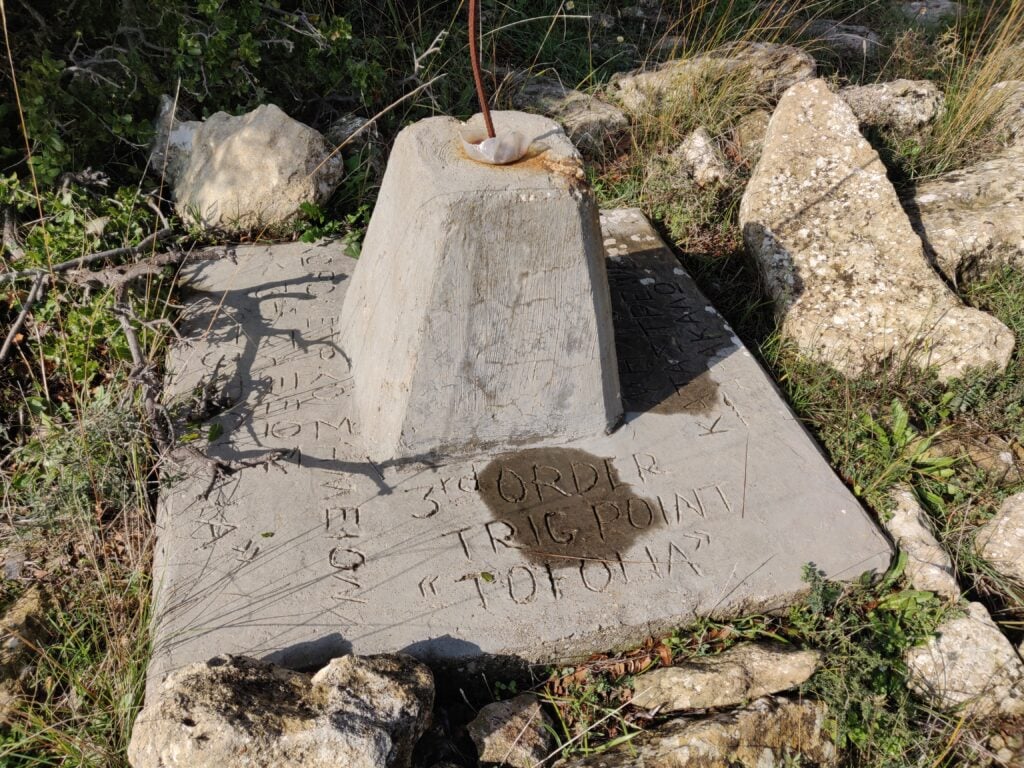
Trig point for Tophoulia / Tofolia (the alternative spelling is merely a difference in transliteration)
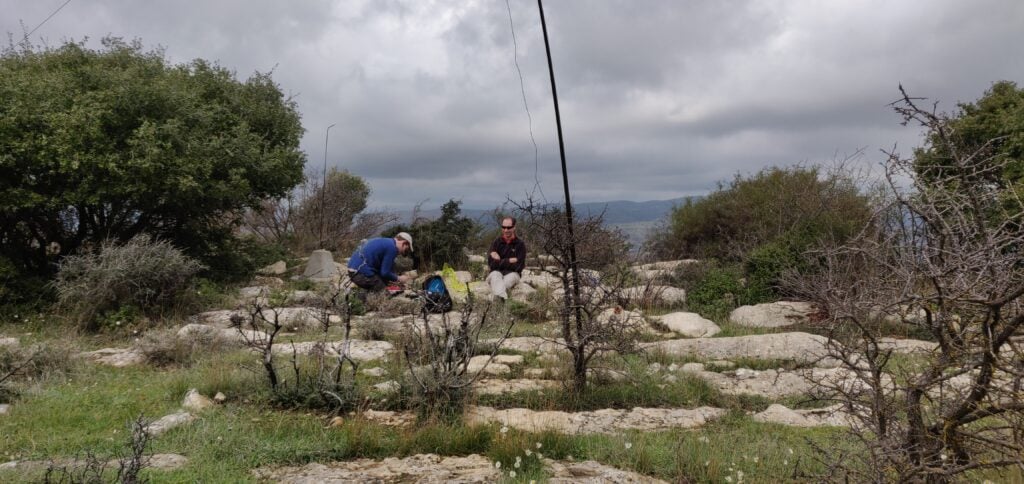
Rob and Dan operating at the trig point
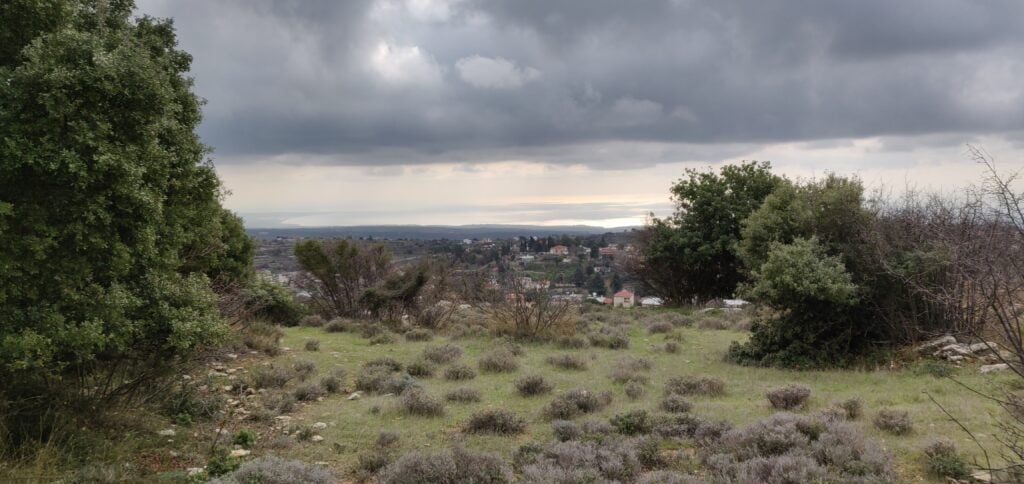
The view south, towards the Akroteri peninsula

5B/CY-031: Βράχος Δορά

The village of Dora is about 25 minutes’ drive from Pachna, along some perfectly passable but narrow streets. Care needs to be taken particularly in Dora village itself, where my SatNav had a tendancy to take us down the smallest alleyways, instead of more major roads.

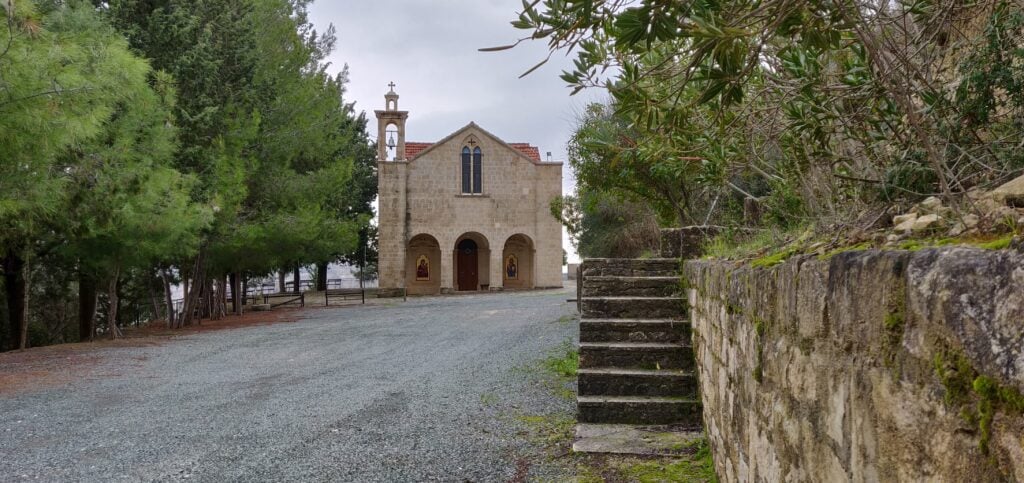
On the south-western outskirts of Dora, continue to the monastery at 34.7774 N, 32.7374 E, where again we found there was ample parking on this quiet Sunday, the day before Epiphany.

The monastery at the start of the walk

Take the steps to the right of the monastery entrance, which are marked with a walking man symbol. This path leads directly to Rock Dora, the SOTA summit and highest point above the village. Amusingly, the well-kept path has a number of trees labelled with their species.

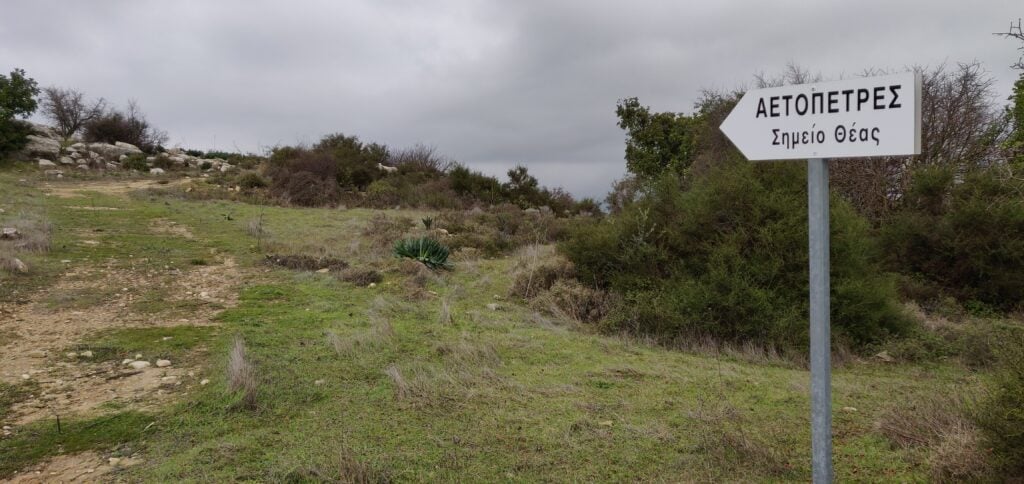
The climb is very gentle and the wide, earthy, path is clearly defined, so the walk is nice and easy. After about 20 minutes, a sign-post to your right indicates where to leave the path and head to the summit, even though the sign-post itself doesn’t say Rock Dora

Leave the path at the sign-post and follow upwards to the summit
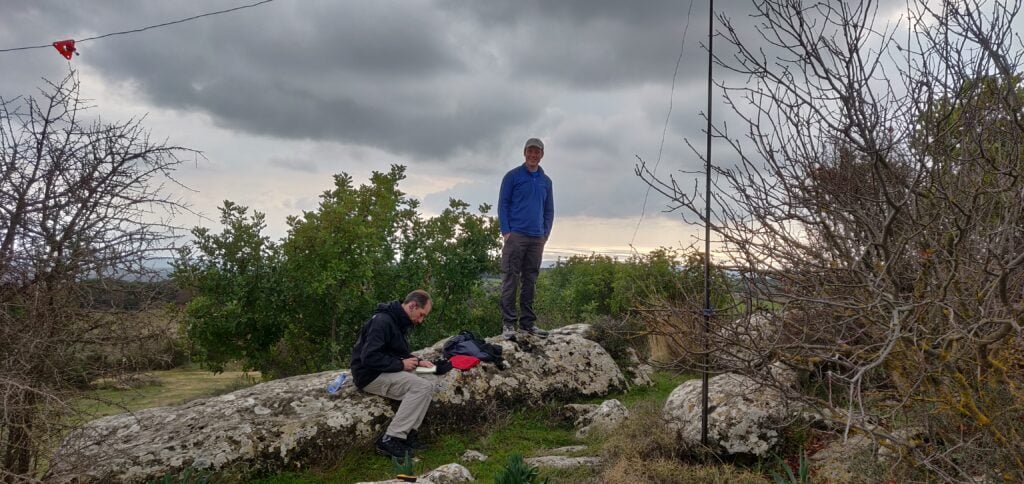
Operating at Rock Dora
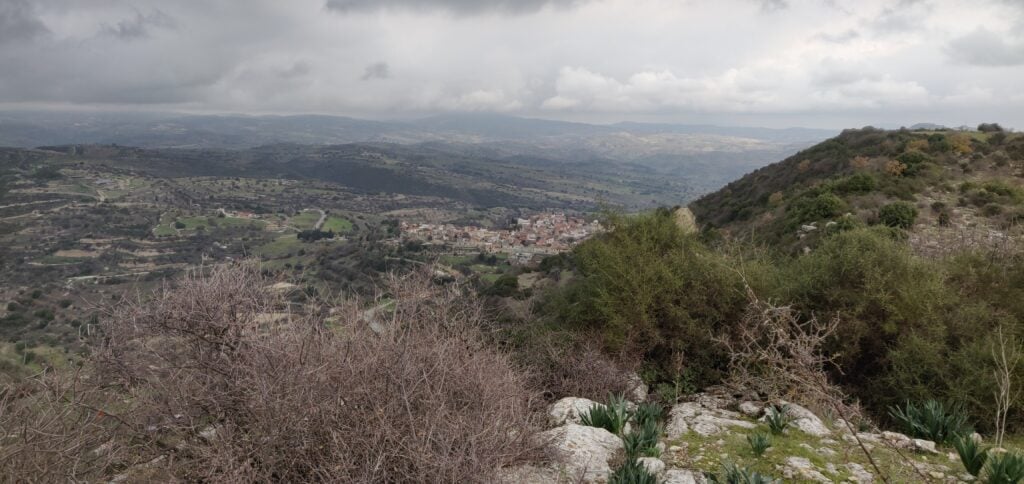
The view from the summit

For both of these activations, we made about 20 QSOs between the three of us – sufficient each to qualify – on 20m CW, before heading back to the DXpedition shack to resume working the pileups!

On the economics of DXpedition QSL Cards

Over recent years more than occasional comment has been made by some DXers about whether QSL Managers make money from sending out QSL cards. Obviously, not all DXpeditions have the same policies but a year after the VP2MUW expedition, here’s how our QSL finances stack up.

Important note: I’m writing this in the interests of transparency on the topic following a few very emotive posts and policies from some DXpeditions. This is certainly not an appeal for money, and I don’t propose to suddenly increase the amount I ask for, nor do I wish to dissuade you from asking for a card if you want it!

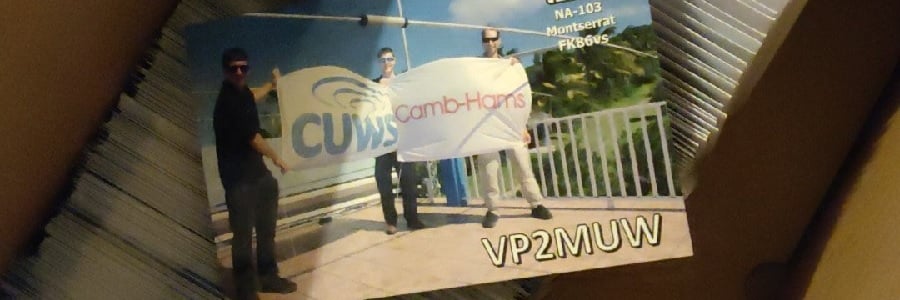
QSL cards for VP2MUW

Most people request direct cards via OQRS. Until April 2019, the cost of an international stamp from the UK was £1.25. It was then increased to £1.35. (These international stamps cover 20g to Europe or 10g to anywhere else, which is sufficient to post a QSL card).

In turn, I asked for £1.80 for direct cards until April 2019, and then £1.90 thereafter. This means I was asking for 45p per card more than the postage price. That 45p needs to cover the card printing, labels for the QSO information and address label, an envelope, and, of course, Paypal fees. (Spoiler alert: it doesn’t) – Oh, and due to a complete failure to account for Paypal fees on my part, I actually only charged £1.60 for cards until January 2019, which includes the bulk of cards ordered immediately after the trip.

I have sent 206 direct VP2MUW QSL cards (ie. 206 different recipients – there is more than one QSO on each card) so far. Here’s how the outgoings stack up for those cards:

Item:Quantity:Each:Total:
Labels412£0.058£23.90
Envelopes206£0.068£14.01
Stamps (UK)36£0.56£20.16
Stamps (International)155£1.25£193.75
Stamps (International)15£1.35£20.25
Card printing206£0.042£8.65
PayPal fees206£0.31£63.86
Total cost to me:£344.58

Note: It’s difficult to extract from Paypal exactly how much you have spent in fees for a given period. The £63.86 shown here is an estimate based on their standard rates, across all the payments I received. It’s almost certainly an underestimate because it doesn’t account for the voluntary donations, which will also have attracted a percentage charge.

By asking for £1.60-£1.90 per card, I received £196.70 in total, meaning that sending direct cards made me a loss of 72p per card. (There will also have been a few ‘green stamps’ and pre-stamped envelopes mailed to me, but I’ve ignored those as I don’t have exact records of these. They are certainly a small number, however, as OQRS is the main way I am asked for direct cards.) Fortunately, we have some very generous people in the hobby, so I received an additional £105.20 in voluntary donations. These donations help offset that loss, reducing it to 21p/card.

However, we haven’t discussed bureau cards yet. I don’t get any money for those. I’ve so far sent 630 cards via the bureau. Luckily, these only need one mailing label each, so:

Item:Quantity:Each:Total:
Labels630£0.058£26.46
Card printing630£0.042£36.54
Total cost to me:£63.00

There’s then the cost of sending the cards to the bureau to consider. This is more difficult for me to judge as each QSL card batch I send contains cards for multiple expeditions but I’d estimate I have spent about £20 on bureau postage for the VP2MUW cards alone during this year.

If we take £83 as the total cost to me of sending bureau cards, the final amounts look like this:

Incoming:Outgoing:
Direct cards£196.70Direct card costs:£344.58
Donations£105.20Bureau card costs:£83.00
Total£301.90Total£427.58
Loss:£125.68
Loss per card:£0.15

For the benefit of an American audience, here’s a conversion to dollars:

Incoming:Outgoing:
Direct cards$253.74Direct card costs$444.50
Donations$135.71Bureau card costs$107.07
Total$389.45Total$551.57
Loss:$162.12
Loss per card:$0.19

SOTA operation in Prague City: Ládví

I’ve recently returned from a few days in Prague doing tourism and sightseeing. While the primary focus of the trip wasn’t radio, I noticed that there’s a SOTA summit on the outskirts of the city, which I had to go to.

OK/ST-084: Ládví

Getting to Ládví requires no car hire at all. If you are in Prague (and you should go – it’s a beautiful city), this summit is accessible via public transport.

The only real instruction is to take the metro to Ládví station on the Prague metro, Line C. If you are in the city for a while, you will probably already know that a ticket covering all metro lines, buses and trams on the fantastically integrated transport network costs just 310 CZH (about £10.50) for three days. This means that there is no additional cost to activate this hill.

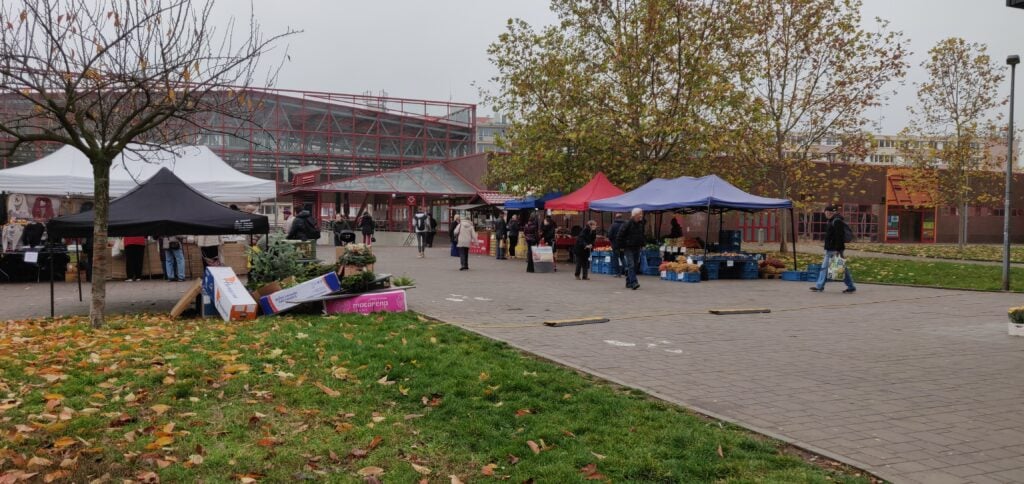
Ládví station is on the northern outskirts of Prague city. You come up out of the underground into a commercial centre with supermarket and also a local street market.

Outside Ládví station

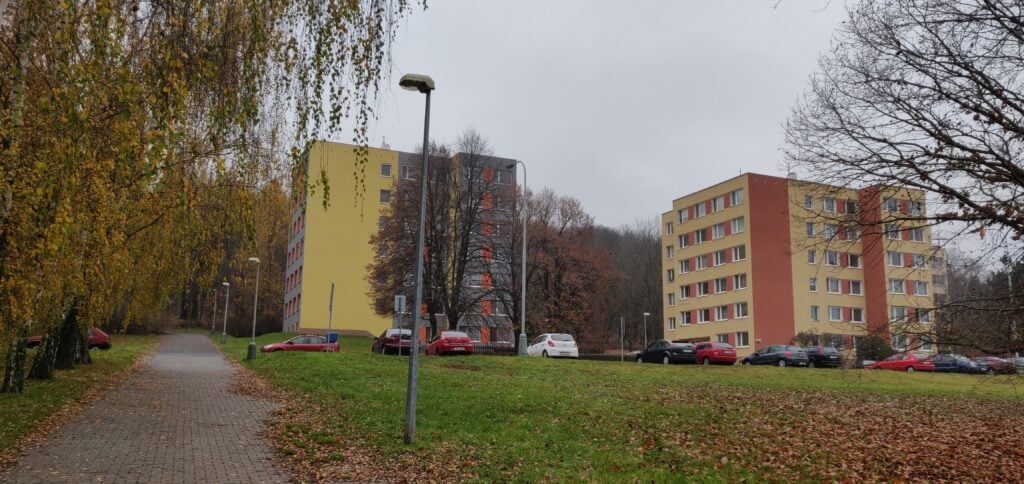
From here, walk along the wide cycle/foot path through the tower blocks – the first tower blocks I’d seen in the trip – over a road, gradually heading up a slight incline. (The road is Žernosecká; it’s not particularly busy and there’s a pedestrian crossing.)

Heading towards the summit

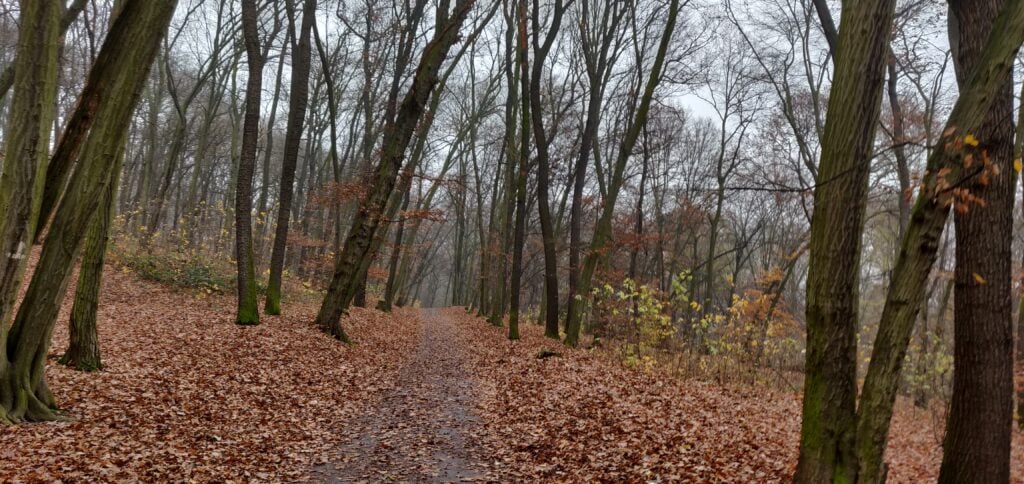
The path soon gives way to a narrow path which splits. You can go up either route, but I headed right, through the trees. Again, this isn’t a particularly steep path, nor was it very slippery despite the damp autumn leaves on the ground. In fact, there’s a layer of tarmac underneath the path but a thin layer of mud had built up in places. Near the top of the ascent, you are inside the activation zone. You can normally turn left to reach the official summit, but on my visit it was taped off due to tree felling.

The path to the summit

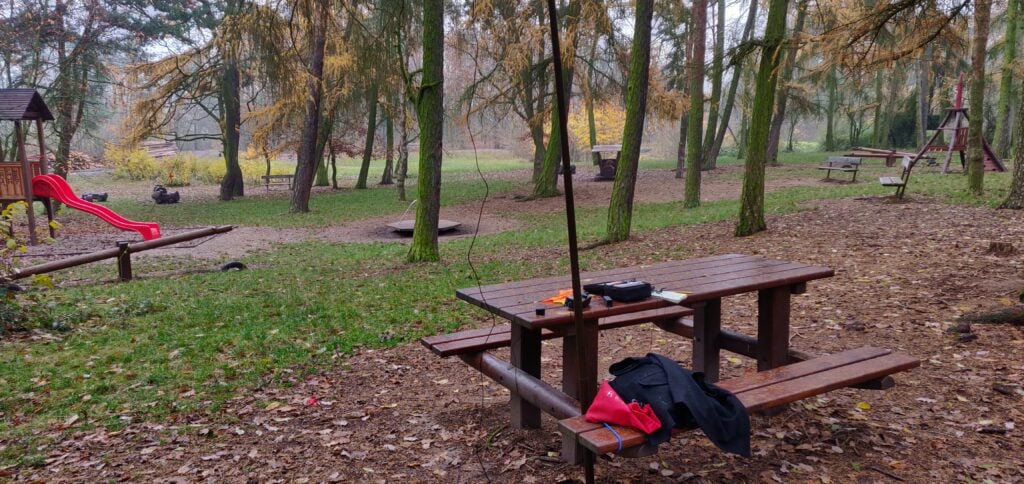
Instead, I headed right to the children’s play area, where there’s a useful bench, about fifteen minutes’ walk from the metro stop. Here, I was able to use bungees to hold up my fibreglass pole and soon had set up the gear.

But something wasn’t right. My antenna didn’t really sound like an antenna. I wasn’t getting spotted by the RBN, even enabling the ATU in my KX2 there were SWR problems, and after too long calling CQ to no avail, I spent more time fault-finding. It eventually transpired that the problem was an easy one: a patch lead had become intermittent. Holding it in exactly the right place solved the issues and this was good enough to get 3 QSOs on 20m and 3 on 30m, enough to get the one point the hill is worth.

Set up at the play-area

This is a lovely little hill to activate and a wonderful way to spend a half-day while in the area.

Loading map…
Distance
—
Elevation gain
—
Elevation loss
—
Max elevation
—
Waypoints
—
Elevation profile

Basque Country SOTAs: Xoldoko Gaina

Xoldoko Gaina F/PO-245 (1 point)

After the frustration of the Pic de Guilhers yesterday, I left my hotel in St. Jean de Luz early, with the aim of climbing Xoldoko Gaina (aka Choldocogagna) before heading to Bilbao for my return flight back to the UK.

The path for this one starts in the village of Biriatou, just on the French side of the border by the A63 motorway. By the way, there are lots of toll booths on the motorway around the border area, so be prepared to have to pay several times if you are leaving the motorway – it’s only a couple of euros each time, though.
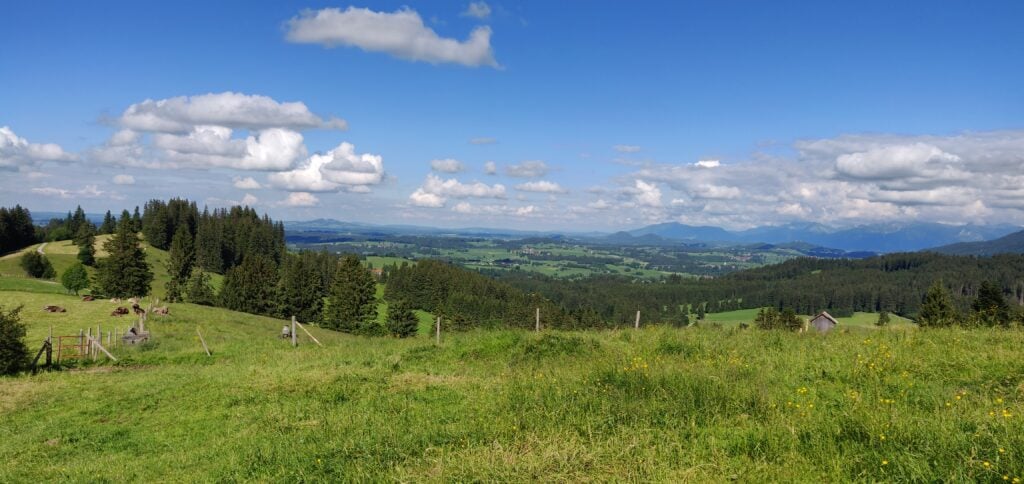
In the village, you can park in the car park behind the church and walk up the hill to pick up the road heading east from the village. At the fork at 43.3327, -1.7397 bear right and the tarmac gives way to a path leading up through woodland and then into open countryside.

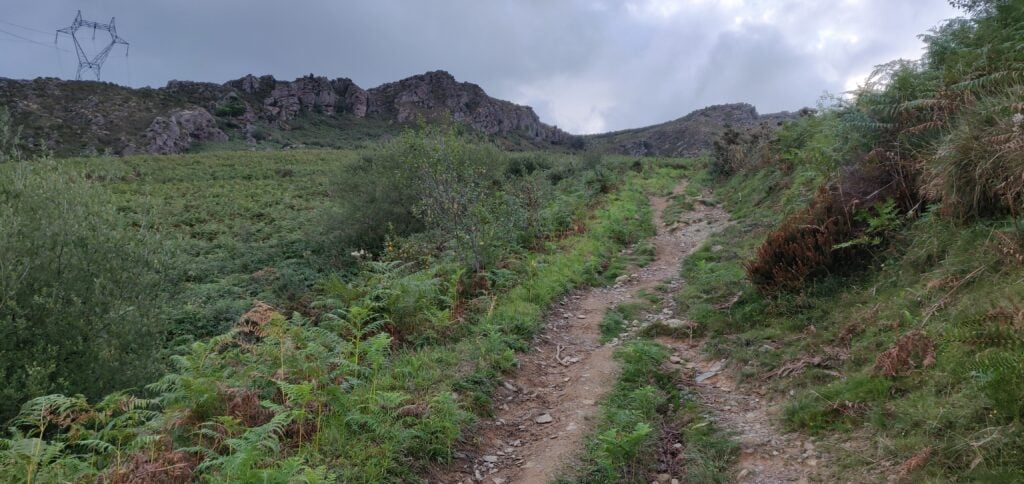
The path up Xoldoko Gaina

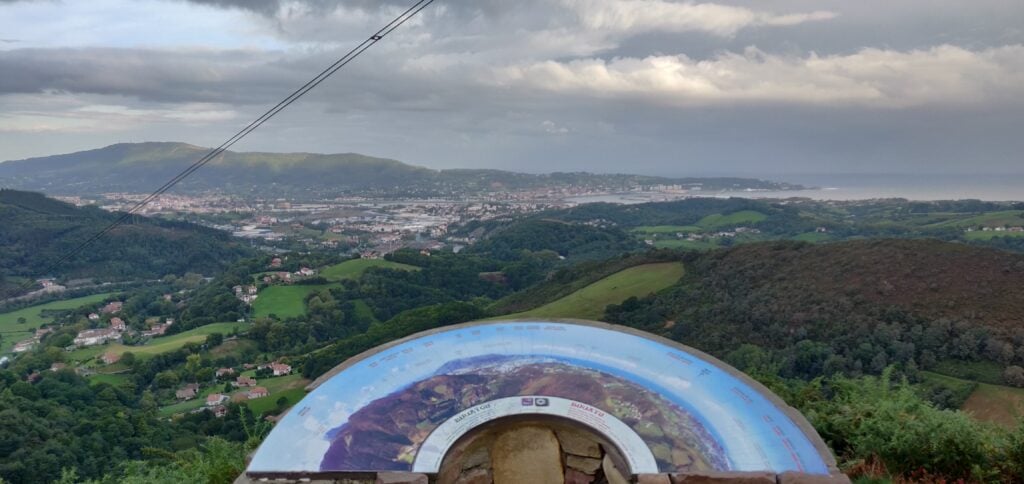
The obvious path leads you up onto the ridge – it isn’t a difficult ascent – roughly following the high voltage electricity line that crosses the river (which at this point forms the French/Spanish border) in the valley below. Once you are up on the ridge, there’s a fantastic view Hendaye/Irún (in practice the same town but Hendaye is in France on the north side of the river and Irún is on the Spanish side) and out over the Bay of Biscay and up the Landes coast.

The view from the ridge

From here, it’s only a little further uphill to the summit, which has a nice flat area for setting up an antenna.

It was still fairly early in the morning as I’d parked in Biriatou at 08:30 local time, and reached the summit about 55 minutes later. From the top I made seven contacts before packing up and descending the 45 minutes back to the car. The walk has a 290m ascent over about 2.9km.

Leaving Biriatou, I made a quick stop for fuel in Irún (where diesel for my hire car was cheaper than in France), before heading to the airport.

Loading map…
Distance
—
Elevation gain
—
Elevation loss
—
Max elevation
—
Waypoints
—
Elevation profile

Basque Country SOTAs: Pic d’Issarbe and Pic de Guilhers

Pic d’Issarbe F/PO-171 (4 points)

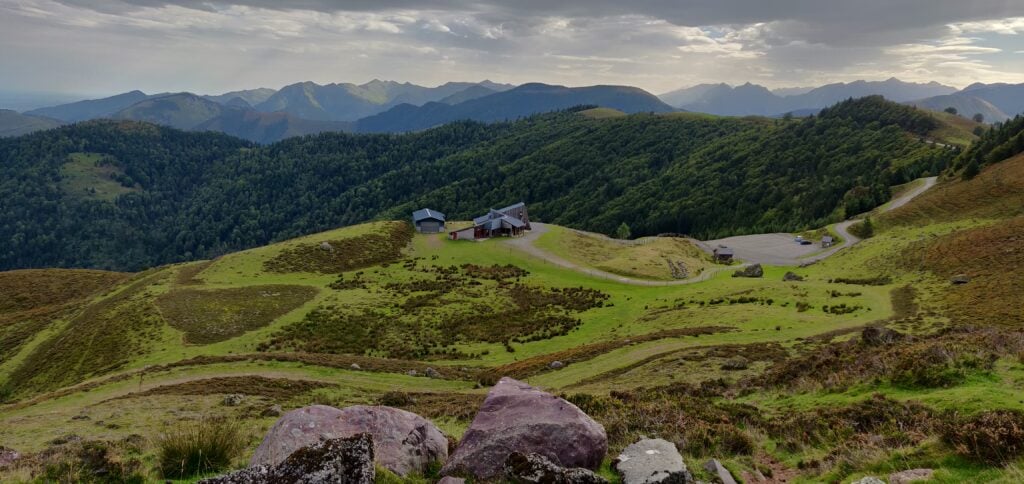
I’d done the Pic d’Issarbe on my last trip to the Pyrenees, and it’s a lovely, easy four-point walk at this time of year. The site is a minor ski resort in the winter and as such has a car park which was almost deserted on this September morning.

The car park at Pic d’Issarbe seen from the ascent

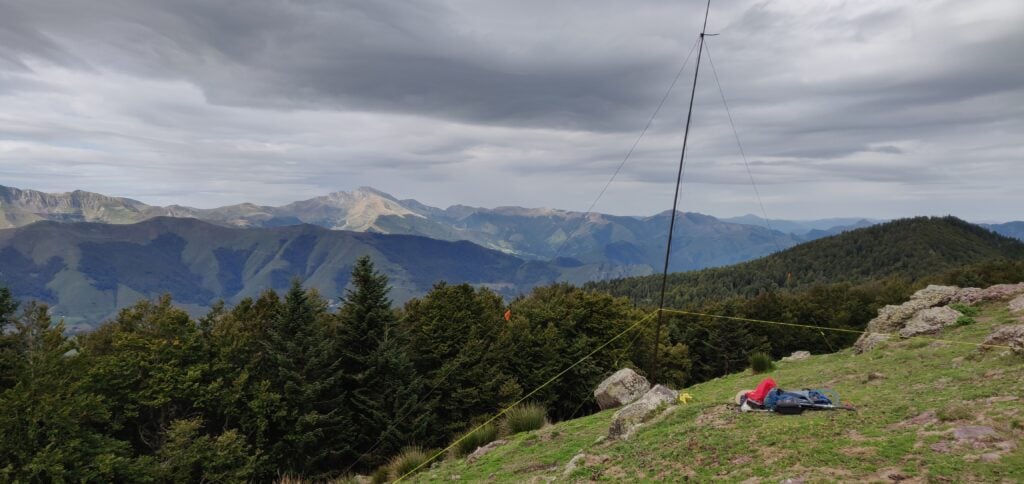
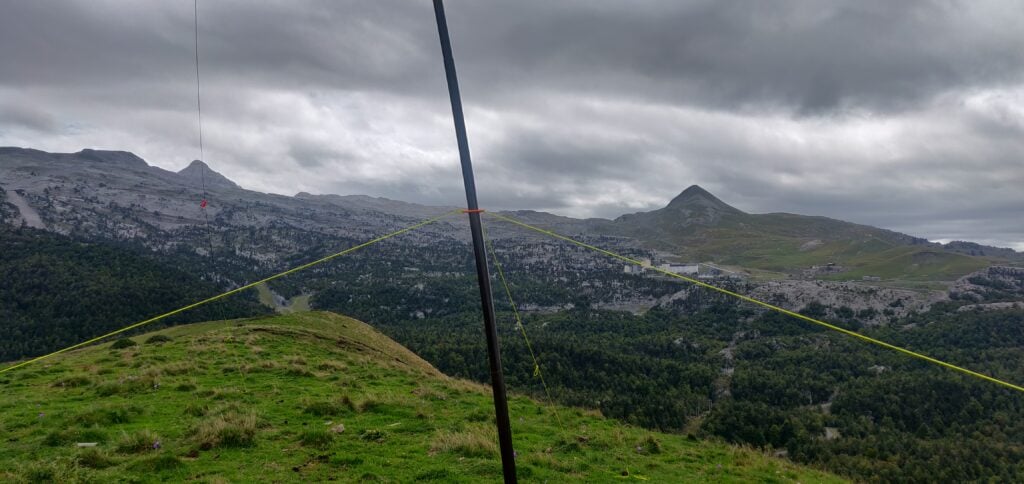
The ascent up the hill is simply a matter of choosing one of the many ski-run paths and following it to the top. The summit itself is marked by a small metal cross and there’s a reasonable amount of space within the activation zone for an HF dipole, even though the terrain slopes away quite quickly. It was a very pleasant morning and I was slightly ahead of my schedule, so I made 28 QSOs on 30m CW before descending.
The ascent took me 25 minutes for a climb of about 160m vertically over only just over a kilometre horizontally on the wide, grassy, paths. The descent took a little less.

Loading map…
Distance
—
Elevation gain
—
Elevation loss
—
Max elevation
—
Waypoints
—
Elevation profile

Pic de Guilhers F/PO-283 (4 points)

For the Pic de Guilhers, I opted to follow EA2EEB’s track from the SOTA Mapping website, which starts from the car park at the Pierre St Martin ski resort. This was not the best idea but more on that later.

Under usual circumstances, the car park is only about 20 minutes’ drive from the Pic d’Issarbe, which is why I’d opted to do both mountains on the same day. However, I hadn’t allowed for meeting a large flock of sheep which surrounded my car and I spent several minutes inching forwards trying to follow the road without herding them.

The other reason that the Pierre St Martin car park is not ideal is that it means you start the climb from higher than the summit. The walk starts with a steep descent down a rocky gully at the side of the road to reach the valley floor, before you have to ascend the hill itself. A preferable option would have been to start from the car park at 42.9849,-0.7429, which would have saved a chunk of the walk.

The walk starts by descending a steep path from the road to Pierre St. Martin

Once at the bottom of the gully, you follow a couple of ski runs to join the main D132 for about a kilometre before leaving the road again. This is some pretty boring walking on tarmac, still heading downhill, but you soon get your first proper sight of the Pic de Guilhers and the challenge it represents.

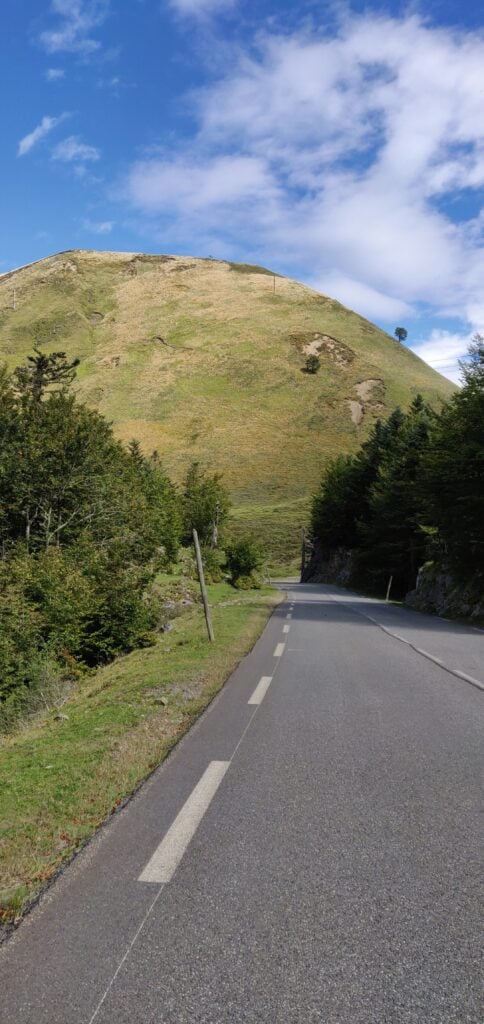
The Pic de Guilhers from the road

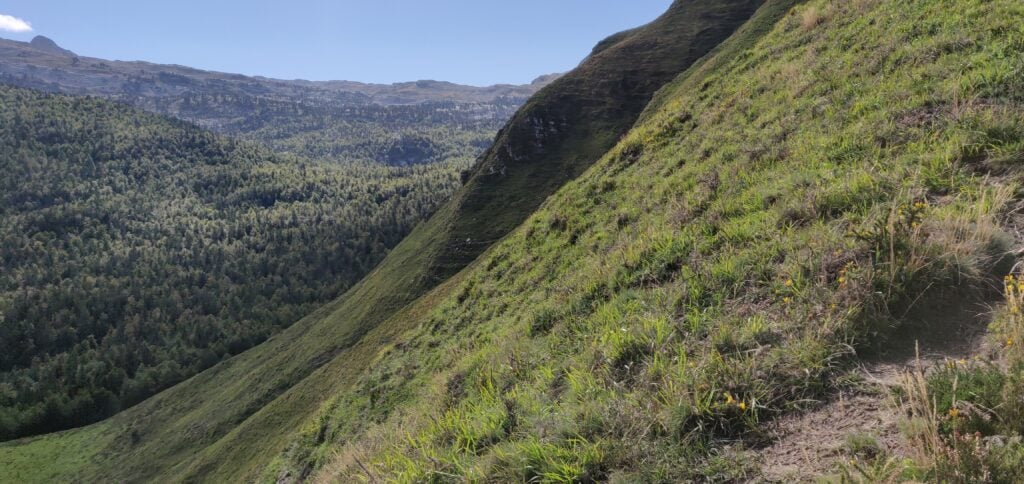
As you can see, the mountain is a steep ‘pudding bowl’ with apparently no path up it. As you get closer, you see that there are many paths that actually skirt around the bottom of the hill – some may be animal tracks others caused by erosion – and intuitively I initially tried to pick my way up to the highest of these to gain some high and then go up from there, again following EB2EEB’s GPS track. I found it just too step, however, and fearful of sliding down the hill I decided to continue around the side of the mountain. It looked like there might be a slight shoulder behind the hill.

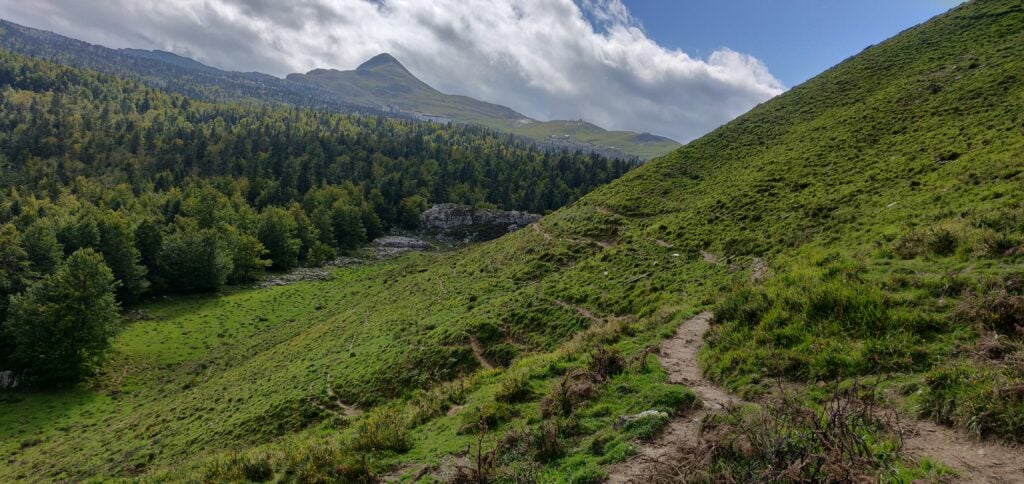
The many tracks at the bottom of the hill
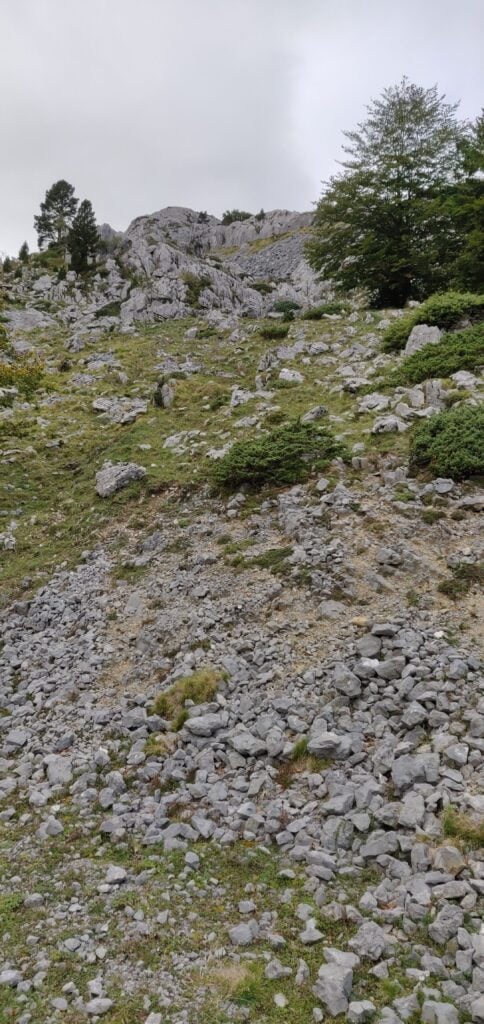
If you try to climb up from the bottom, the hill quickly becomes very steep

My map reading was right. I’d recommend that you actually follow one of the middle paths around the side of the mountain without worrying too much about gaining height at first. Once you have skirted around the side, aim for 42.9931, -0.7330 and then follow the narrow path to where the trees meet the side of the mountain at 42.9948, -0.7326. From here, it’s a relatively easy ascent through the heather to the summit.

Once you are at the top, it’s fairly flat, and there’s plenty of room to set up a wire antenna. Sadly, conditions weren’t great, so I only made 10 QSOs from here on 30m CW before packing up.

As you might have gathered, this is a bit of a beast of a hill for just four points. Not only did I park higher than the summit and have to walk downhill to start the ascent, but I lost a lot of time trying to pick the right path on the ascent and tryign to gain height prematurely, only to have to carefully pick my way along steep, narrow paths. Consequently, the climb took me 1 hour 20 minutes to walk 3.85km horizontally, and ending up 30m lower than the car park where I had started, but still 160m above the valley floor below. The descent took only ten minutes less, and was exhausting with the final climb back up the gully to the car park. With that, I headed the 2h30m to my hotel in St Jean de Luz, from which I’d go up Xoldoko Gaina tomorrow.

Loading map…
Distance
—
Elevation gain
—
Elevation loss
—
Max elevation
—
Waypoints
—
Elevation profile

Basque Country SOTAs: Aratz

I’ve recently returned from a few days in the Basque Country, which included a few summit excursions. Although I’m aware that I’m behind on writing up some of my other SOTA trips over the summer, I’ve decided to type up my notes on this recent trip first before I forget the detail.

Aratz EA2/VI-003 (6 points)

Having landed in Bilbao, Spain, I hired a car and drove for about 90 minutes to the car park which serves both Aratz (EA2/VI-003) and also Aitxuri (EA2/SS-001). The car park itself is located near the end of the GR-282 road at 42.9351, -2.3032. The GR-282 itself is a concrete road but perfectly decent to drive over.

From the car park, you head on the path through the trees and over the bridge. The path soon opens out to a wider area, but it is obvious and without any particular navigational challenges. Note only that at this point you are heading away from the summit – this is because the summit itself is above a steep cliff face, and so the path heads around the side in order to reach a shoulder where the access is easier.

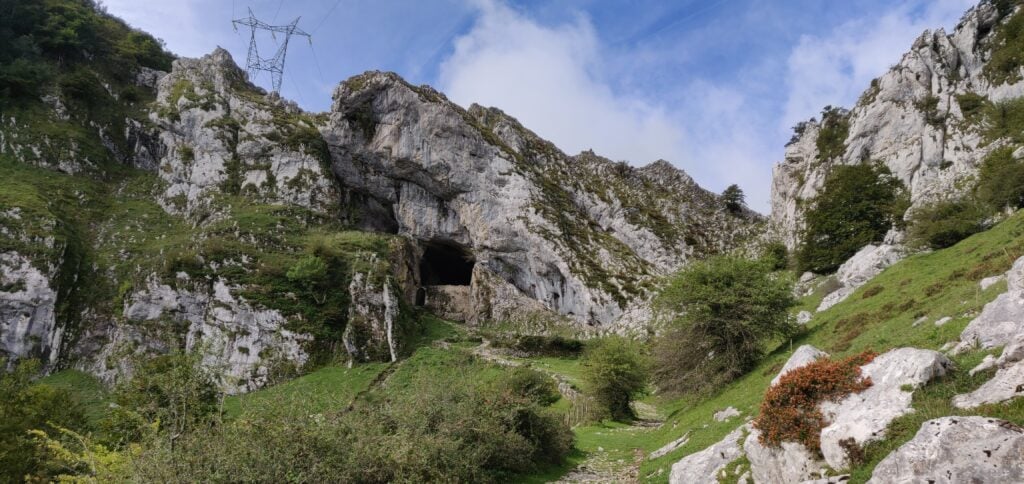
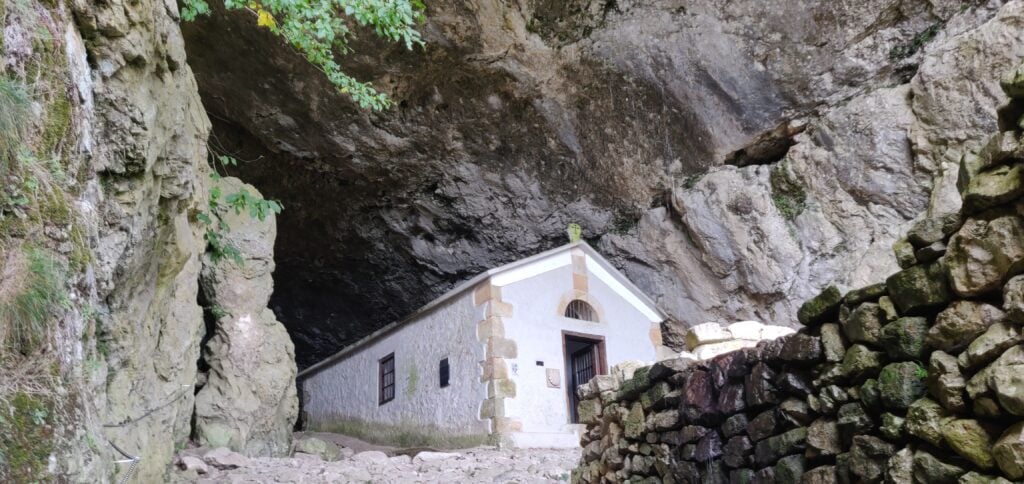
At 42.9352, -2.3153 you reach the fascinating natural tunnel through the ridge which contains a chapel at the site of a former hermit’s dwelling, the San Adrian’s hermitage.

The tunnel at San Adrian’s hermitage
The hermitage chapel

Continue walking through the tunnel but be wary of where there are drips onto the well-worn cobbles – the stones were quite slippery in places.

After the tunnel continue on the main path and where the route splits follow the white and red paint markings to the left, signposted to Gazlaren Ibilbidea. This brings you to another fascinating feature of the walk – an intact Roman road taking you back into woodland.

Looking back down the Roman road

Shortly after you’ve picked up the Roman road, watch for where the road bends around to the right and look for a small, muddy track through the trees straight ahead of you, marked with yellow dots of paint. This is the route to the summit of Aratz.

Once back out of the trees, you are almost at the summit. The path is narrow but it’s not near the edge and it felt perfectly safe. This final section is the steepest and there’s a misleading false summit to get over before you see the final destination, marked with a trig point.

The final ascent

Having reached the trig point, there is a fairly large area, though sloping, that’s within the SOTA activation zone where you can set up an antenna.

My antenna set up just below the trig point

On a clear day, the summit of Aratz would have a stunning view out to the Bay of Biscay to the North and across the plains of the Ebro valley to the South. As such, the radio takeoff was pretty impressive and I was pleased to make 13 contacts on 30m CW within about 10 minutes.

The ascent (about 580m vertically over 4.4km horizontally) took me 90 minutes and the descent would have taken a little less had I not stopped for lunch. This wasn’t a hard climb and was a very interesting walk.

I had originally planned to go on to EA2/SS-001, since the walk there only diverges from the path to Aratz after San Adrian’s hermitage. However, with a long drive into France still ahead of me and having started slightly later than I had hoped, I decided to head straight back to the car.

Loading map…
Distance
—
Elevation gain
—
Elevation loss
—
Max elevation
—
Waypoints
—
Elevation profile

Friedrichshafen SOTAs: Kühgundkopf and Burgkranzegger Horn

I’ve now returned from a long weekend at the annual Ham Radio exhibition at Friedrichshafen, a beautiful city on the shores of Lake Constance in southern Germany.

The normal way for British people to get to FDH as it has become known, is to fly to Zurich and take the train to Romanshorn before then getting the ferry across the lake. Instead, M0WUT and I opted to fly to Munich and rent a car, so we’d have our own transport for a few SOTAs on the Sunday and Monday.

There are a lot of very easy summits near the rally. There are two just about 30 minutes north of the town, DM/BW-854 and DM/BW-358, which we did on the Monday. Most activators also head west to the area around Tuttlingen, where there are a number of other very quick activations in the DM (Germany – Low Mountains) SOTA association. Indeed, I had planned a comprehensive route around those hills for our trip but with the weather forecast to be hot and sunny, Dan and I instead headed east towards the Alps.

DL/AL-049 Kühgundkopf

The 8-point Kühgundkopf is about a 90 minute drive from Friedrichshafen in the foothills of the Alps. It hadn’t been activated for five years and there was relatively little information to judge how difficult the summit would be from SOTA sources, other than DF3MC’s track on the SOTA maps site. A bit more searching gave a few more clues but also more confusion: many sources will tell you that this mountain, which straddles the German and Austrian border, has two names (Kühgundkopf in German and Wannenjoch for Austrians). However, on the ground, the signposts are clear that Wannenjoch is the promontory with a cross on it just below the summit, while Kühgundkopf is the highest point (at coordinates which match the location in the SOTA activation manual). Google Maps, meanwhile, has
Kühgundkopf marked at the location of Wannenjoch. If that isn’t complex enough, many descriptions of the walk say that this is a really strenuous, difficult walk requiring climbing gear. But that’s only true if you are doing a popular circuit with Iseler. The walk only as far as Kühgundkopf is fine.

Despite the forecast good weather, the rain and drizzle became increasingly frequent as we approached the mountains and we were starting to doubt our choice but it fortunately dried up in time for the start of our walk. The cloud didn’t lift for the ascent, however, which meant that we missed out on some spectacular views. A further problem was that most shops are closed on Sundays, and so we didn’t come prepared with any lunch. Fortunately, a small convenience store in Schattwald, the first village into Austria, was open for 2 hours on a Sunday morning (10am-12pm) and so we purchased enough to make sandwiches.

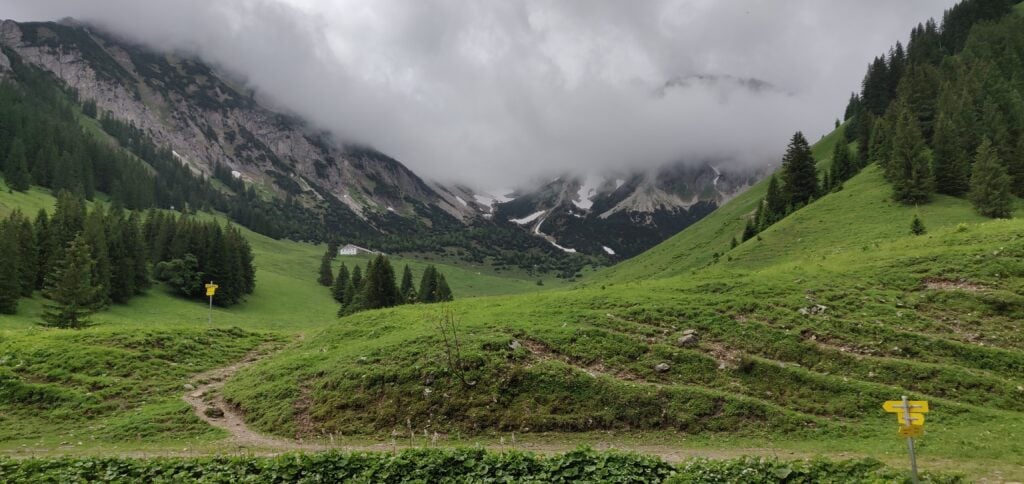
As I described, this mountain straddles the border and in fact the path up it starts from the Austrian side. You start in Schattwald in the large carpark at the foot of the chairlift (47.5119, 10.4596). This cost a very reasonable €3 for a full 24 hours. Follow the yellow signposts initially from the carpark to the top of the chairlift (signposted Bergstation -Wannenjochbahn). This is an easy, gravelled, path through the trees to the head of a stream, where you take a sharp right turn (again, signposted) onto a slightly narrower, but still quite obvious path.

The gravel path through the trees
The path is clearly signposted
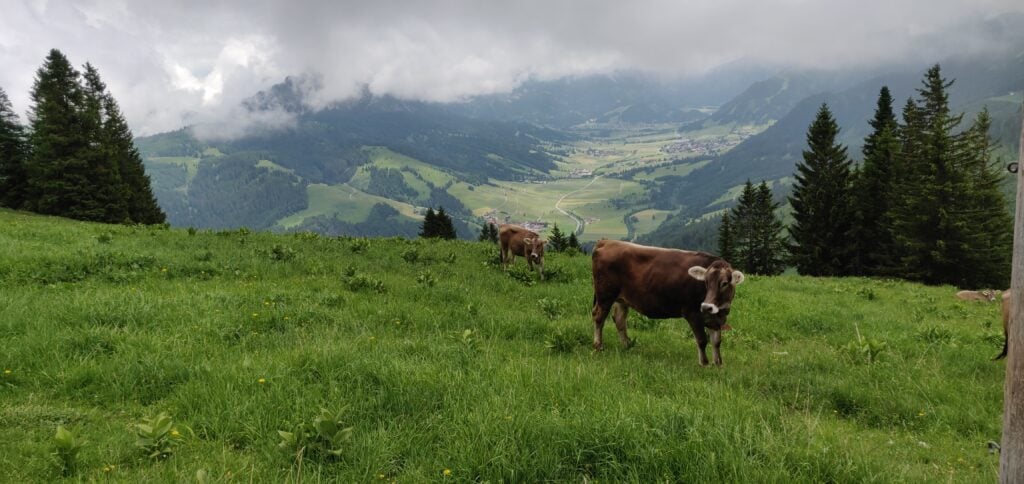
Cows graze on the lush mountain pasture

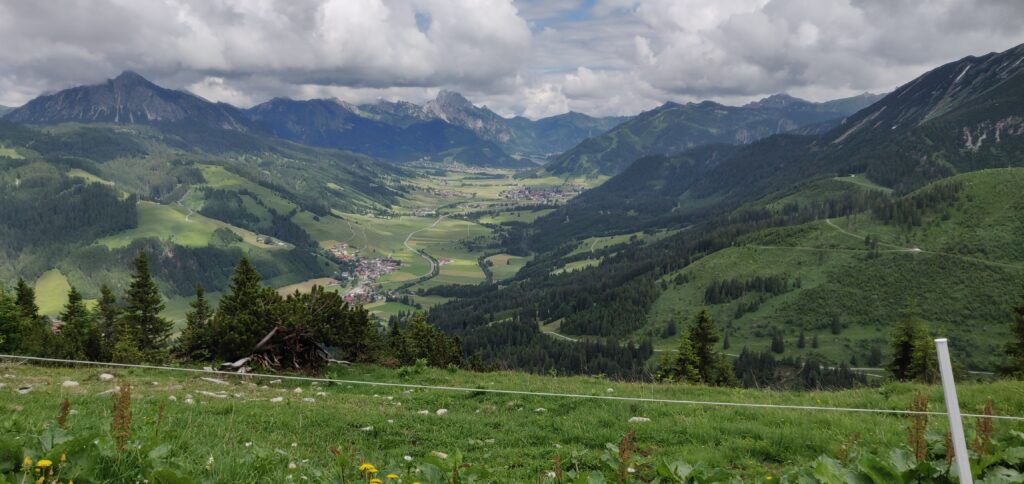
The path eventually comes out at the top of the chairlift, where there’s a restaurant (although the service here seemed to be non-existent). There’s also a spectacular view back down the valley.

The view from the top of the chairlift
(Photo taken on the descent, by which time the cloud had cleared a bit)

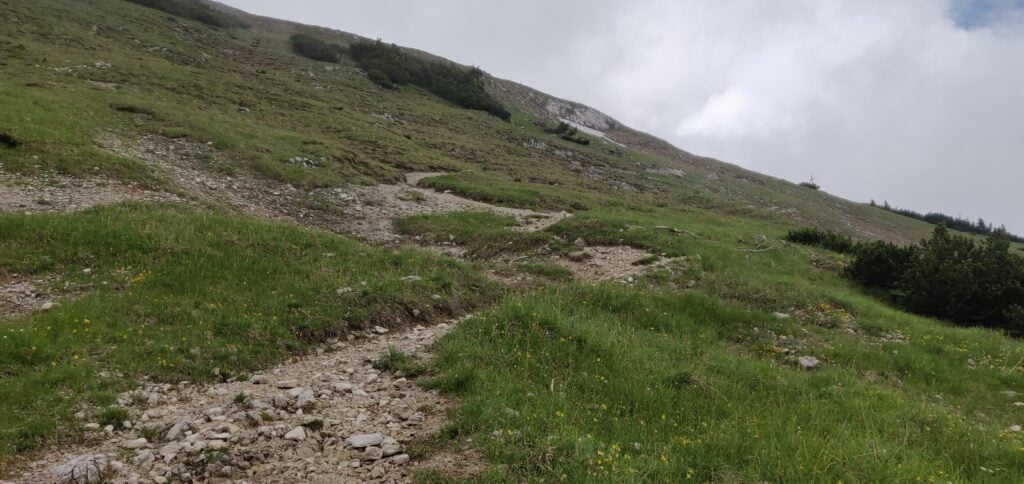
The chairlift’s top is only about two-thirds of the way up the mountain, however, so we needed to press on into the cloud and continue climbing. Again, this is just a matter of following the signs to Wannenjoch. The path becomes narrower and with slightly more loose stone and dirt but it’s still relatively easy walking without particular difficulty.

The ascent to Wannenjoch

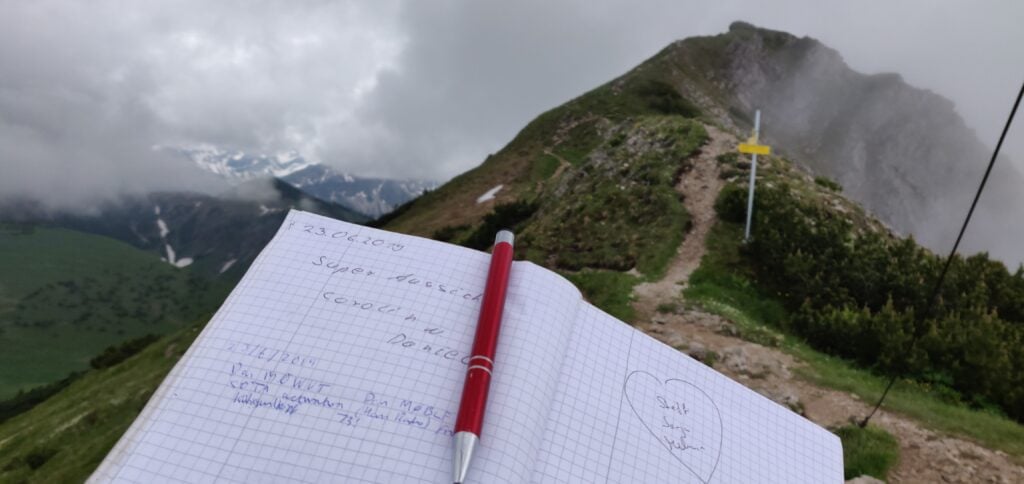
You soon enough come out to the large wooden cross at Wannenjoch. There’s a metal box attached the cross, which contains a visitor’s book and collection of pens for you to mark your visit for posterity, before heading on to Kühgundkopf.

Our callsigns in the Wannenjoch visitor’s book

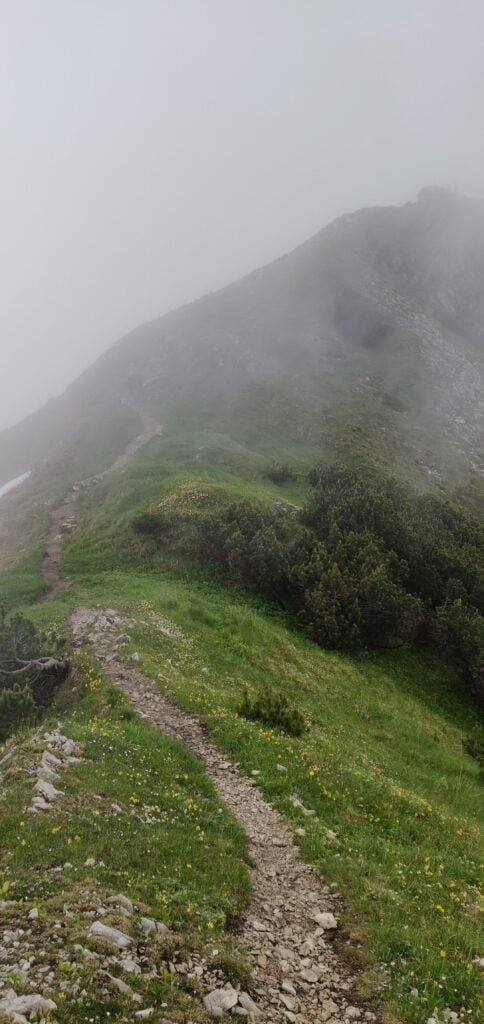
As the photo above suggests, the final ascent to Kühgundkopf is along a short section of ridge. It’s fairly wide and didn’t feel unsafe but it is a long way down, so you do need to watch your footing a bit. Once again, it’s clearly signed to Kühgundkopf, so there’s little chance of going wrong. By the way, the path here is the border, so you’ll probably have one foot in one country and the other foot in another country as you walk along here!

The ridge to Kühgundkopf

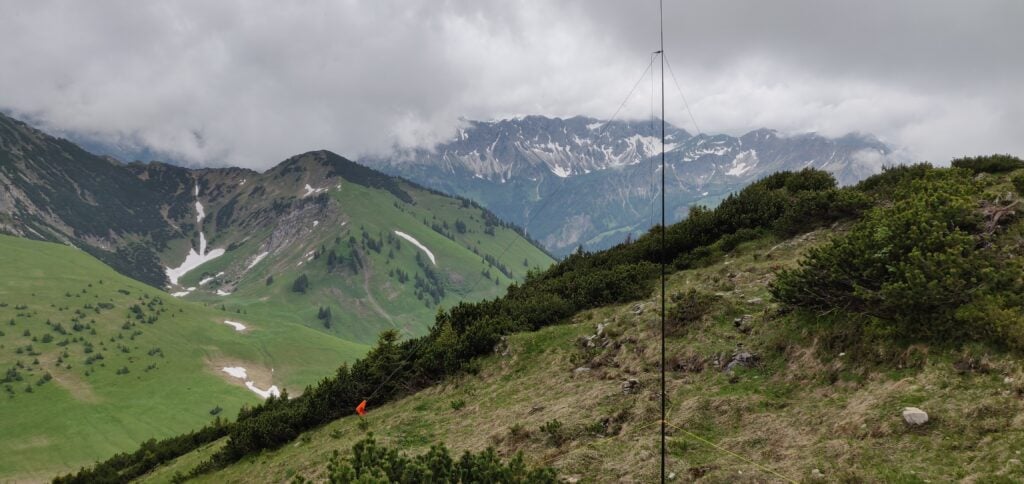
At the top, there’s a trig point. There’s also a little grass space to set up an antenna just below the path. We got occasional glimpses of a spectacular view as the cloud came and went. On a clear day it would be amazing up here!

Antenna set up at the summit

Between us, Dan and I made 19 QSOs on 20m CW. This is a great introduction to Alpine SOTAing, and I’m so glad we opted to do the longer, more serious, walk for the eight points than to have got potentially more points for less reward to the west of FDH.

The walk totals about 7.9 miles / 13.3km and climbs from a starting height of about 1100m to the summit at 1907m. The ascent took 2 hours and 20 minutes, and the descent took 1 hour and 50 minutes. This means that, having started our hike at 09:00 UTC, we were back at the car by 14:20 UTC, with plenty of time to tackle another (smaller) hill.

Loading map…
Distance
—
Elevation gain
—
Elevation loss
—
Max elevation
—
Waypoints
—
Elevation profile

DL/AL-181: Burgkranzegger Horn

Bergkranzegger Horn is just off the main road back to FDH, situated about 20 minutes north of Kühgundkopf, making these an ideal pair to do together.

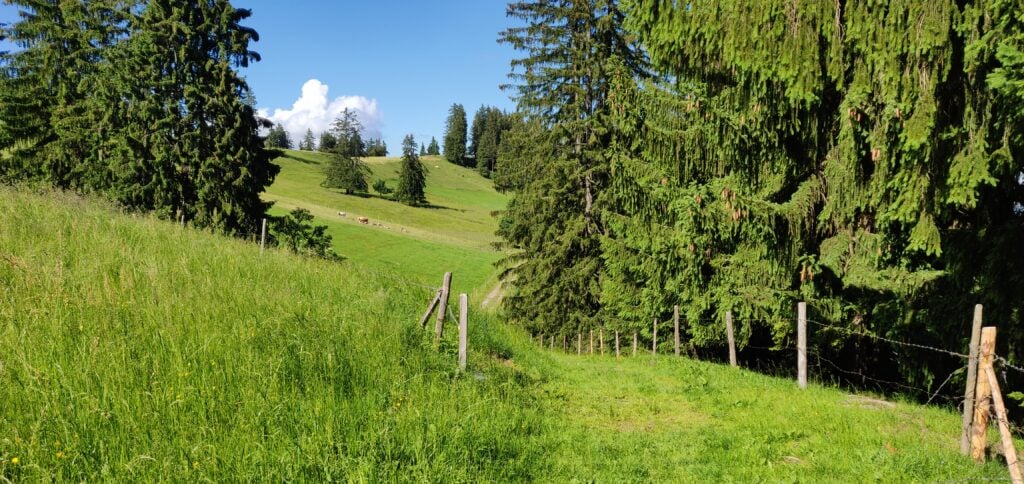
The starting point for this one is just outside the village of Mittelberg (warning: there are some very narrow streets in this village!). We parked in a layby at 47.6358, 10.4236 although the carpark at 47.6347, 10.4207 might be more suitable. From here, it’s an easy walk along the road, which quickly degrades into a track. It’s a simple matter of following this path, upwards, alongside the fields. We stopped at a fence just before the summit but easily within the activation zone of this two-point hill.

Follow the track alongside the fields
The view from the top

This is a very quick 2 mile walk, taking just about 30 minutes to reach the top, after just about 120m height gain. The difficulty came instead from an unexpected source: the cows in the fields all have cowbells, and they were very interested in our operation. Unfortunately, one of these cowbells was exactly the same frequency as our CW sidetone, making it not only incredibly noisy, but also almost impossible to hear what you were sending!

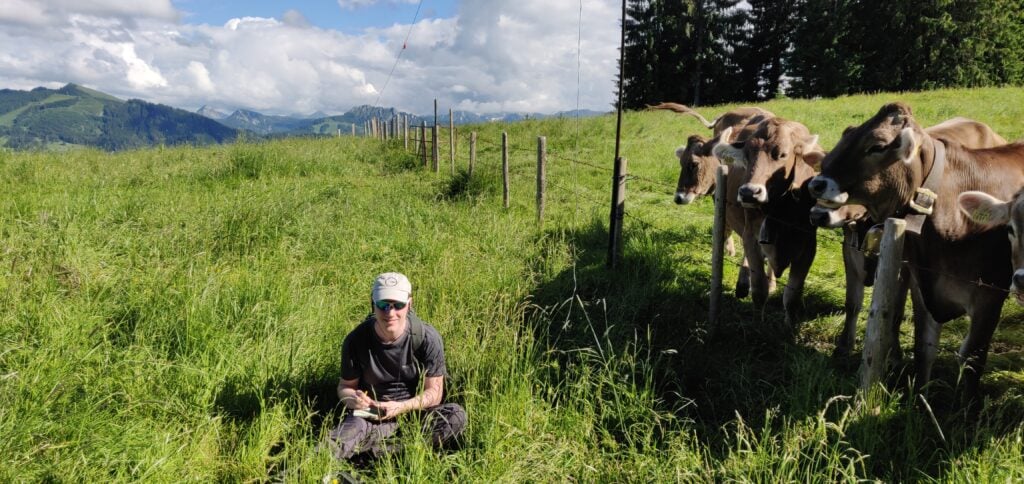
Dan keeping the cows entertained!

Conditions were also a bit tougher from this lower altitude and between us, M0WUT and I made just 10 QSOs on 20m CW. It also turns out that cows are rather partial to licking fibreglass poles, so packing down also had its challenges!

Loading map…
Distance
—
Elevation gain
—
Elevation loss
—
Max elevation
—
Waypoints
—
Elevation profile

After a tiring but rewarding day, and with the sun now out, we arrived back in Friedrichshafen in time for dinner before tackling some of the nearby hills the following day (Monday).